EN
Instructions for use for the user p. 35/48
If the light switch 5 is switched on, the sauna room light will operate at
full power. If you wish to dim the light above the intensity selector 3,
switch off the light switch 5.
Setting options
● Infrared lamps (without foil sensor): 30–70 °C
● Infrared heat plates (with foil sensor): 30–50 °C
10.5. Switching on the light
When the dimmer switch function is activated
When the dimmer function for the light is activated, the power for the light can be
set to any level between level 0 and 100. At 0, the light is switched off. 100 cor-
responds to full power.
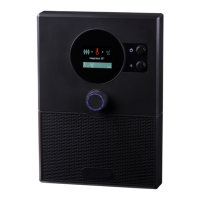
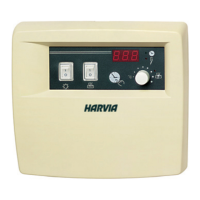
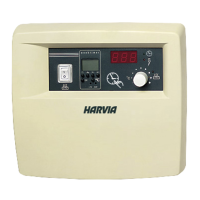
1. Turn the function selector 2 to position C (light).
► The light symbol lights up.
2. Use the intensity selector 3 to set the preferred light power.
3. Press the intensity selector 3.
► The light switches on.
► The intensity selector 3 lights up.
When the dimmer switch function is deactivated
When the dimmer function for the light has been deactivated, you can only switch
the light on and off. The light will always operate at full power.
1. Turn the function selector 2 to position C (light).
► The light symbol lights up.
► In the intensity display, “OFF” appears.
If the sauna heater is already active or if it is started additionally, tem-
perature regulation of the additional output is not possible. The mode
is automatically changed to power regulation and the additional output
continues operating at the highest level.


 To Next Page