Email: service@haskris.com
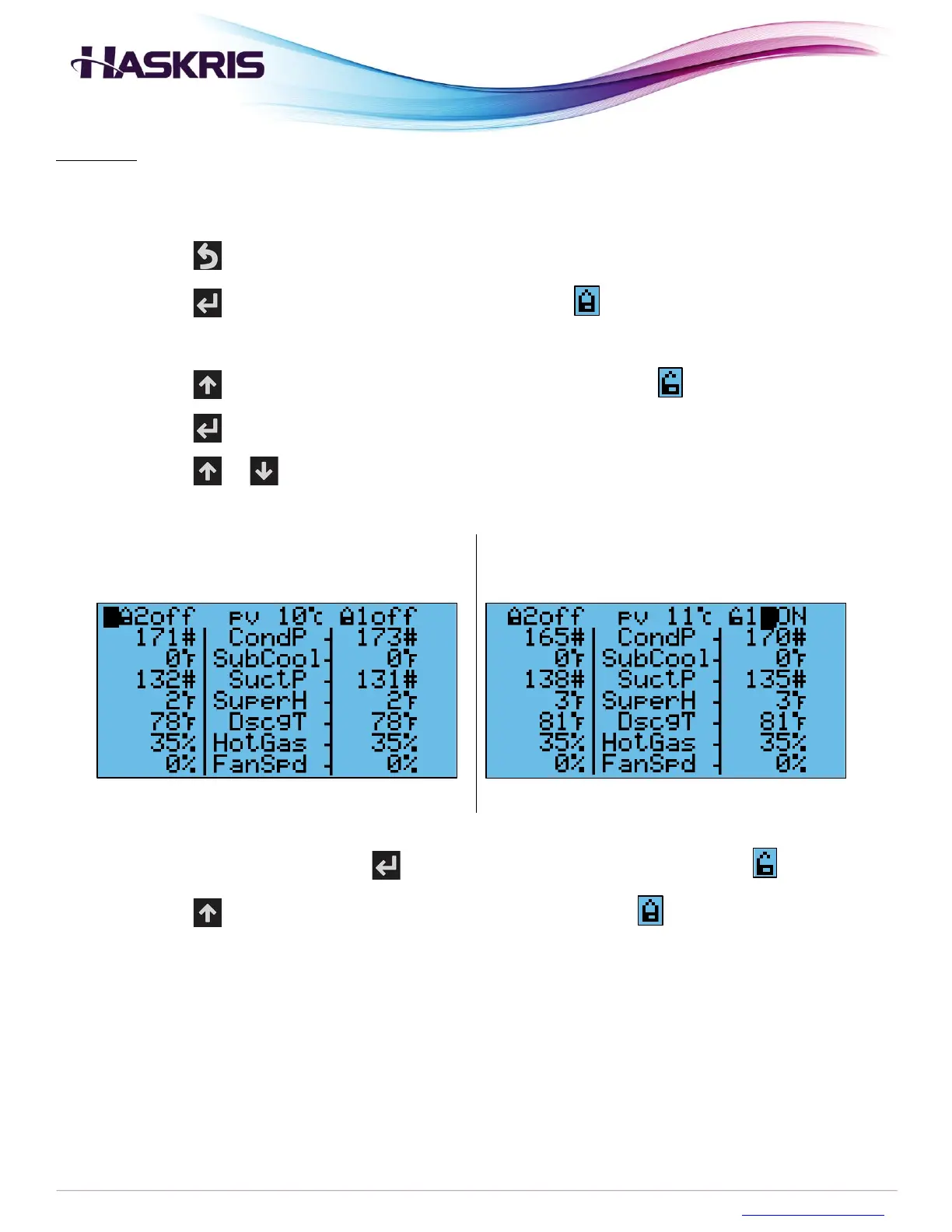
Operation: It may be necessary for preventative maintenance or service to force a specific
refrigeration circuit ON or OFF. Follow the procedure below.
1. Access the Service menu
2. Press the button until you see the main display
3. Press the button to move the blinking cursor to the symbol of the circuit you want to
override
4. Press the button to unlock this symbol, it should look like this
5. Press the button so the blinking cursor is on the ON/OFF status of that circuit
6. Press the or buttons to force that circuit to be ON or OFF
Circuit 1 Override Unlocked
Override ON
7. To stop the override, press the button to move the blinking cursor to the symbol
8. Press the button to lock this symbol, it should look like this
1. Logout of the Service menu when finished



 To Next Page