Configuration
Device configuration in setting mode
DMP41 A03470_07_E00_00 HBM: public 81
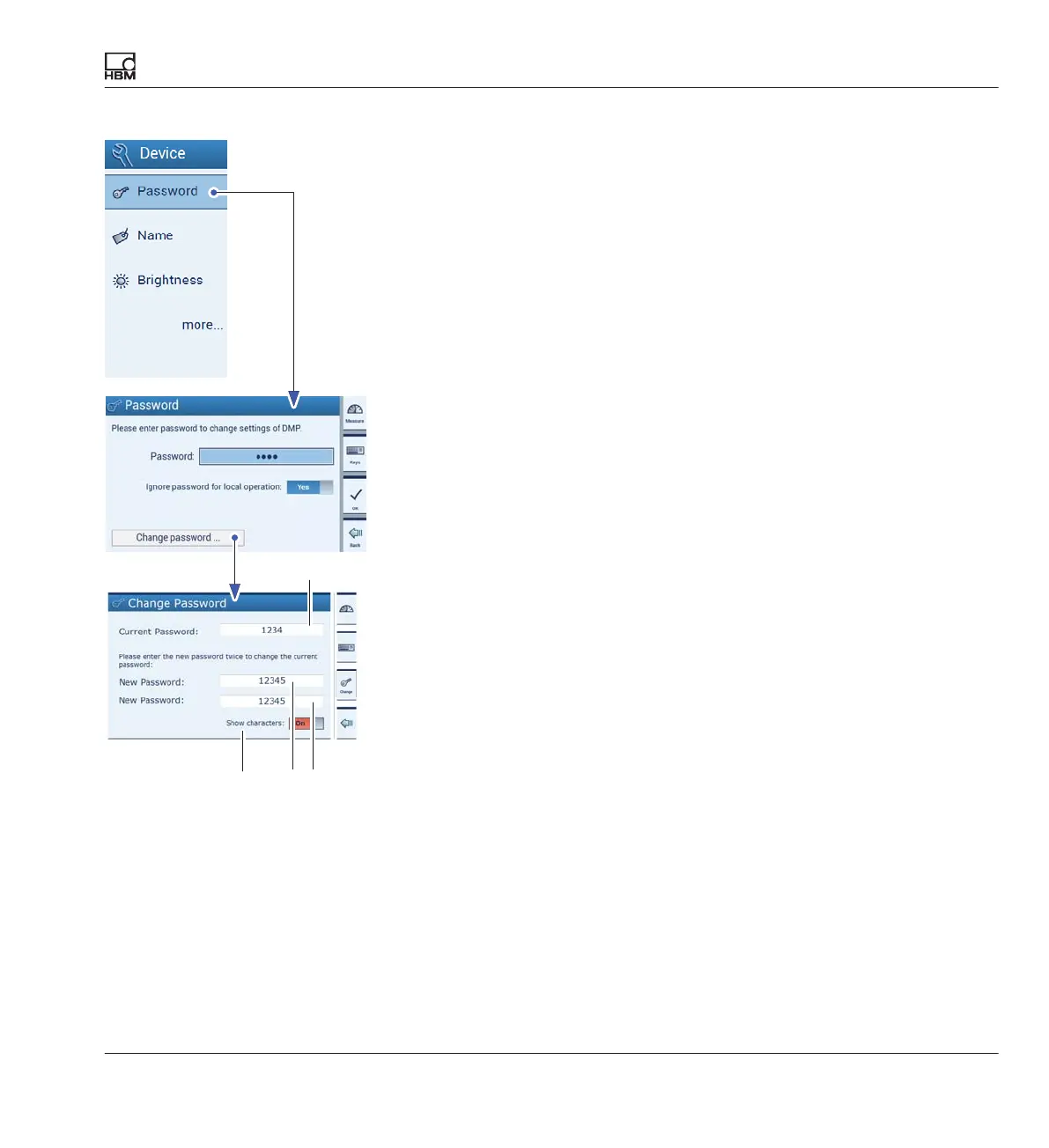
7.3.1.2 Change password
► Press Password.
► Press Change password.
► Enter the current password (A).
► Enter a new password (B).
► To confirm the new password, enter it for a second time (C).
► Confirm and save with Change.
A
B
C
The password becomes visible
(here: 12345)



 To Next Page