Settings
TIM40 A02590_04_E00_00 HBM: public 31
12 Settings
You can parameterize the TIM40 via an integrated software that displays all
parameters in a web browser (we recommend Microsoft Internet Explorer)
when connected via Ethernet.
12.1 Settings with the web browser
Start the web browser by double‐clicking on the TIM40 symbol in the network
environment as described in Chapter 9.5.
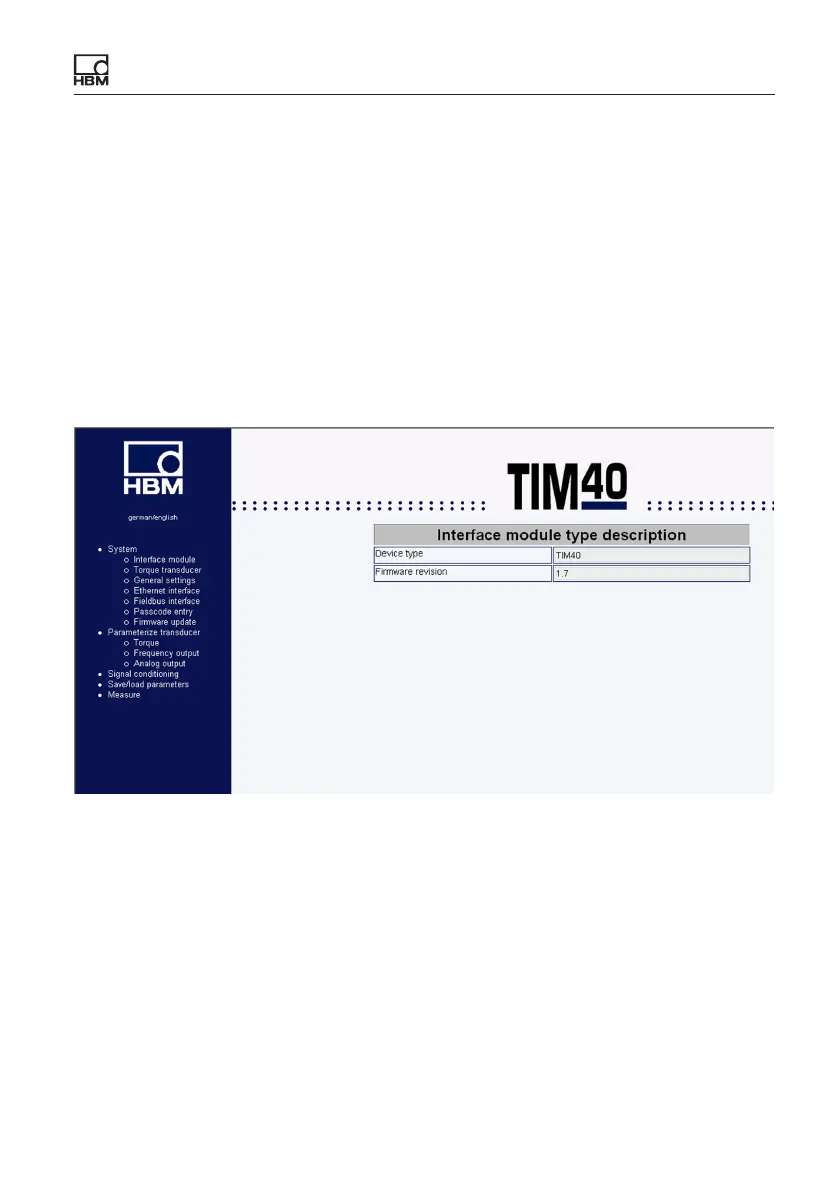
Fig. 12.1 TIM40 start window
Use the tree structure on the left side of the start window to open the required
setup window.



 To Next Page