Interface description
TIM40 A02590_04_E00_00 HBM: public 45
13.2.2 LED status display
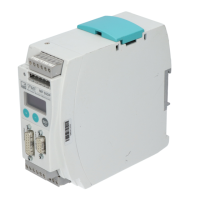
For better visibility, the module LEDs ”Operation Mode” and ”Status” are cou
pled with the enclosure LEDs H1 and H2.
LED Operation Mode/H1
Color/status Meaning
Off Not online or no voltage supply
Green Online, data exchange
Flashing green Online, clear
Red flashing 1x Parameterization error
Red flashing 2x Profibus configuration error
LED Status/H2
Color/status Meaning
Off No voltage supply or no initialization
Green Initializing complete
Red Exception error
13.2.3 Cyclic data traffic
Before you can communicate with the TIM40 interface module on Profibus, you
have to configure and parameterize the message contents.
To do this, start your configuration software (e.g. Step 7) and load the GSD file
from the HBM website (www.hbm.com/T40/Downloads). You can then config
ure the information relevant to your application from the ”Hardware catalog”.



 To Next Page