Disclaimer: 3
rd
party and/or custom firmware providing extra features are not covered in this manual.
4K Integral 2 – User Manual
FAQ
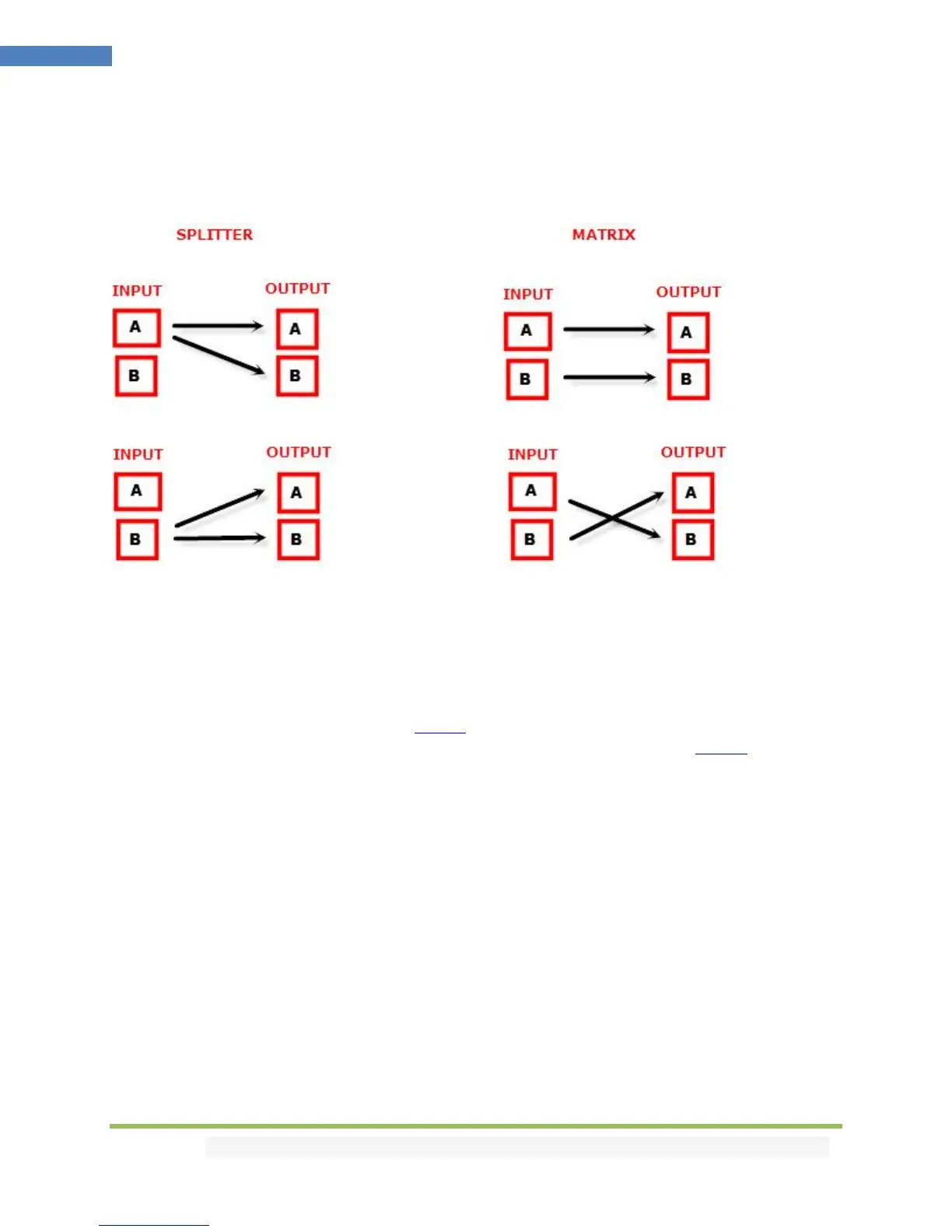
What is the difference between Splitter and Matrix option, what are the options for each mode?
The below picture represents the available options for both mode.
Can we pass-through 4K60 4:4:4 or any HDR signal and have one output at lower resolution ?
Yes, when connected correctly to the right downscale output port, Integral 2 will automatically scale
down UHD to FHD if required by the connected SINK (Display, AVR or others). Similarly it can scale up
FHD to UHD if required by the connected SINK to the upscale port.
What is the Bluetooth working range with GoBlue?
You can connect and use the Bluetooth APP for iOS and Android with Integral 2 and GoBlue even when
no signals are going through the Integral 2. With or without any signals, in all cases, the Bluetooth range
is over >10m.
My display is supposed to accept 4K60 4:4:4 signals but it does not work?
For most UHD TV set we tried, there are always extra configuration options to active in order to achieve
a 4K60 4:4:4 600MHz link. For ex, on samsung: in order to enable the 444 colorspace for 4k in Samsung
TV’s you must go to "settings" and "hdmi" and "UHD color" and enable it. Then also you must assign the
HDMI port1 as "PC" in the tools menu. Only after these two steps will 600MHz be accepted. Similar
activation tricks are required on most UHD TV’s. Additionally, most UHD TV’s only have specific ports
that are 600MHz capable.
I have a PC mode on my TV (or a PC monitor) what resolutions are supported for graphics mode?
All PC graphics mode within the 600MHz bandwidth are supported, including ultra high resolution such
as WQSXGA, QUXGA, QFHD, WQUXGA, 4K.



 To Next Page