Disclaimer: 3
rd
party and/or custom firmware providing extra features are not covered in this manual.
4K Integral 2 – User Manual
EDID Mode Selection
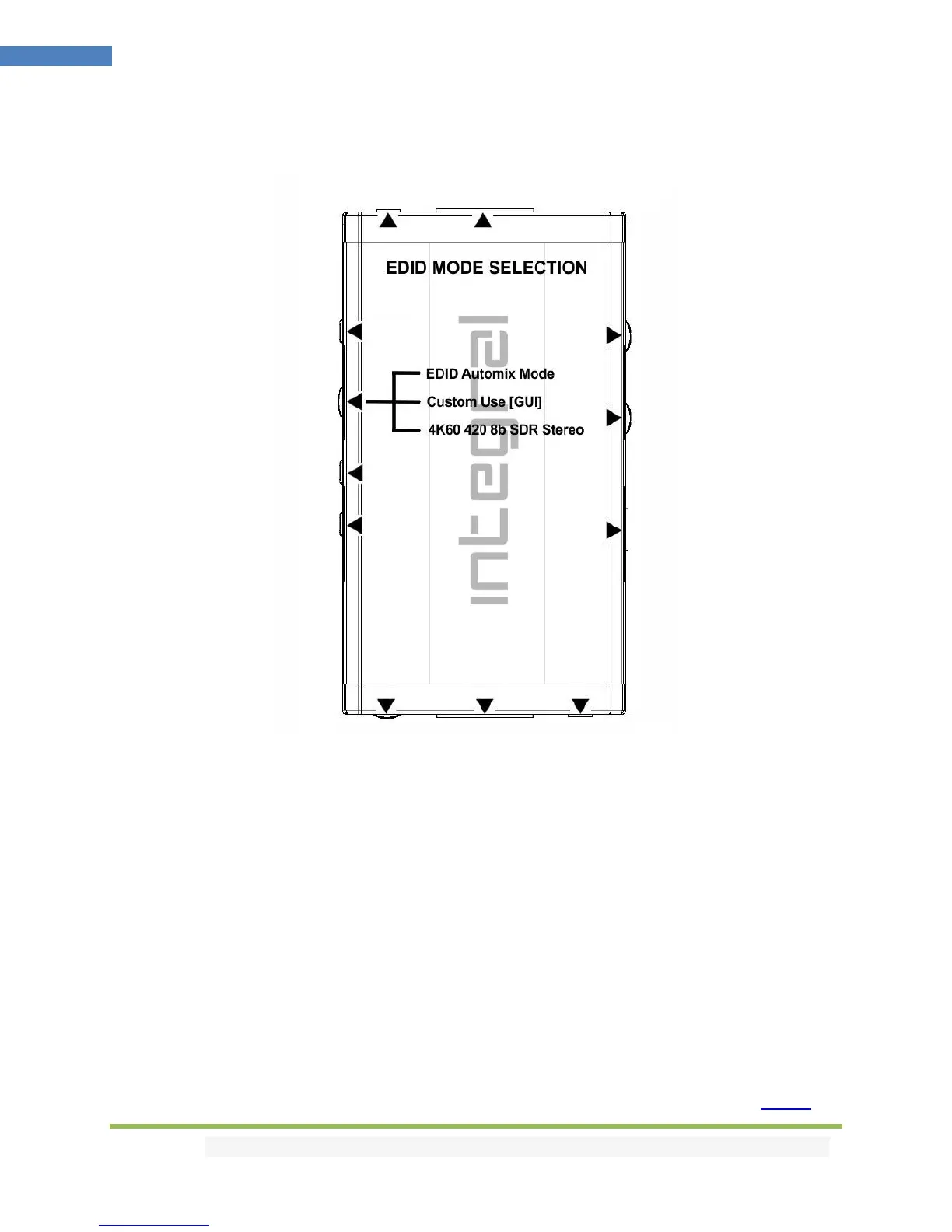
EDID slide switch has 3 positions.
Switch should be set to middle position to allow control via USB, IR, RS232 or Bluetooth device.
[Automix Mode]: Create EDID based on mutual sink capabilities controlled by a selectable algorithm
with enforceable flags so both sinks will always show a picture and audio.
[Custom Use / BT]: Pick and use EDID from a selection of preloaded EDID tables (see p.14) or load any
EDID bank of your choice. By default the selected EDID table is a 4K60 4:4:4 BT2020 HDR 600MHz with
Full Audio capabilities. Leave the slide in this position to allow remote control via USB/IR/RS232 or
Android/iOS APP and/or to pick and use any of the 100 different EDID tables available. Please note that
Integral 2 can hold a specific individual EDID for each input.
[Fixed EDID with L/R Audio]: This mode is a 4K60 4:2:0 8b SDR 2channel stereo 300MHz basic table. It
can be used as a security EDID to ensure a picture in mostly every setup/situation.
Note: You can also switch EDID mode and any others control with IR codes, from the USB GUI for
Windows PC, RS232 for MAC/WIN/Linux or via smartphone/tablet APP for Android/iOS using GoBlue.



 To Next Page