Disclaimer: 3
rd
party and/or custom firmware providing extra features are not covered in this manual.
4K Integral 2 – User Manual
How do I hook up the audio from the Integral 2?
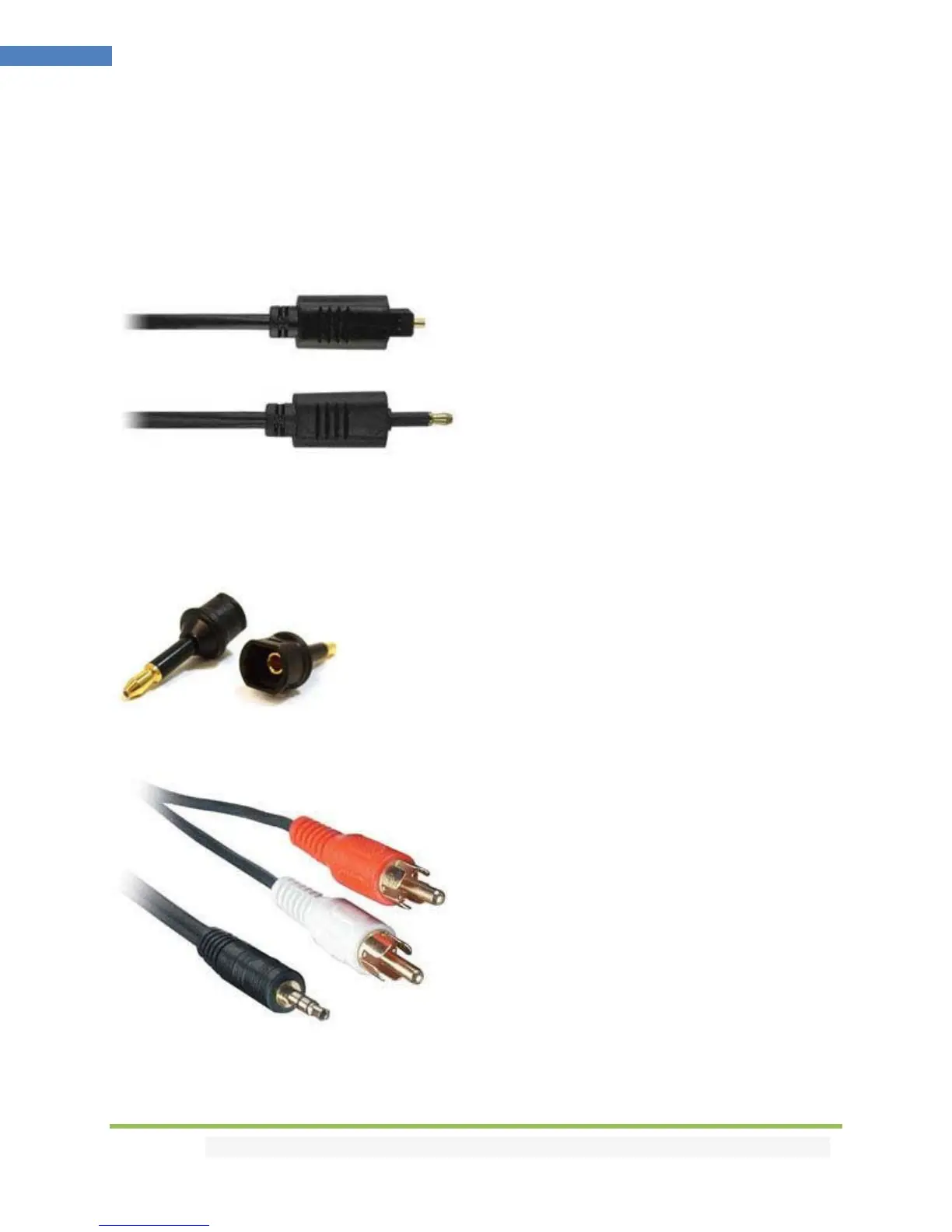
The Integral 2 has both analog and digital (TOSLINK) audio output in one connector labeled "D/A" along
with a headphone symbol. It's a 2-in-1 connector meaning that you can plug in either a 3.5mm stereo
analog jack or a digital mini-TOLINK (3.5mm mini-jack) cable and get stereo analog sound or 5.1
Dolby/DTS digital sound out of the Integral 2. See further below for pictures of both types of
connectors/cables.
Integral 2 3.5mm mini-TOSLINK digital audio cable:
If you'd like to use a "regular" TOSLINK cable, use a 3.5mm Mini-TOSLINK to regular TOSLINK adapter:
A 3.5mm stereo audio cable can be used for connecting the Integral 2 to a TV if you do not have a home
theater setup (you only have 2 speakers in your TV):



 To Next Page