Disclaimer: 3
rd
party and/or custom firmware providing extra features are not covered in this manual.
4K Integral 2 – User Manual
FPGA Update Instructions
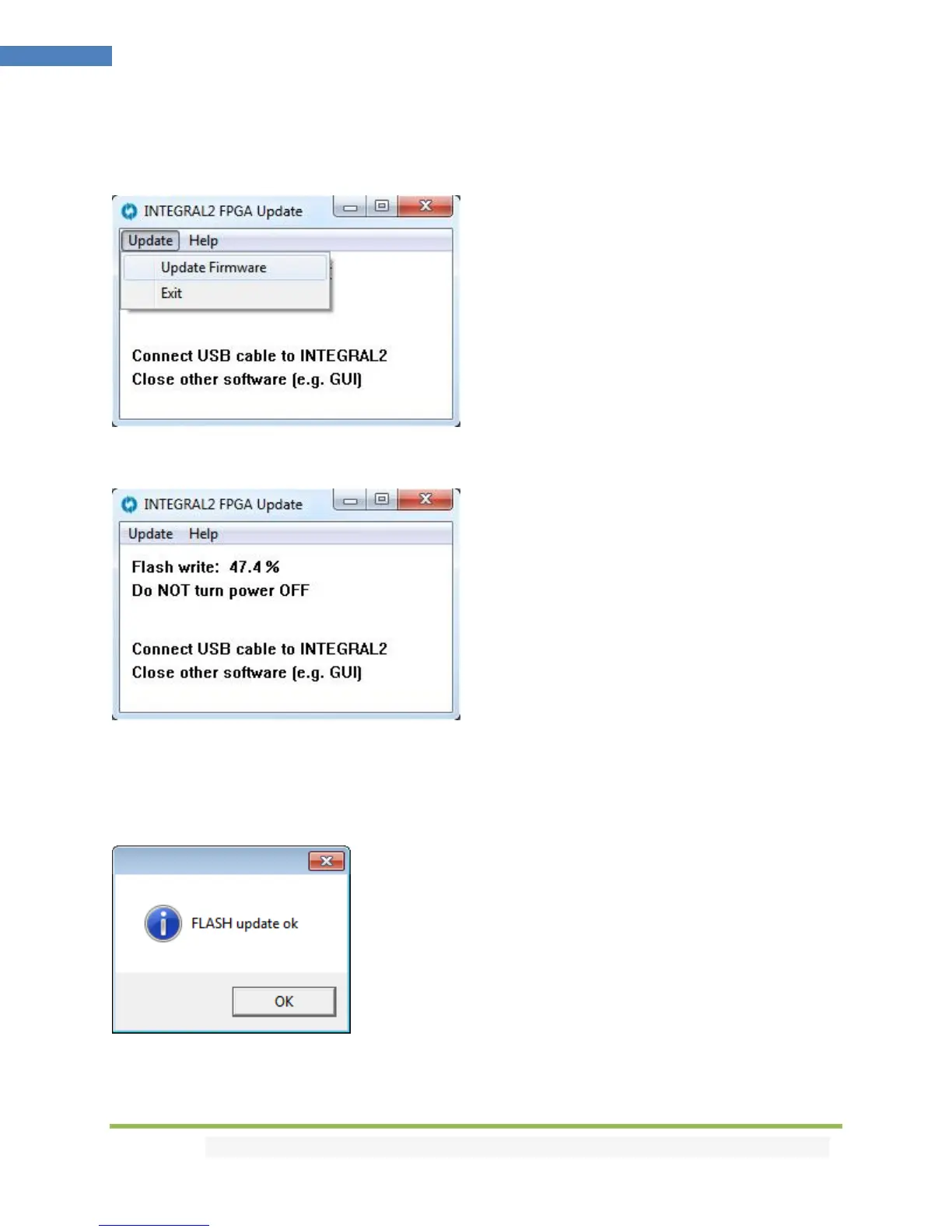
Double-click Integral 2 FPGA executable (if needed, right-click and select Run as Administrator)
The below window will open.
Click Update Firmware as shown on the above picture.
Flashing time is around 50 seconds
Do not disconnect your device while the upgrade process is running.
Once completed, you will hear a windows notification sound and the below window will pop up.
Simply click OK and the main updater will display the below message.



 To Next Page