Disclaimer: 3
rd
party and/or custom firmware providing extra features are not covered in this manual.
4K Integral 2 – User Manual
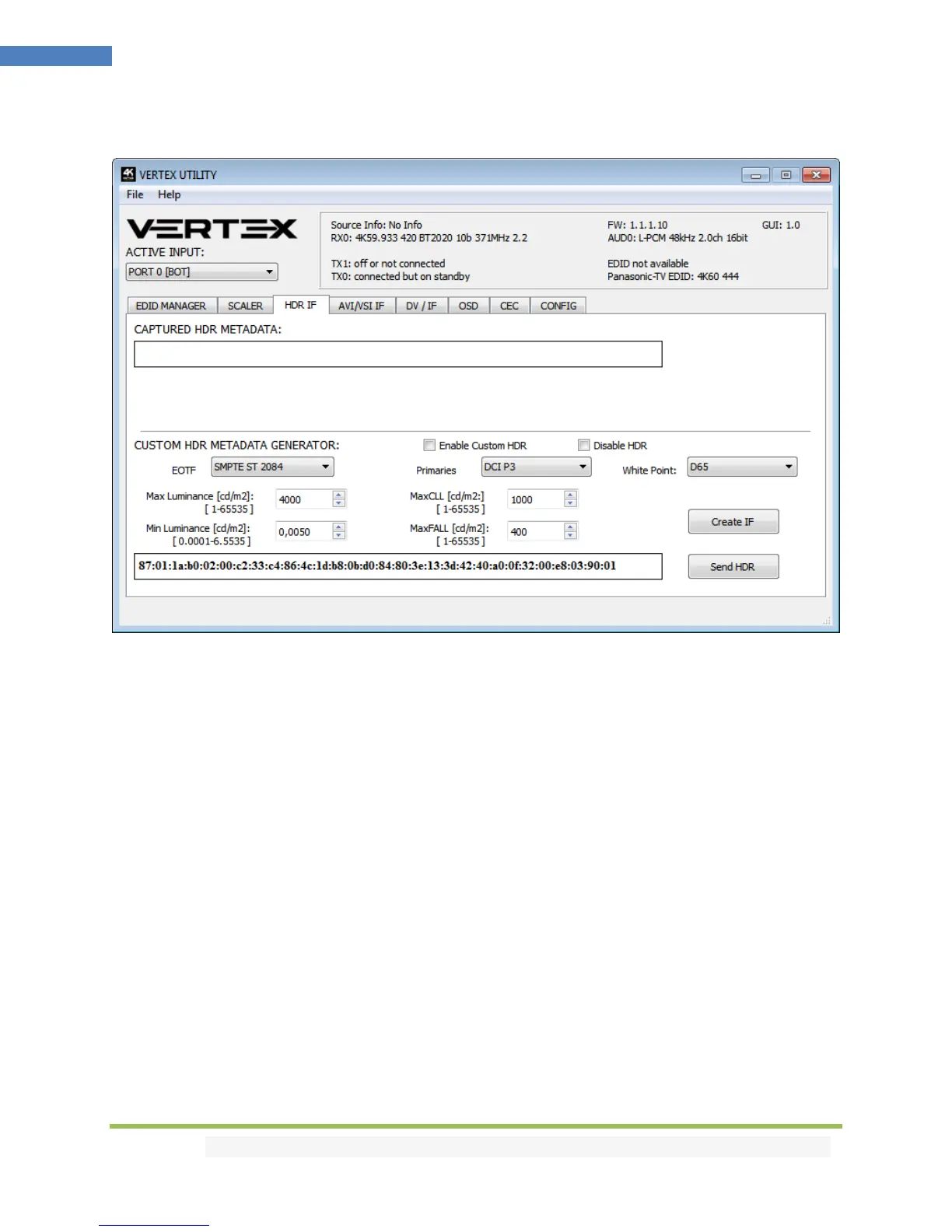
The HDR INFOFRAME section of the USB GUI for Windows PC:
[CAPTURED HDR METADATA]: If the source at input is sending HDR InfoFrame metadata then the
information is captured, extracted and displayed in this text box on GUI. HDR metadata is also
deciphered and displayed in human readable format on both the Windows GUI and OSD.
[CUSTOM HDR METADATA GENERATOR]: This GUI section will allow you to create your own custom
HDR metadata and inject it on the current signal by adding it or replacing the existing HDR metadata.
[ENABLE CUSTOM HDR]: Unchecked by default, once activated it will turn ON the HDR mode of any HDR
display. Upon clicking ENABLE CUSTOM HDR the CUSTOM HDR IF that is defined by dropdown and input
field and then created and displayed in the text box gets sent. This way you can define what the
InfoFrame actually is. This is stored also in Integral 2 and is persistent over hotplugs and power cycles.
[Disable HDR]: Once activated this option will allow Linker to intercept and cancel all incoming HDR
metadata. This mode was introduced to allow JVC PJ owners to apply their own Gamma curves for HDR
content and allow their PJ DI to work when content is HDR.
[EOTF]: Select between SDR Luminance Range, HDR Luminance Range, HLG ITU-R BT.2100-0 or SMPTE
ST 2084 values to be used in the custom HDR metadata creation.
[Primaries]: Select between DCI P3, ITU-R BT 709-5 or ITU-R BT2020-2 values to be used in the custom
HDR metadata creation.



 To Next Page