Disclaimer: 3
rd
party and/or custom firmware providing extra features are not covered in this manual.
4K Integral 2 – User Manual
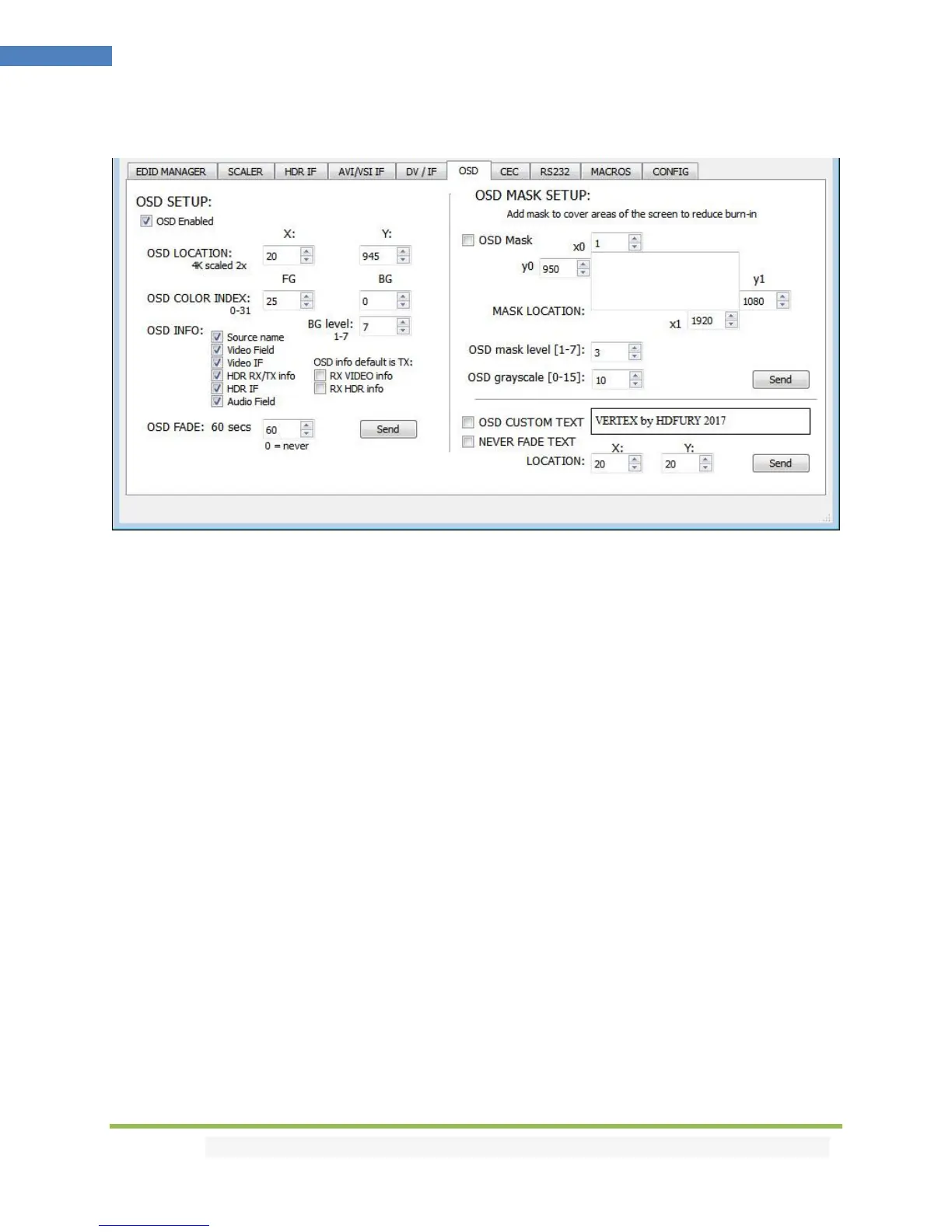
The OSD section of the USB GUI for Windows PC:
[OSD Enabled]: Enable or Disable the OSD feature of Integral 2.
[OSD LOCATION X, Y]: Set the X and Y value of the OSD location at 1080p, values are multiplied by 2
when the stream is 4K
[OSD COLOR INDEX FG, BG, BG level]: Set the Text Color, Background Color and Background
transparency for the OSD.
[OSD INFO]: Select or unselect the information that must be displayed on your Integral 2 OSD. Available
options are: Source name, Video Field, Video IF, HDR TX/TX info, HDR IF, Audio field, RX Video info, RX
HDR info.
[OSD FADE]: Set the timer before OSD fade out, 0 = never.
[SEND]: For any changes in the above parameters, click SEND to upload them to your Integral 2 unit.
[OSD Mask]: Enable of Disable the use of OSD Mask.
[MASK LOCATION x0,y0,x1,y1]: Defines the coordinates of the top left and bottom right corner of your
OSD Mask at 1080p. Values are multiplied by 2 when the stream is 4K
[OSD Mask level]: Select the level of transparency for your OSD Mask. Value range is from 1 to 7.
[OSD grayscale]: Select the level of grayscale for your OSD Mask. Value range is from 0 to 15.
[SEND]: For any changes in the above parameters, click SEND to upload them to your Integral 2 unit.



 To Next Page