Disclaimer: 3
rd
party and/or custom firmware providing extra features are not covered in this manual.
4K Integral 2 – User Manual
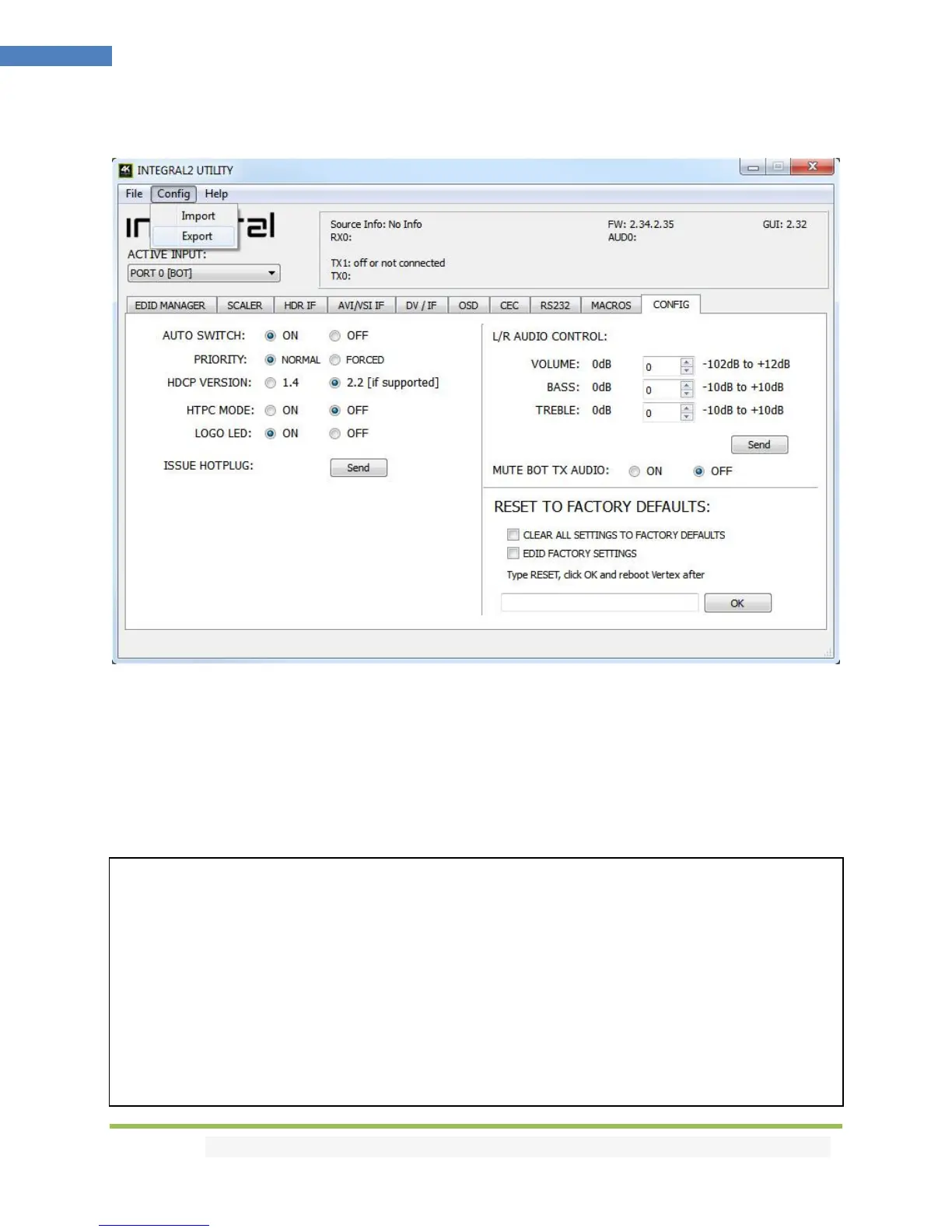
CONFIG Import/Export section of the USB GUI for Windows PC:
By using the [CONFIG] > [EXPORT] option, you will be able to save the current Integral 2 configuration
and settings in a text file.
The file can then be shared with others, for support reason or simply to be loaded back after a newer
firmware update by using [CONFIG] > [IMPORT] option.
Exported config file will present the active signal information, the EDID set for each RX and TX as well as
the list of parameters that can be edited in the text file directly before importing the file back.
################################################################
# HDFURY INTEGRAL 2 CONFIGURATION FILE
# [26.9.2018 16:19:25]
################################################################
# STATUS INFO START - DO NOT MODIFY VALUES
################################################################
FW: 2.34.2.35, GUI: 2.32, PCB 2
RX0: 4K59.933 422 BT2020 12b 593MHz 2.2
AUD0: L-PCM 48kHz 2.0ch 24bit
TX0: 4K59.933 422 BT2020 12b 593MHz 2.2
TX1: 1080P59.933 444 BT709 8b 148MHz 1.4
SONY TV *00 EDID: 4K60 444 HDR BT2020
DENON-AVRHD EDID: 4K24 444
Source Info: No Info



 To Next Page