44
80-23024 Issue 3r1 HEBER
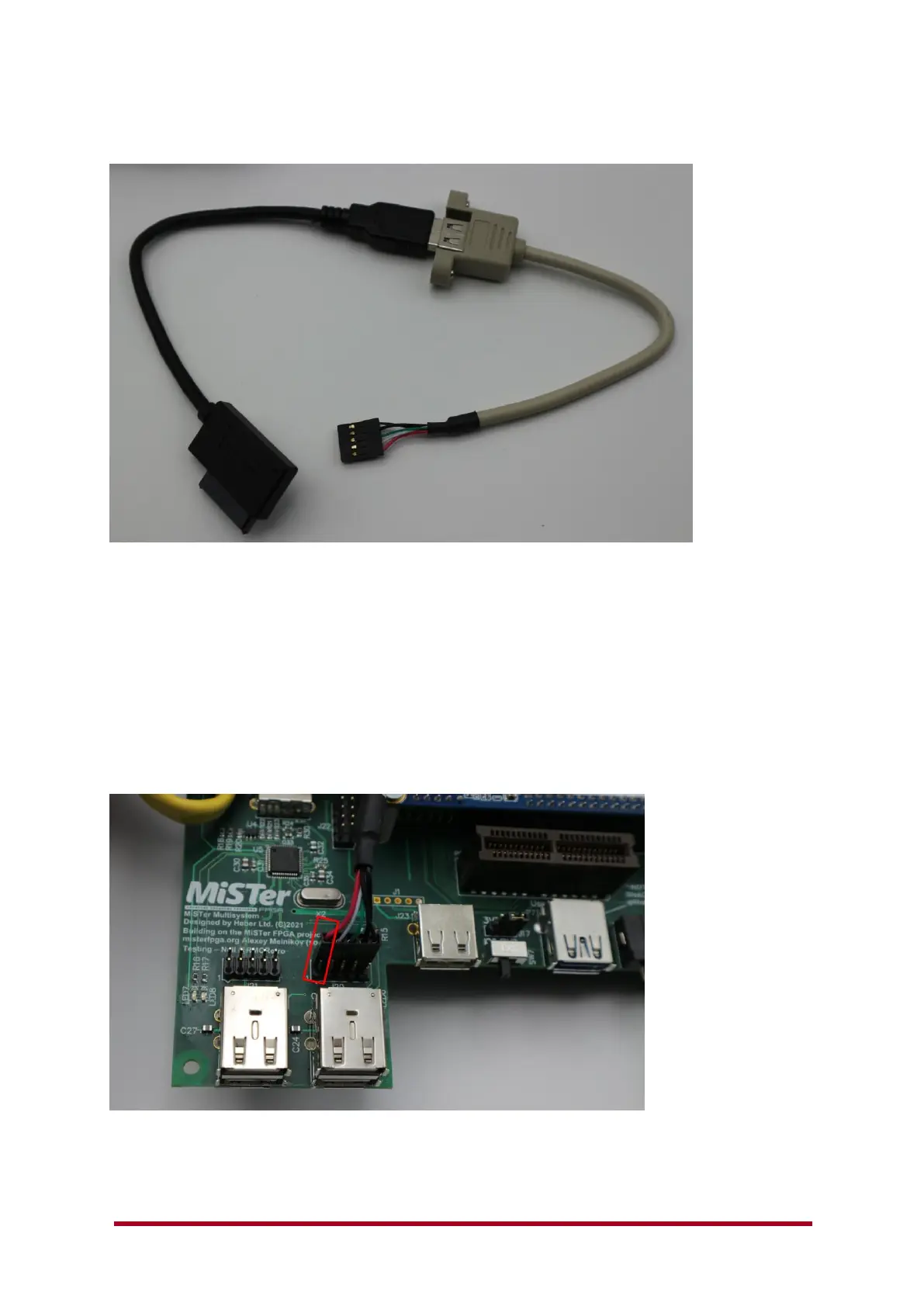
You may wish to connect up internal USB devices. We have provided alternative single-in-line pin
connections for this purpose.
To connect to the internal USB 2.0 ports you will require a standard PC motherboard single (5pin) or
dual (10pin) USB adaptor cable – shown as the grey cable above.
This will allow connection to the Multisystem Motherboard USB 2.0 ports and then connection to
standard USB devices (SUB SATA cable shown above).
Ideally use 5 pin or 10 pin connectors as these have the Ground (GND) and shield connected. 5 pin
cables have a screened cable. Some 4 pin cables may also include a screened wire connecting to the
Ground pin, this is also good to use with USB 2.X devices.
4 pin connectors with unscreened cables are available, but are not recommended with the
Multisystem or any USB 2.0 device.
Note: - Front internal USB port headers have a very tight fit when used with the 3D printed
enclosure. Ideally use the internal USB back panel connection (J22) when fitting internal USB
devices inside the enclosure.



 To Next Page