45
80-23024 Issue 3r1 HEBER
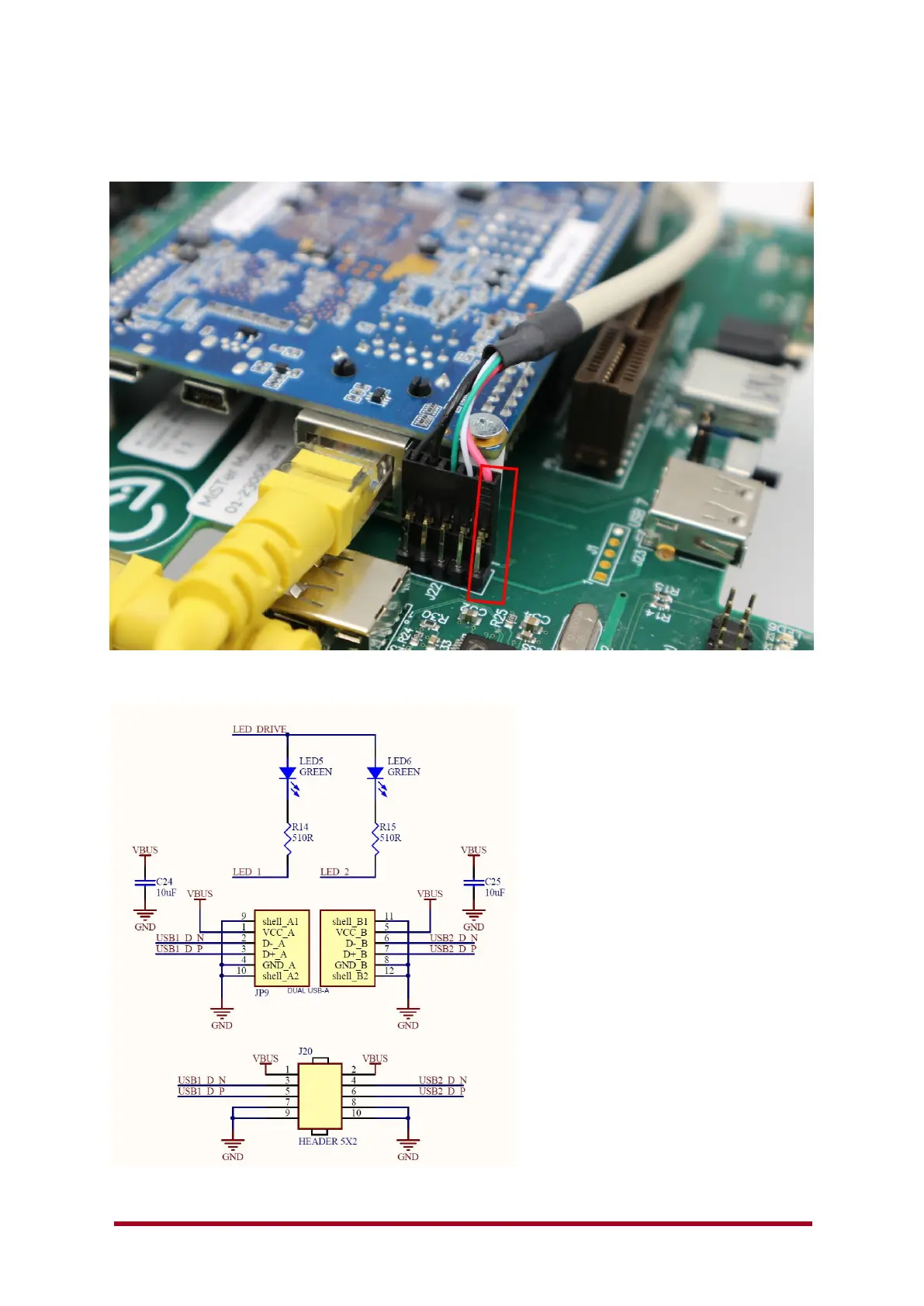
To connect these cables, look for the Pin 1 location on the Multisystem PCB and connect the Red
wire (5v) – the cable should then have the USB +/- (White/Green) and then Ground (GND) and
Shield. – Usually both black.
The back USB 2.0 ports have internal connections at J22 – remember if you use the internal
connections, you cannot use the external USB ports at the same time.
USB connections.



 To Next Page