4
80-23024 Issue 3r1 HEBER
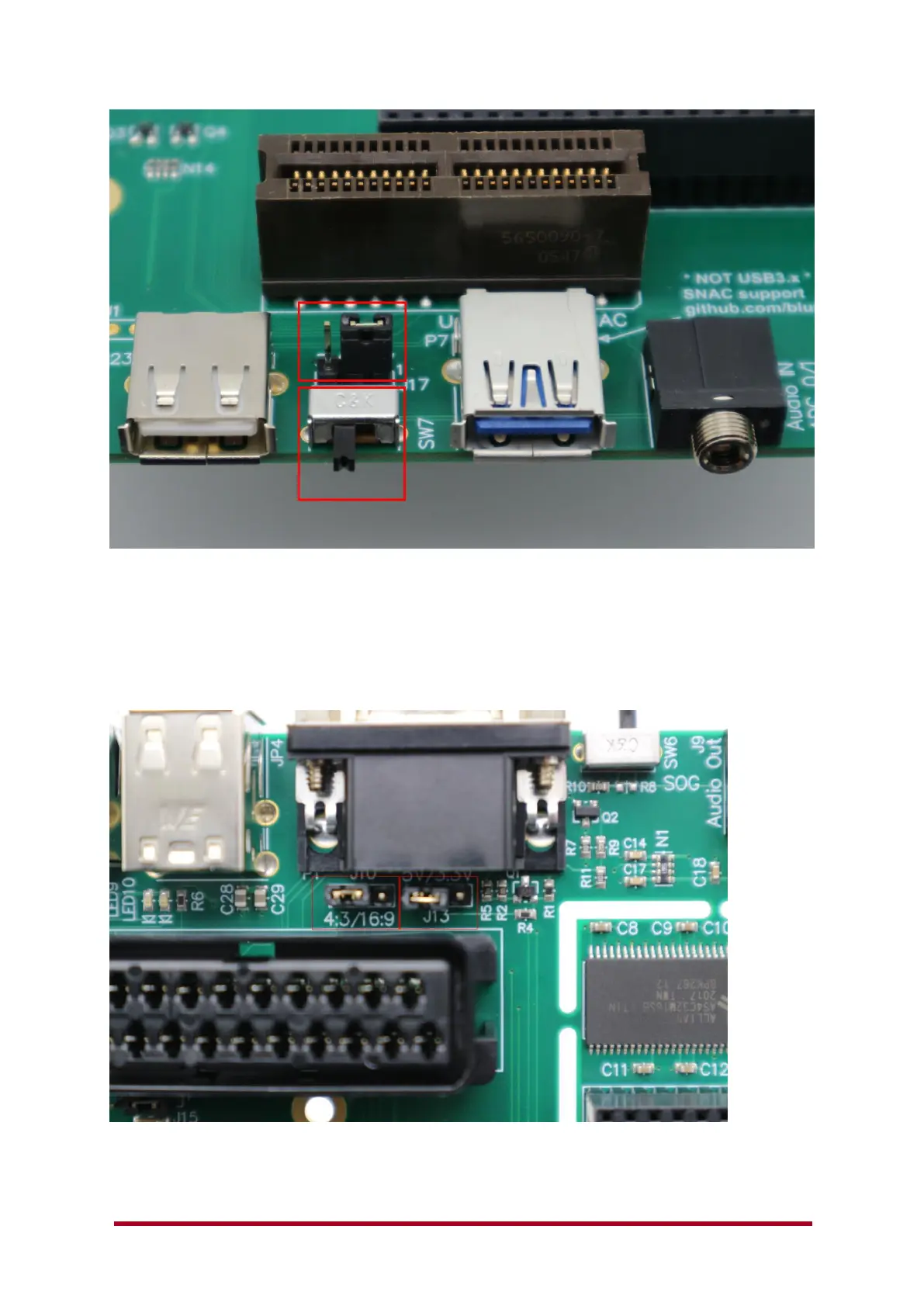
Check that the front switch (SW7) is in the position shown above (Left – selecting the IO6 pin
connection for SNAC operation) and the Option link jumper (J17) is in the right hand position
(Selecting 5v SNAC Operation).
If you wish to use the User port setting, then J17 needs to be set to pins 2 and 3 (3.3v).
The MiSTer User port is used for direct connection of other devices (Mt32Pi for example) to the
FPGA on the DE10-nano (using 3.3v signals). The SNAC mostly uses 5.0v for original gamepad
/Joystick / paddle / light gun and peripheral devices.
Check the option links J10 and J13 (shown above) are both in the Left-hand position.
This will auto-select a 4:3 mode for the SCART output and apply a 5v power to the 15way dtype
‘VGA’ port – if you wish to have 3.3v or no voltage connection change option link J13.



 To Next Page