GR SG9015852000000000 GR SG9015799000000000
Preset Plus Feeder
confidential
C.1.20
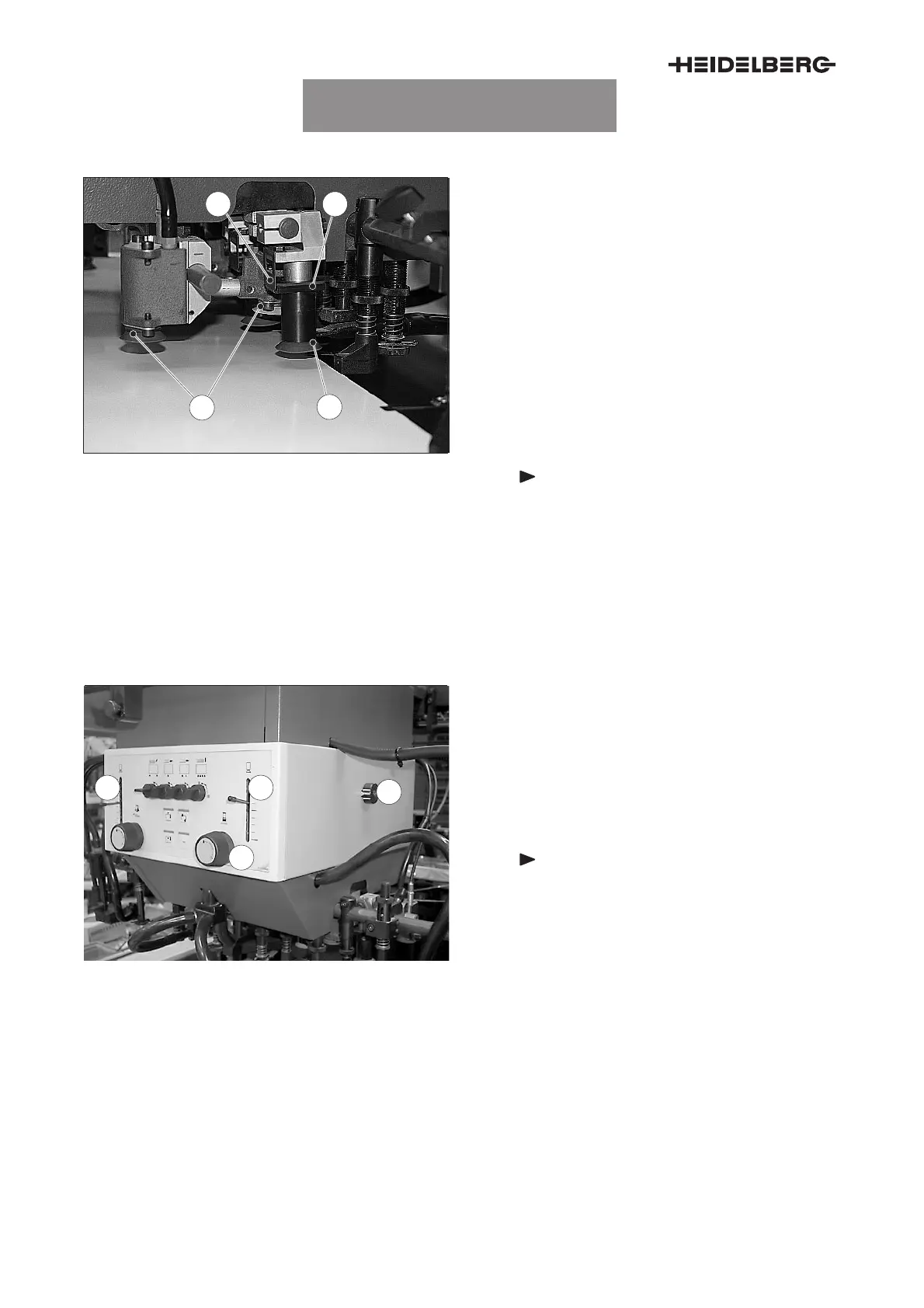
5.4 Lifting suckers
3
4
21
Fig. 22 Lifting suckers
The lifting suckers (Fig. 22/3) raise the topmost
sheet at its rear edge and separate it from the pile.
Replacing lifting suckers
There are different rubber disk shapes for different
printing materials.
1. Rotate the lifting sucker (Fig. 22/3) through 90°
and pull it out from the bottom.
2. Insert the new lifting sucker into the retainer on
the suction head. The collar (Fig. 22/2) of the
lifting sucker must be above the stop
(Fig. 22/1).
Note
Install the lifting suckers with inte-
grated magnets at the two inner lifting
sucker positions. Sheet travel is not
possible without these special lifting
suckers.
3. Rotate the lifting sucker through 90° into the
locking device. Check the proper seating of the
new lifting sucker.
1
2
43
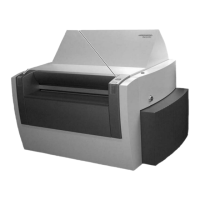
Fig. 23 Adjusting the lifting sucker
Adjusting the height of the lifting suckers
The height adjustment of the lifting suckers is only
visible during operation.
1. Switch on the feeder without sheet travel.
2. Adjust the height of the lifting suckers at the
control knob (Fig. 23/2).
Note
The sheet travel monitor on the suction
head assumes that the inner lifting
suckers reach the upper end position
after the sheets have been lifted off.
Adjust the height such that the suckers lightly rest on
the pile.
With double sheets: Correct the settings of the wip-
ers.
The height adjustment can be checked on the suc-
tion head indicators (Fig. 23/1). The marks show the
upper, middle and lower end position of the lifting
suckers.
UTKSG9015030000000000006



 To Next Page