GR SG9015823000001000
Preset Plus Feeder
confidential
C.1.49
15 Pull lay
15.1 Function
There are two pull lays (one on D.S. and one on
O.S.) on the feed table, shortly before the sheets
enter the printing unit. Depending on the required
pull direction, you can select the pull lay on D.S. or
on O.S. via the CP2000 Center.
The pull lays perform the lateral alignment of all
sheets before they are fed into the printing unit.
The pull lay on D.S. pulls the sheet against the pull
stop on D.S. - the pull lay on O.S. pulls the sheet
against the pull stop on O.S.
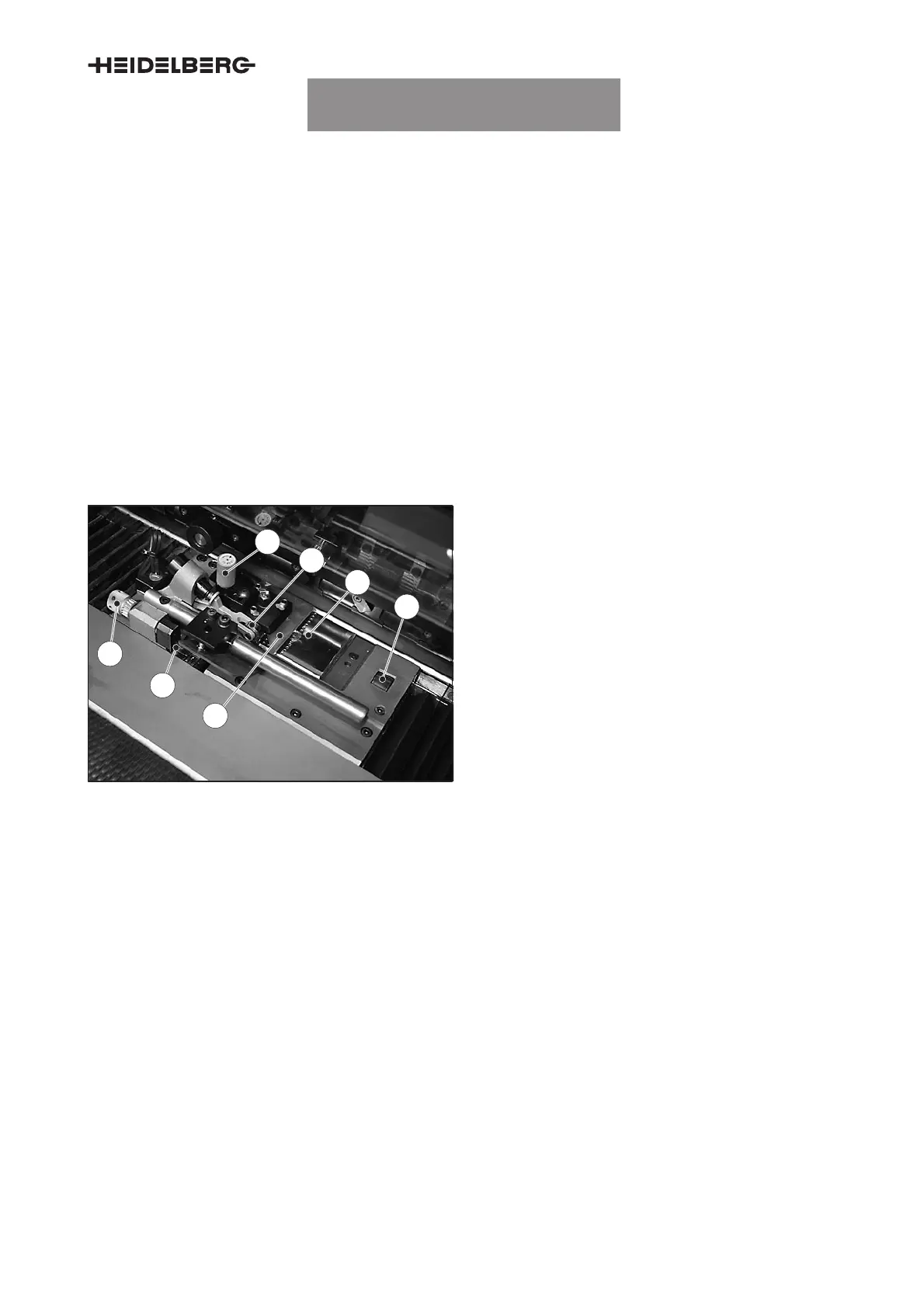
15.2 Function elements
4
3
1
2
5
6
7
Fig. 61 Pulling device, overview
1 Adjusting screw retainer height
2 Feeler roller for double sheet detection
3 Pull plate
4 Propelling roller
5 Retainer
6 Pull sensor
7 Pull sensor adjusting screw
15.3 Adjusting the sheet size
Adjust pulling device and pull side via the CP2000
Center (see Chapter B ”Printing a job”).
Once the job data has been accepted, the prese-
lected pulling device moves to the position at which
the sheet runs centered through the press.
The uninserted pulling device moves out of the for-
mat to the extent that the measuring lever of the
double sheet detector is still effective. The pull lay
channel is covered automatically when the pulling
device is positioned.
Malfunction during the positioning procedure
The pulling device stops if the
emergency stop but-
ton
is pressed while the pulling device is being posi-
tioned.
UTKSG9015100001000000
UTKSG9015100000000000003
UTKSG9015100000000000004
UTKSG9015100000000000005


 To Next Page
 Loading...