E9Screen Software EPC9 Manual 35
5. E9SCREEN Software
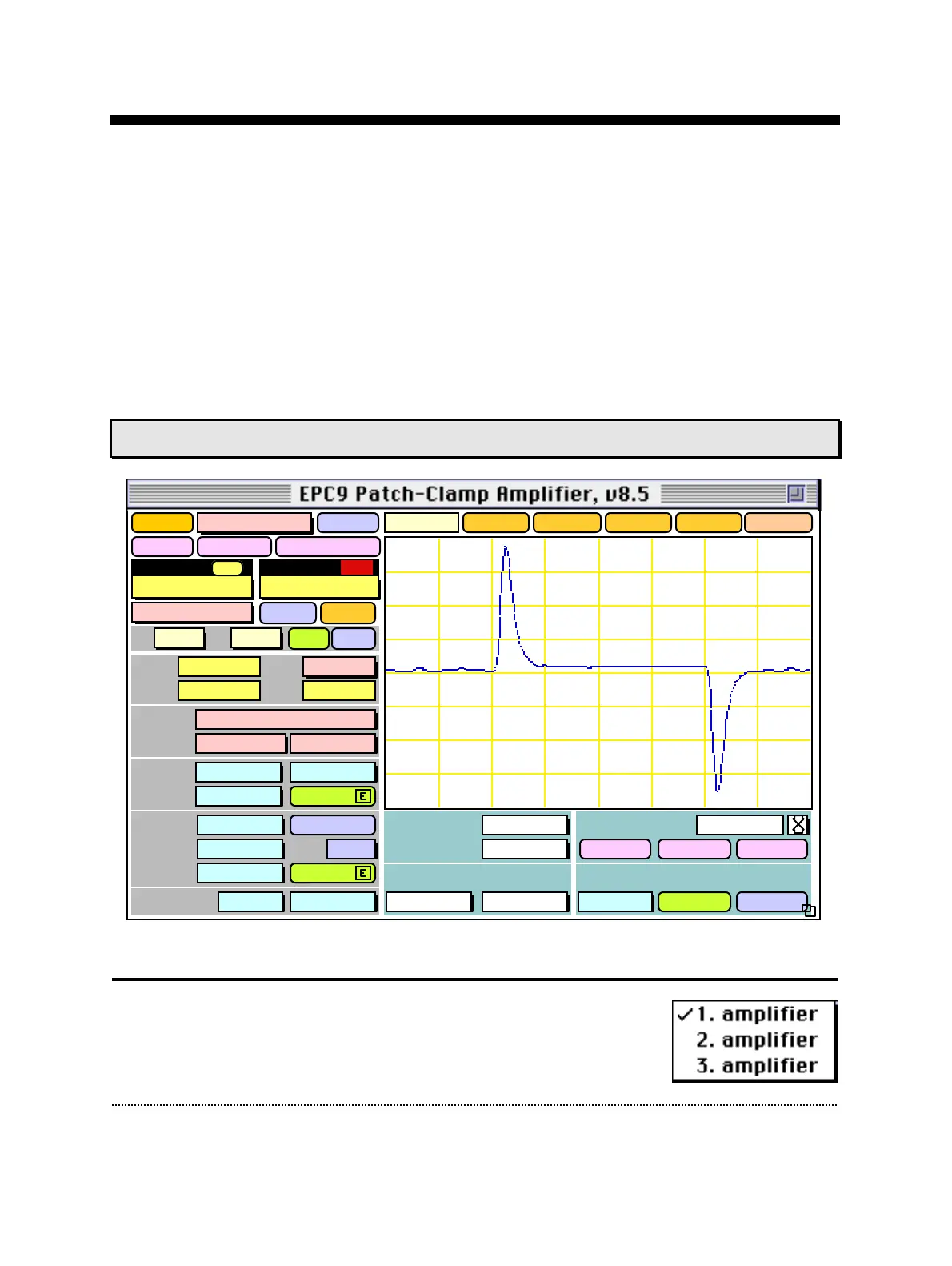
The E9Screen software provides the control and the graphical representation of the
EPC9 amplifier by a “virtual panel” with “buttons”. Signal display is provided by an
oscilloscope-like display. In addition, there is a Notebook window and drop-down
menus with options for the calibration procedures. E9Screen is mostly of interest to
those who use the EPC9 without Pulse, as it provides the only other means by which
the amplifier can be controlled. Pulse users will use E9Screen mainly for diagnostic or
calibration purposes.
EPC9 Window
Gentle CC-Switch: ON
Relative Value
Last V-memb
CC Fast Speed
Sound
Volume
Hz/MΩ Rmem
Sound
100 %
100
Scope
1. Amplifier
CC-range: 1pA/mV
Test Pulse
Amplitude
6.0 mV
Duration
4.0 ms
Imon2
Gain
1.02 x
Clear
Reset
Overlay
Close
Stimulus
External
Off
20 µs
Noise
0.00 A
Leak Subtraction
Off
Track
Auto
RsComp
Off
Off
CSlow
<>
1.00 pF
RSeries
5.0 MΩ
Range
Off
Cap Track
Auto
CFast
<>
6.51 pF
65 %
8.0 µs
Auto
Filter 2
2.9 kHz
Bessel
Filter 1
Bessel 10 kHz
Rmem
535. MΩ
V-mon
0.2 mV
I-mon
12.2 pA
Mode
VC
Vo
-3.7 mV
Track
Auto
LJ
0.0 mV
Gain
20 mV/pA
Clip
V-memb
0.0 mV
+/-
emptyempty
empty
empty
WHOLE-CELL
ON-CELL
SET-UP
Record
Delay
Off
Help
125. pA
1.00 ms
Main Controls
Amplifier Selection: On an EPC9 Double or Triple, one selects
the "active" amplifier from the "amplifier" pop-up list. Only the
available amplifiers can be selected in the amplifier list. When



 To Next Page