E9Screen Software EPC9 Manual 52
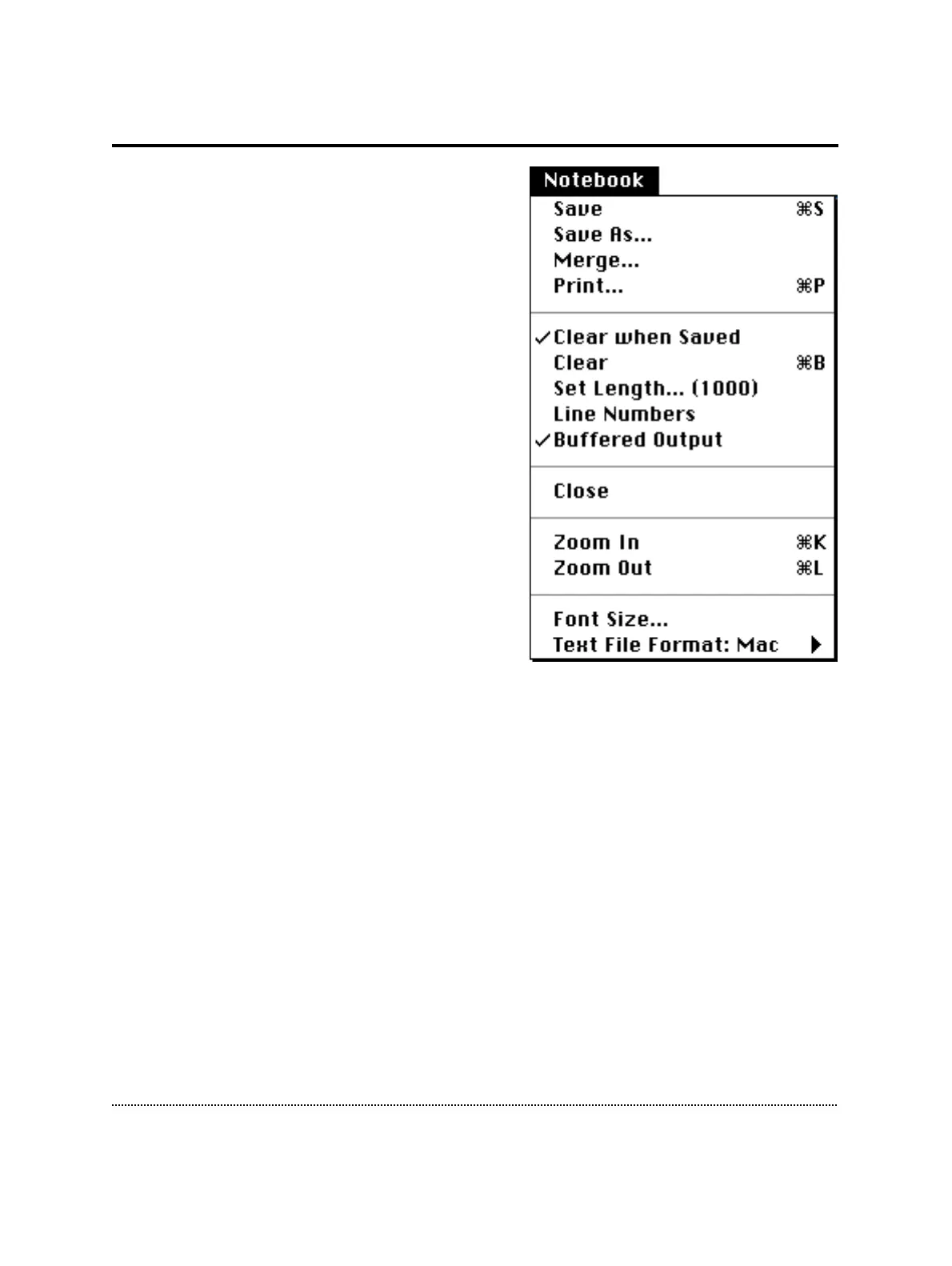
Notebook Menu
Save: Saves the Notebook under its default
name: “Notebook_Date”.
Save as…: Asks for a filename before saving.
Merge...: Appends the present Notebook to an
existing one.
Print…: Output content of Notebook to a
printer. If some text is selected (i.e.
highlighted), only that text selection is printed.
Clear when Saved: Automatically clears the
Notebook after the present content is saved to
disk.
Clear: Clears Notebook.
Set Length…: Specifies maximal number of
text lines in the Notebook. The maximal number
of lines is given in parentheses.
Note: Large notebook buffers require a lot of
CPU time and RAM. If execution time
during acquisition is an issue, the buffer size should be kept small or the “Buffered
Output” should be turned off. The RAM requirement is 260 bytes per line. Thus,
1000 lines consume 260 kbytes.
Line Numbers: Shows line and column numbers in the Notebook.
Buffered Output: Keeps all text written to the Notebook in the buffer. If deselected,
information printed to the Notebook window will not be saved.
Open/Close: Opens or closes a Notebook window.
Zoom In/Out: Expands and shrinks the Notebook window.
Font Size…: Specifies the font size of the Notebook text.
Text File Format: Specifies in which format the Notebook text is saved:
• Mac - Line Feed
• DOS- Line Feed + Carriage Return



 To Next Page