E9Screen Software EPC9 Manual 50
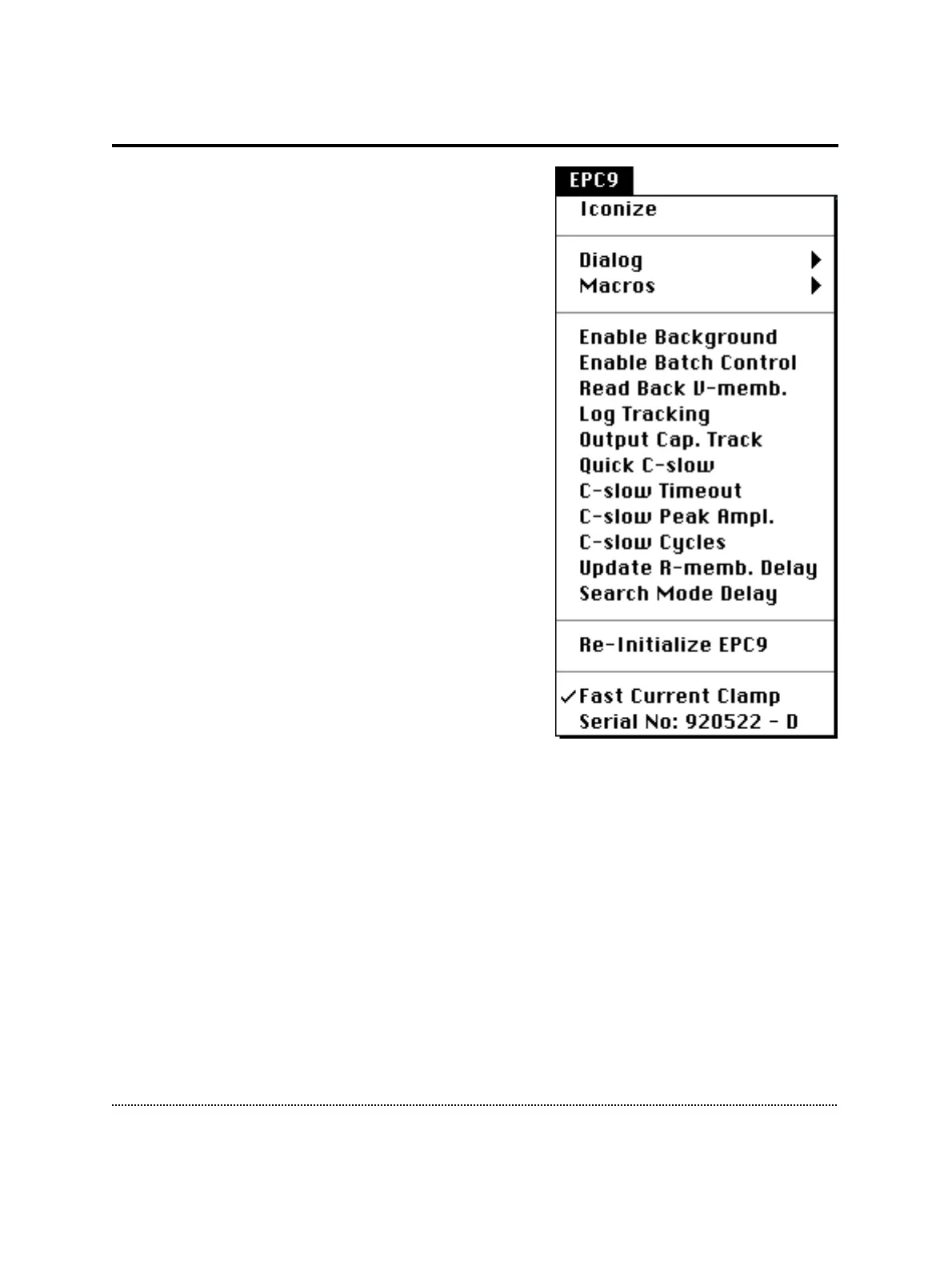
EPC9 Menu
Iconize: Collapses the window and leaves the
title bar of the window on the desktop.
Dialog: Selects a submenu for the Amplifier dialog
window. The following functions are available:
• Load…: Loads a saved dialog window.
• Save…: Saves a modified dialog window.
• Save as PICT…: Saves window as Pict file.
• Reset: Resets the dialog window to default.
• Enable Dragging: Enables the dragging fea-
ture for most amplifier controls.
Macros: Selects a submenu for macro functions.
• Load…: Loads a saved macro file.
• Save…: Saves a macro file.
• List: Prints the current macros in the Note-
book.
• Start Recording: Starts macro recording.
• Execute while recording: If checked, the
actions will be executed. Otherwise, the
actions will be logged to the macro but not
change any settings.
EPC9 Help: Enters the online Help mode for EPC9 functions.
Enable Background: Enable E9Screen to run in the background, i.e., when it is not
the front application. Thus, E9Screen will continue to perform Cap. Track and to scan
the clipboard for batch file instructions (see Appendix I).
Enable Batch Control: Enables E9Screen to communicate with other applications via
batch files (see Appendix I).
Read Back V-memb.: Required when using E9Screen in combination with another
acquisition program. When active, E9Screen will read the momentary V-membrane
when the user switches from another application to E9Screen. This allows E9Screen to
know the V-membrane this other application has set.



 To Next Page