GBDE
Operating instructions • M-BOSS Compact • 06-2020 • v02 • 544-12020
Initial operation
13
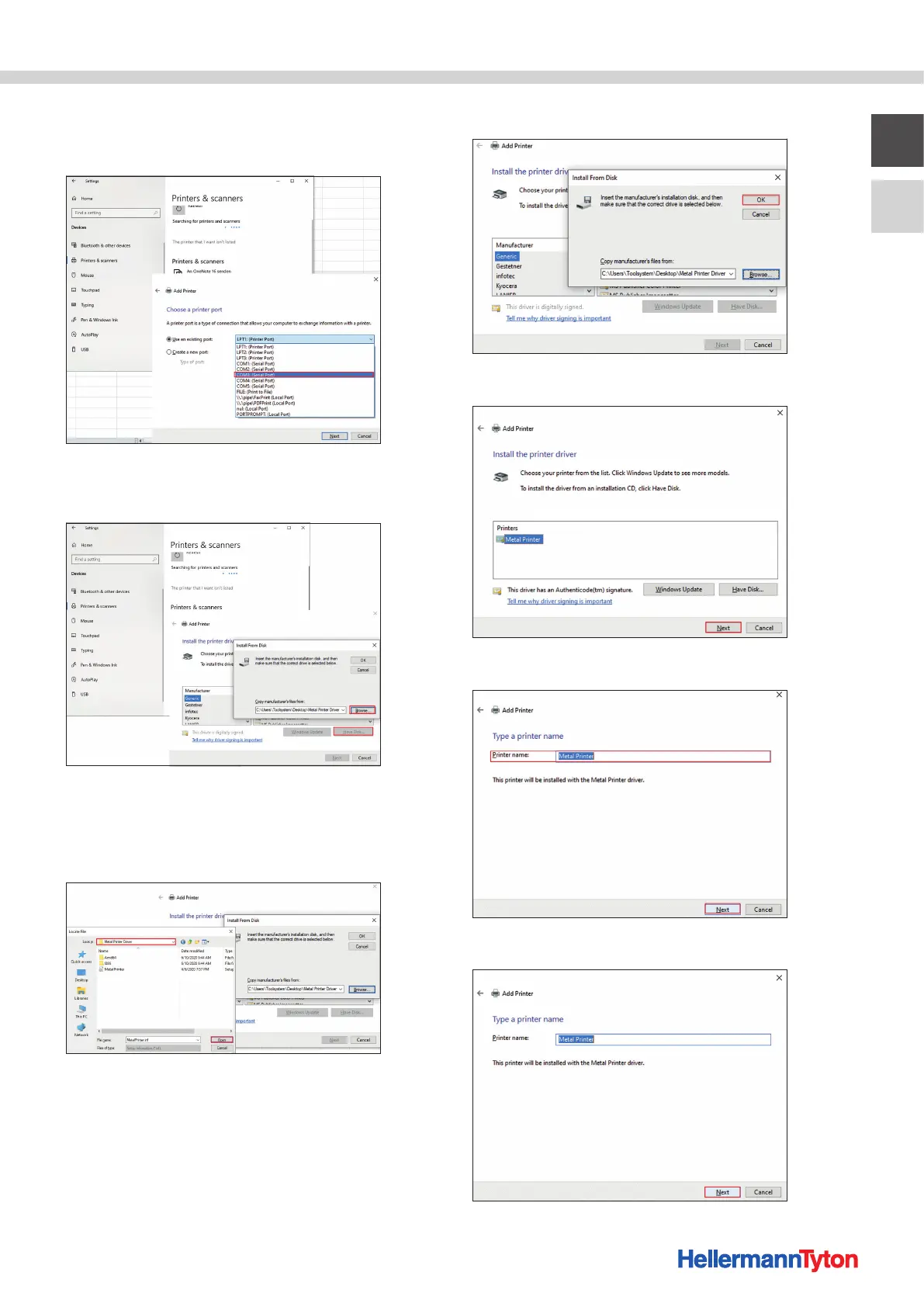
7 Expand the LPT: (Printer Port) field and select
the port from chapter 5.3.1 (in this case COM3). Confirm
with Next.
8 Select Disk.
9 Select Browse.
10 Open the created folder with the downloaded M-BOSS
files (in this case the "M-BOSSfiles" folder).
11 Double-click on the "Printer Driver" folder and click on
Open.
12 Confirm with OK.
13 Confirm with Next.
14 Type in the printer name and confirm with Next.
15 Select the printer sharing and confirm with Next.


 To Next Page