Operating instructions • M-BOSS Compact • 06-2020 • v02 • 544-12020
Operation
18
; The embossing process starts.
6.4 Performing serial embossing
The screen displays shown serve for orientation. The
designation of the buttons and menus is explained in the
instruction texts.
The markers are designed using the TagPrintPro soft-
ware.
Proceed as follows:
1 Start the TagPrintPro software on the PC or notebook.
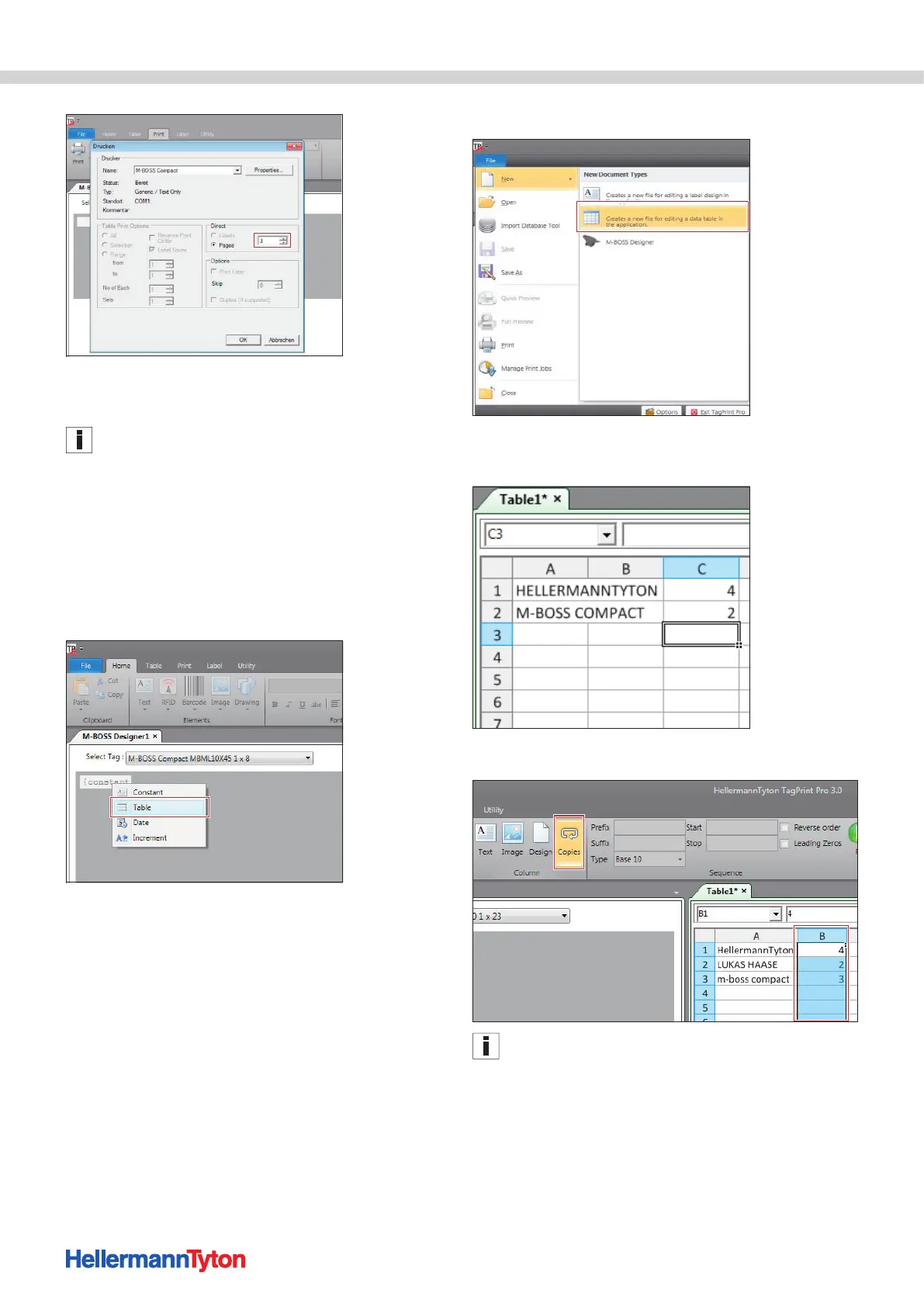
2 Open a new file in M-BOSS Designer.
3 Right-click on the {constant} input area and select
Table.
4 Create a new table.
5 Enter the embossing text in Column A and the number
of copies in Column B.
6 Mark Column B and activate Copies in the menu bar.
Column B remains marked.


 To Next Page