GBDE
Operating instructions • M-BOSS Compact • 06-2020 • v02 • 544-12020
Operation
17
6.3 Performing a single embossing
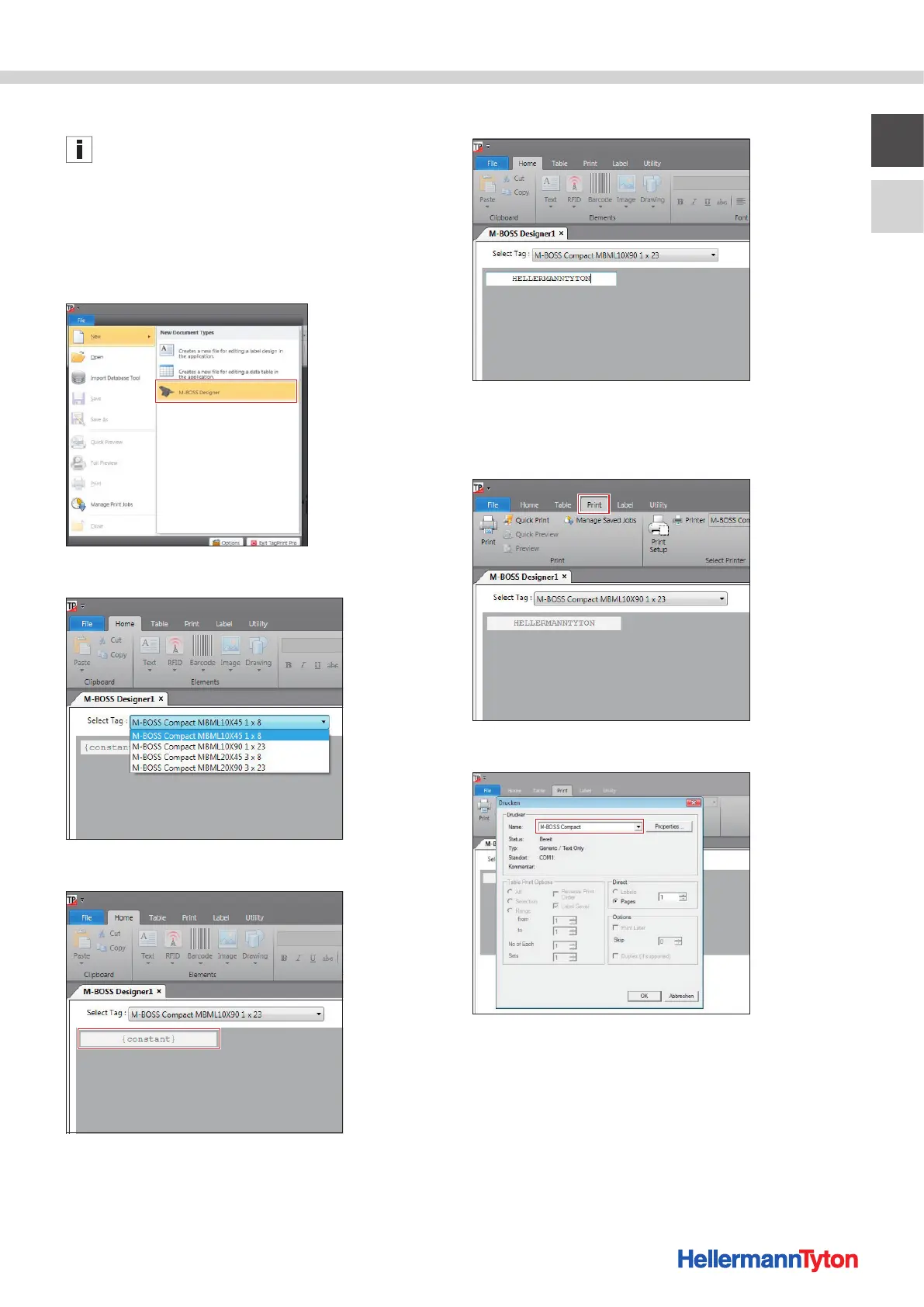
The screen displays shown serve for orientation. The
designation of the buttons and menus is explained in the
instruction texts.
The markers are designed using the TagPrintPro soft-
ware.
Proceed as follows:
1 Start the TagPrintPro software on the PC or notebook.
2 Open a new file in M-BOSS Designer.
3 Select the desire marker size.
4 Double-click in the {constant} input area.
5 Enter the embossing text.
6 Confirm the embossing text by clicking outside of the
input area.
7 Open the printing menu.
8 Select "M-Boss Compact" as the printer.
9 Select the number of copies (Pages) and confirm with
OK.


 To Next Page