Operating instructions • M-BOSS Compact • 06-2020 • v02 • 544-12020
Servicing
24
4 Using a lint-free cloth, apply a thin coat of multifunction
oil on the guide rods of the X- and Y-carriages.
5 Swivel the bridge back.
6 Close the folding cover.
; The guide rods are clean and lubricated.
8.2.5 Cleaning the working area and drawer
Proceed as follows:
1 Open the folding cover.
2 Clean the working area with a lint-free cloth and a mild
cleaning agent.
3 Close the folding cover.
4 Open the drawer.
5 Clean the drawer with a lint-free cloth and a mild
cleaning agent.
6 Close the drawer.
7 Insert the mains plug into the socket.
8 Switch the device on again using the main switch.
; The working area and drawer are clean.
8.2.6 Cleaning the exterior housing
Proceed as follows:
f Clean the exterior housing of the device with a lint-free
cloth and a mild cleaning agent.
; The housing exterior is clean.
8.2.7 Cleaning the inside of the folding cover
Proceed as follows:
1 Open the folding cover.
2 Clean the inside of the folding cover with a lint-free cloth
and water or a mild cleaning agent.
3 Close the folding cover.
4 Insert the mains plug into the socket.
5 Switch the device on again using the main switch.
; The inside of the folding cover is clean.
8.3 Repair
Servicing includes the repair and replacement of compo-
nents. It is only necessary when components have been
misaligned or damaged by external influences.
8.3.1 Adjusting the gripper
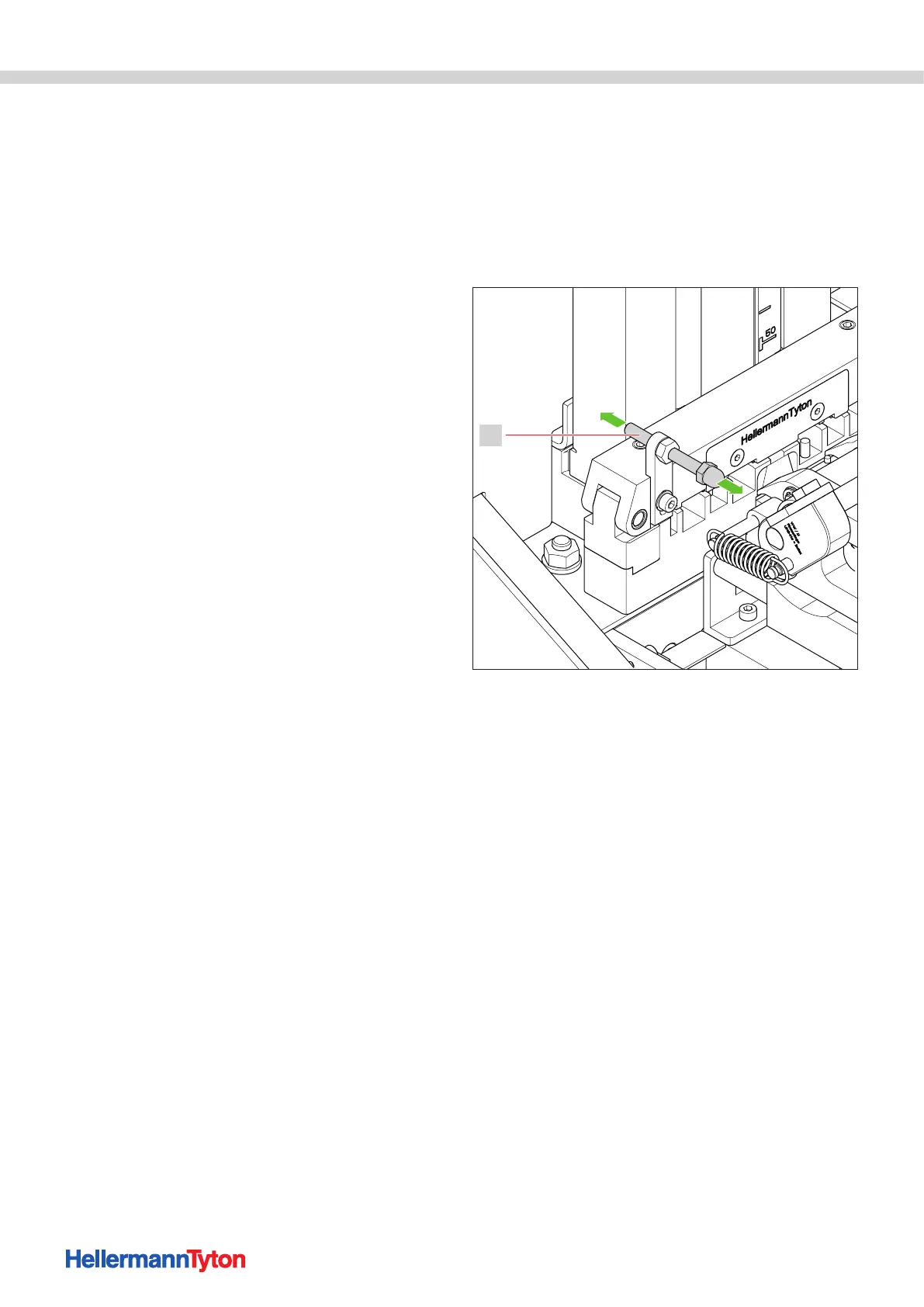
If the marker is not correctly positioned in the gripper,
the closing of the gripper can be adjusted using the stop
bolt.
Proceed as follows:
1 Open the folding cover.
2 Increase or decrease the distance of the stop bolt in
small increments.
1
Distance of the stop bolt.
1 Stop bolt
• Small distance: the gripper closes later
• Large distance: the gripper closes earlier
3 Close the folding cover.
; The gripper closes properly again.
8.3.2 Relieving the embossing drum
In case of unintentional opening of the folding cover,
power outages or blockage of the embossing drum, the
embossing process can stop unexpectedly.
Proceed as follows:
1 Switch off the device using the main switch.
2 Open the folding cover.
3 Perform a visual check for foreign objects.
4 Remove any foreign objects.
5 Close the folding cover.
6 Switch on the device with the main switch.
7 Select the "Restore" function field in the Metal Printer
Monitor.
; The device moves to its basic position.


 To Next Page