Technobeam
®
User Manual Setting the Fixture Voltage 1-11
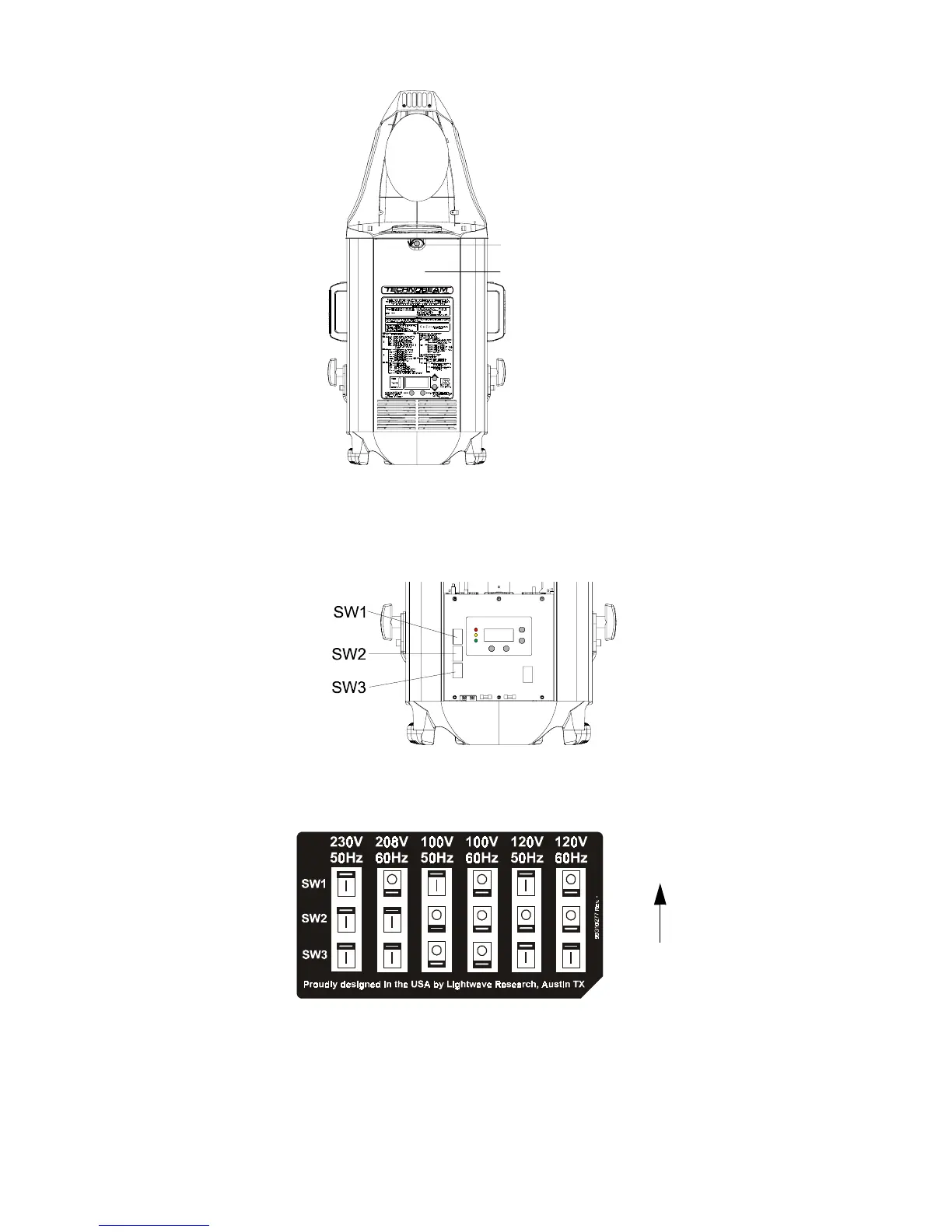
Figure 1-3. Removing the door allows you to access the fixture’s voltage
selection switches, as well as wheels and optics.
3. Locate the three switch blocks—labeled SW1, SW2 and SW3—by the LED
display, as shown in Figure 1-4:
Figure 1-4. The three voltage selection switches located next to the LED
display.
4. Choose a voltage/frequency setting as shown in Figure 1-5:
Figure 1-5. Setting the fixture’s voltage and frequency.
5. Replace the access door, unless you want to install the optional narrow
lens set or set the beam angle as shown in the next section.
Door retaining screw
Access door
To p o f
fixture



 To Next Page