Technobeam
®
User Manual Mounting the Fixture 2-11
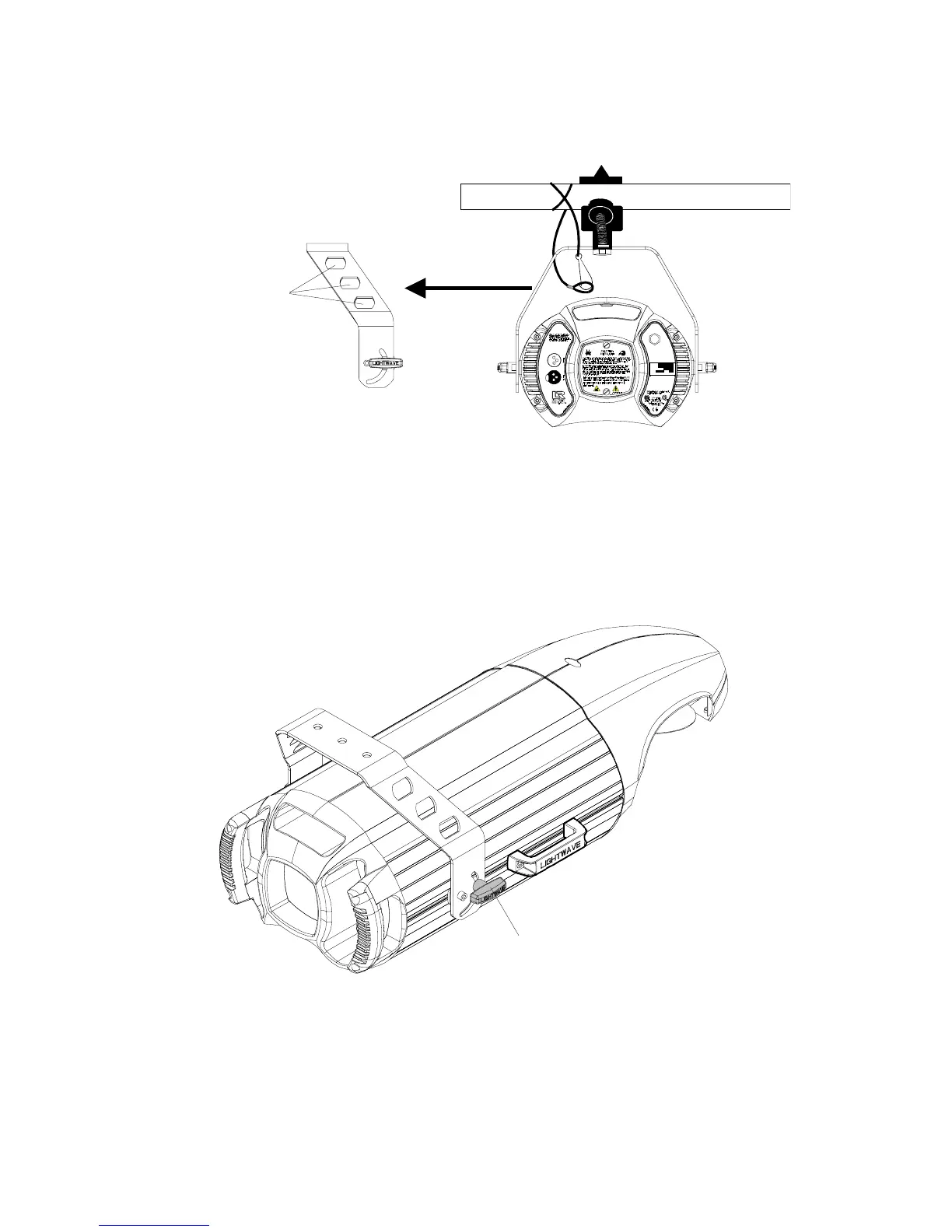
4. Tighten the clamp(s) firmly to the yoke and to the support.
5. Loop one or more suitable safety cables around the support and the
top of the yoke (see Figure 2-8).
Figure 2-8. Always use a safety cable when mounting the fixture.
6. Loosen the T-handles on each side of the fixture (see Figure 2-9) and
orient the fixture to the desired tilt angle.
7. Tighten the T-handles to secure the fixture in the desired position.
8. When you have the fixture in the position you want, firmly tighten the
T-handles shown in Figure 2-9.
Figure 2-9. Location of the T-handle you use to adjust the yoke position.
Side view of yoke
Loop safety cable
through any of these
holes
MODE L
SERIA L
FACTORY SET
DAT E
Pat e n t s issued an d pendi ng. See user ma nual
for listings.
QC
TECHNOBEAM
29FA000000
230V, 50Hz
1/28/98 TC
T-handle



 To Next Page