36 Synclara™ Cough System, Model PSC1 User Manual (196286 REV E)
Synclara™ Therapy
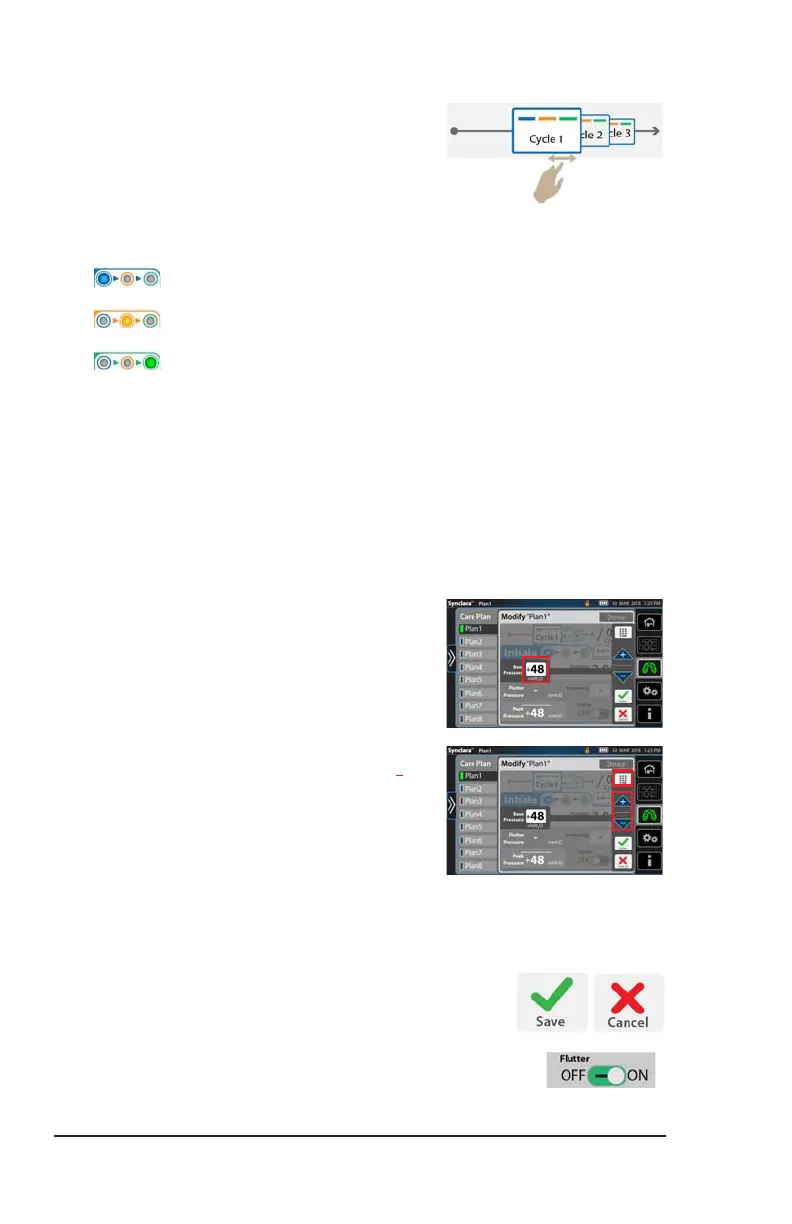
7. Swipe right or left to select a cycle.
8. At each cycle, select the preferred option to adjust its settings:
You can adjust these settings for each cycle:
• Duration of the therapy session
• Therapy pressure
• Enable, disable, or adjust Flutter
• Flutter refers to the fluctuations of therapy pressure, as a
pneumatic form of chest physiotherapy assisting in
loosening and removing secretions.
9. Press the setting to change it.
10. Press the keypad control and enter the
required setting, or use + or – controls to
adjust the setting.
NOTE:
The maximum pressure that can be set
depends on the pressure ceiling limit
defined in the Clinical Access settings.
See page 43.
11. Press Save to save the changes.
Or, press Cancel.
12. To enable or disable Flutter pressure,
slide to ON or OFF.
Inhale (Blue)
Exhale (Orange)
PAP (Green)
Draft_E_2019-Apr-29_Cleaned



 To Next Page