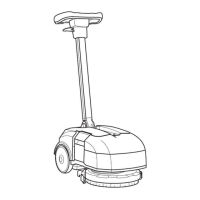
3.2 Mechanical scrubbing system: what to do if. . .
The machine doesn’t clean well
1. The machine is switched off ⇒ Switch on the machine.
2. The machine doesn’t switch on ⇒ Refer to the proper section (see section
3.1 at page 9).
3. The display shows an alarm mes-
sage
⇒ Check what alarm message is
shown and solve the related issue
by following the proper instructions
(see section 3.6 at page 17).
4. The ”ECO” switch is not pressed ⇒ Press the ”ECO” switch.
5. The safety switch doesn’t work ⇒ Replace the safety switch (see section
4.1.1 at page 21).
6. The brush deck motor is not sup-
plied
⇒ Verify the motor connections.
7. The carbon brushes are worn out ⇒ Replace the carbon brushes (see section
6.3.1 at page 48).
8. The brush motor is supplied but it
doesn’t work
⇒ Replace the motor (see section 4.2.3 at page
23).
9. The brush rotates in opposite way ⇒ Check the motor connections.
10. The brush deck is lifted from the
floor
⇒ Lower the brushdeck to the floor.
11. The brush is not properly engaged ⇒ Release and engage properly the
brush.
12. The solution flow rate is not correct
or not enough
⇒ Refer to the proper section (see section
3.5 at page 16).
12


 To Next Page