5.3 Adjustments
5.3.1 Charger (CB)
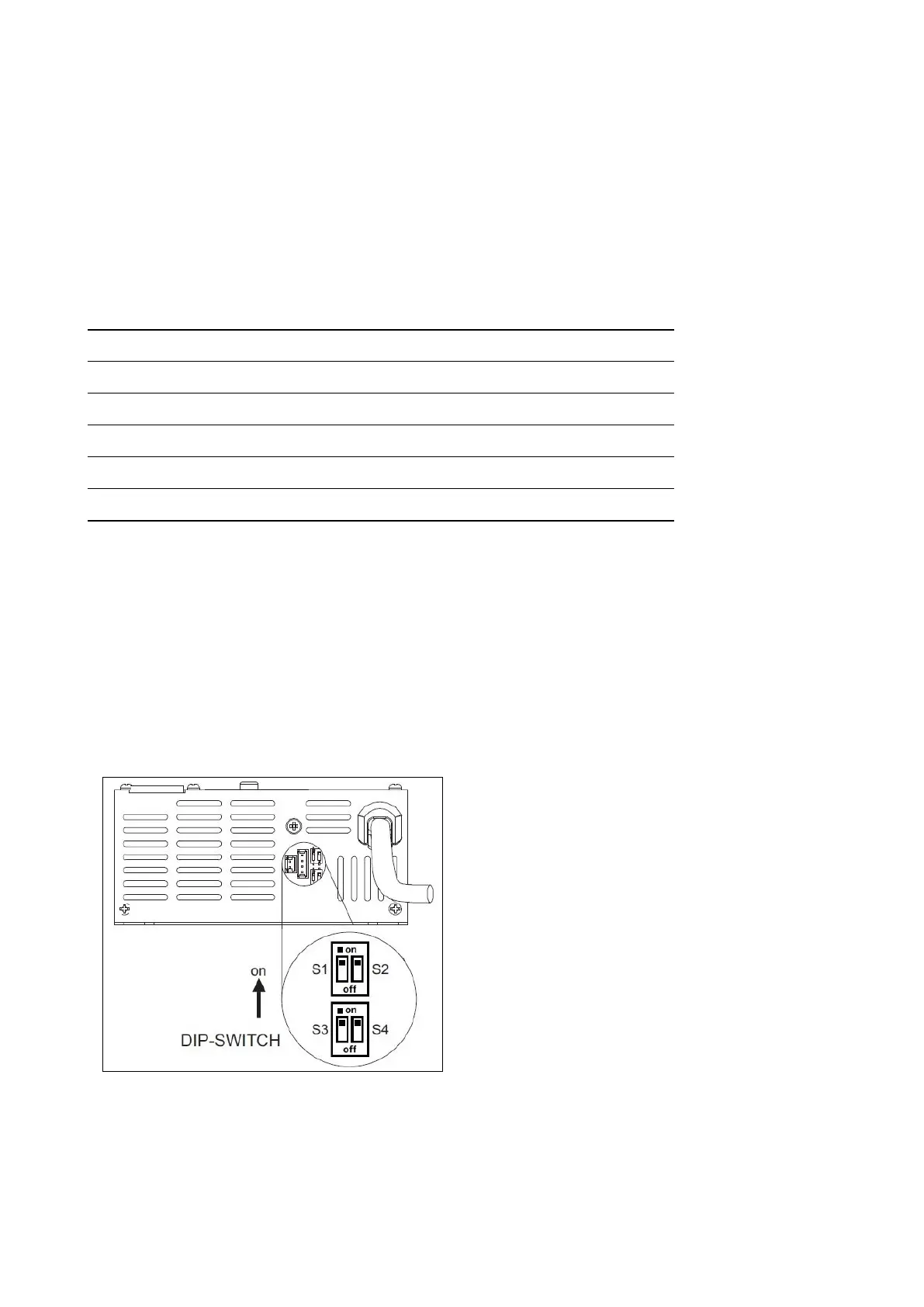
The charger is located on the rear side of the machine and easy to access for the
operator. When connected to the power supply, a red led will blink once, the yellow
led blink once and the green led blink depending of the type of battery for which
the charger is set.
A Proper Charging cycle follows the below phases order.
Charge Cycle
Phase LED Description
A Red Blinking, check of battery status
B Red First charging phase
C Yellow Second charging phase
D Green Charged battery
Check if the charger is properly set according to the installed batteries.
Charging curve SetUp
To set up the charger, follow the instructions:
• Use a screwdriver to remove the small black plastic cap
• Set-up the internal dipswitches according to the following table
The dipswitches are divided in two
couple.
The higher couple are the dipswitches
1 and 2, the couple down are the dip-
switches 3 and 4.
DP1, 2 e 4 are enabled in the setting
DP3 is disabled.
The following table shows how to setup
the dipswitches.
36



 To Next Page