22
5. Group/Door Mode
Group/Door mode is used for adjusting the group control panel or the door. When the power is ON with the
functional selector switch set to the group/door mode according to How to Turn the Power On in Section 3,
the display changes to the address entry indication. The Group/Door mode cannot be used for other types
than EC4-605.
5. 1
Screen Indication
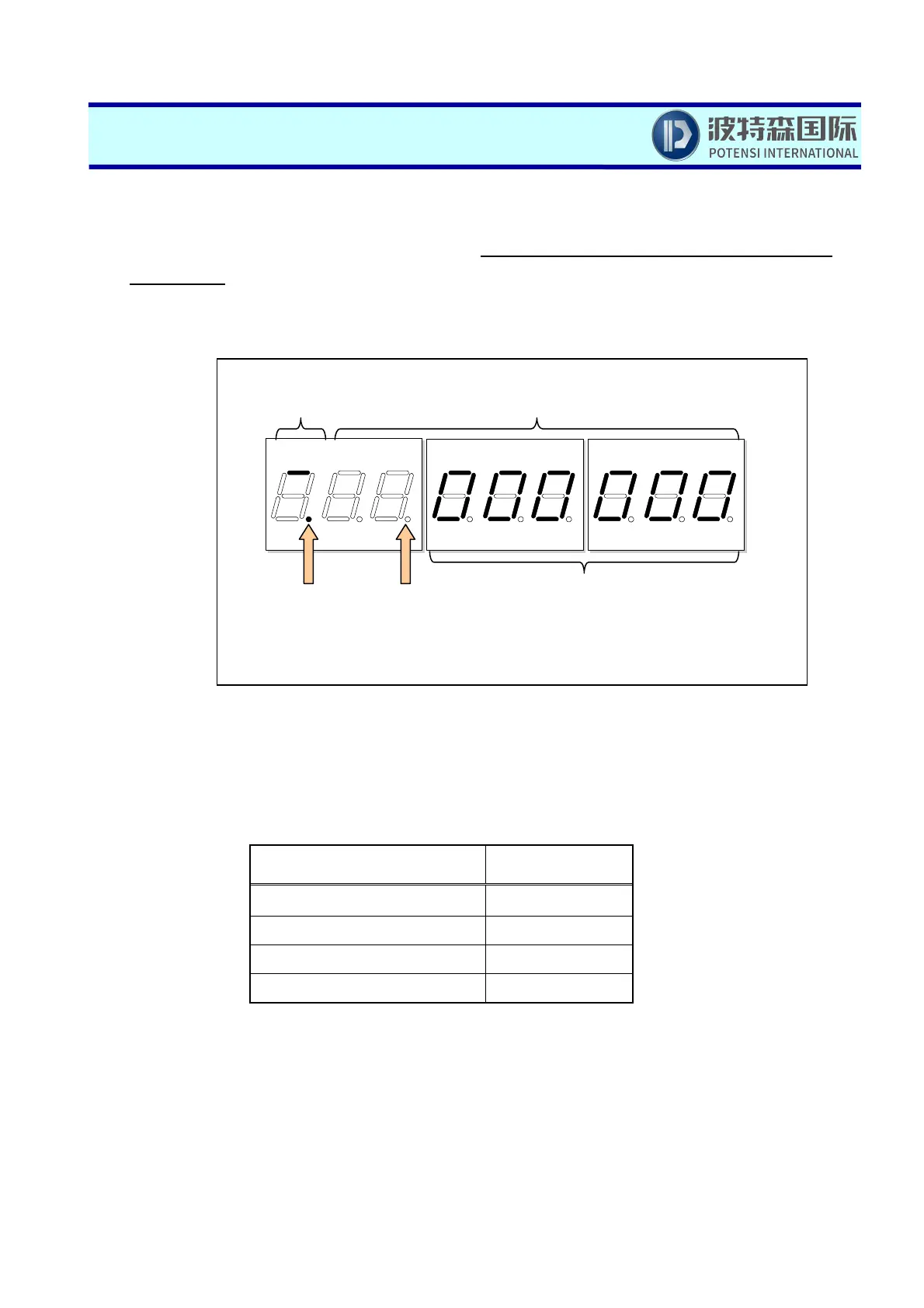
● (1st to 8th digits): Address/Data indication
Indicates the access address and the data. Data will be indicated right-justified. Nothing will be
indicated to a digit not in use.
Section of indication
Number of digit for
indication
Indication of address 6 digits
Indication of data (in byte) 2 digit
Indication of data (in word) 4 digits
Indication of data (in long word) 8 digits
(9th digit): Section
of indication
(1st to 8th digits): Address/Data
indication
(Dot 9):
Low-battery
detection
(Read Section 2.1)
(Dot 1 – Dot 8): Position
lam
not used
(Dot 7): Key
detection



 To Next Page