9
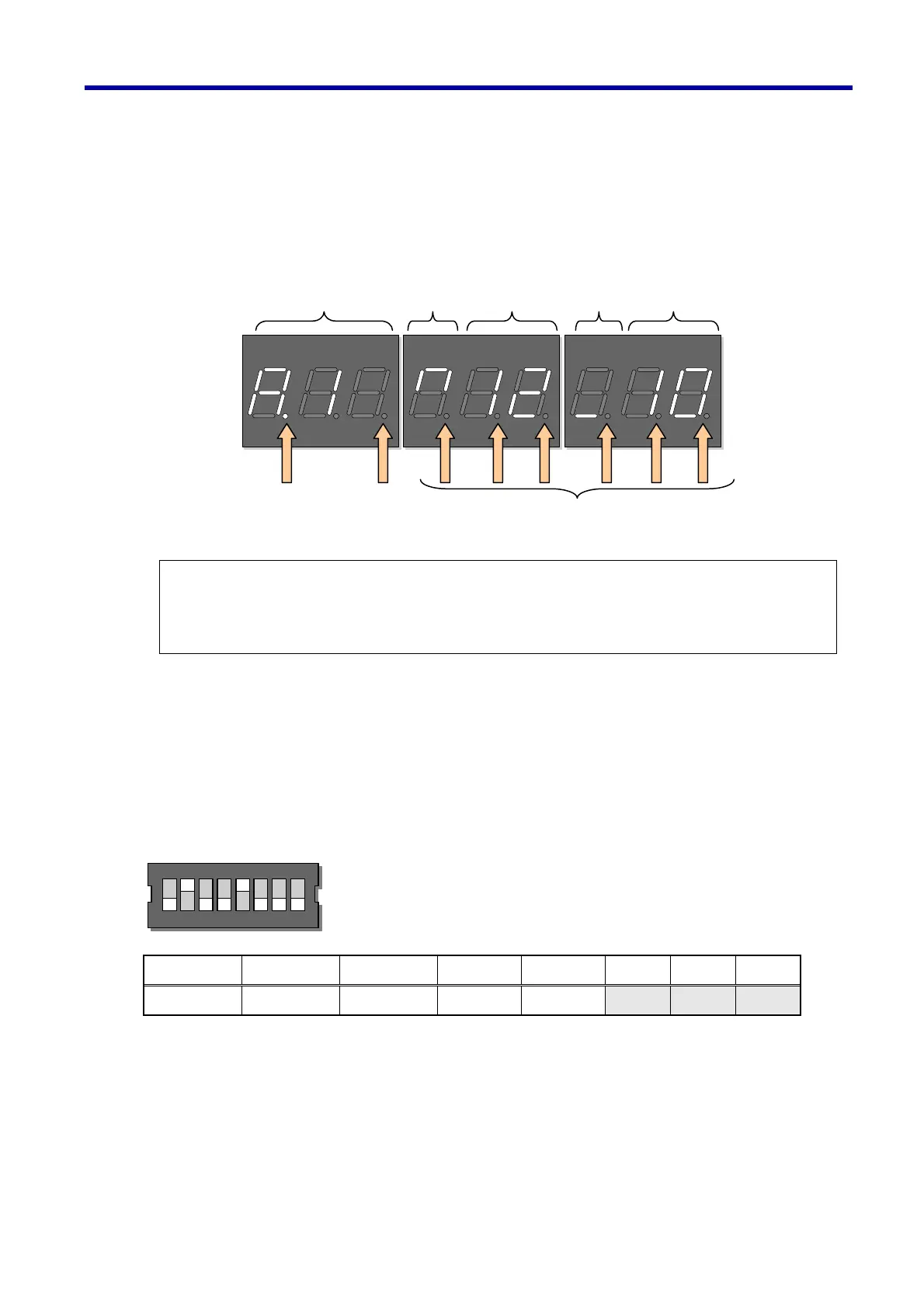
2.1 (1) Display
A 9-digit display for the elevator state of operation and the address/data during implementation of various
adjustments
Example of display – Operating state of the elevator
2.2 Functional Selector Switch
Switches for selecting function. Set up functions according to the function to be used and the machine type
to be connected to before turning the power ON. The switches become invalid after the power is ON. For
the method of setting, read Sections 4 and 5.
No.1 No.2 No.3 No.4 No.5 No.6 No.7 No.8
Function 1 Function 2 Function 3 Speed 1 Speed 2 Spare Spare Spare
Note) About low battery detection (Dot 9)
Flashing Dot 9 indicates that the remaining capacity of the batteries (alkaline cells) has reached
below 10%. Replace them with new alkaline batteries as soon as possible.
(New batteries last about 7 hours in continuous operation mode.)
(7, 8 and 9th digits)
Trouble section
(6th digit)
Direction of
operation
(4th and 5th
digits)
Elevator car
position
(3rd digit)
Trouble
Section 2
(1st and 2nd
digits)
Trouble code
(Dot 9) (Dot 7)
Low batter
detection Ke
detection
(Dot 1 to 6)
Position indicator lam
See Section 4 for details
ON
12345678
ON
12345678
2. Name of the Sections and their Functions



 To Next Page