EasyManua.ls Logo

Hitachi VM-2300A - Page 33

Hitachi VM-2300A
47 pages
Print Icon
To Next Page IconTo Next Page
To Previous Page IconTo Previous Page
Loading...
@
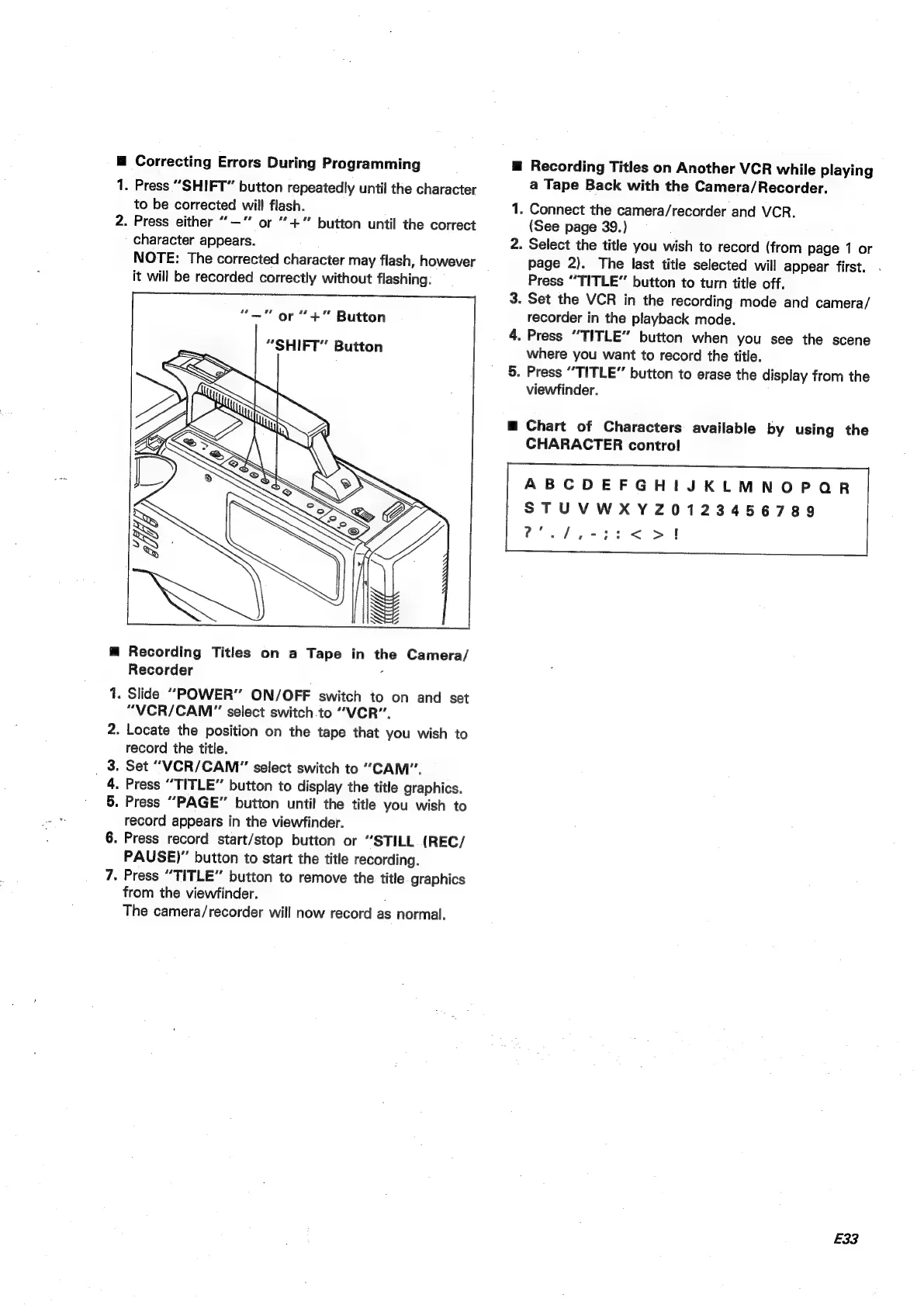
Correcting
Errors
During
Programming
1.
2.
Press
“SHIFT”
button
repeatedly
until
the
character
to
be
corrected
will
flash.
Press
either
“—‘
or
“+
button
until
the
correct
character
appears.
NOTE:
The
corrected
character
may
flash,
however
it
will
be
recorded
correctly
without
flashing.
or
“+”
Button
“SHIFT”
Button
Recording
Titles
on
a
Tape
in
the
Camera/
Recorder
é
.
Slide
“POWER”
ON/OFF
switch
to
on
and
set
“VICR/CAM"”
select
switch
to
“VCR”.
.
Locate
the
position
on
the
tape
that
you
wish
to
record
the
title.
.
Set
“VCR/CAM"
select
switch
to
“CAM”.
.
Press
“TITLE”
button
to
display
the
title
graphics.
.
Press
“PAGE”
button
until
the
title
you
wish
to
record
appears
in
the
viewfinder.
.
Press
record
start/stop
button
or
“STILL
(REC/
PAUSE)”
button
to
start
the
title
recording.
-
Press
“TITLE”
button
to
remove
the
title
graphics
from
the
viewfinder.
The
camera/recorder
will
now
record
as
normal.
m@
Recording
Titles
on
Another
VCR
while
playing
—_
a
Tape
Back
with
the
Camera/Recorder.
.
Connect
the
camera/recorder
and
VCR.
(See
page
39.)
.
Select
the
title
you
wish
to
record
(from
page
1
or
page
2).
The
last
title
selected
will
appear
first.
Press
“TITLE”
button
to
turn
title
off.
.
Set
the
VCR
in
the
recording
mode
and
camera/
recorder
in
the
playback
mode.
.
Press
“TITLE”
button
when
you
see
the
scene
where
you
want
to
record
the
title.
.
Press
“TITLE”
button
to
erase
the
display
from
the
viewfinder.
Chart
of
Characters
available
by
using
the
CHARACTER
control
ABCDEFGHIJKLMNOPQR
STUVWXYZ0123456789
Ce
fe
ae
ee
SS.
I
E33

Table of Contents

Related product manuals