EasyManua.ls Logo

Hitachi VM-2300A - Sti Sseseds Ce Cceudescssncdacvasvisteacavieededcvceunvasivussiet; F-Search and R-Search

Hitachi VM-2300A
47 pages
Print Icon
To Next Page IconTo Next Page
To Previous Page IconTo Previous Page
Loading...
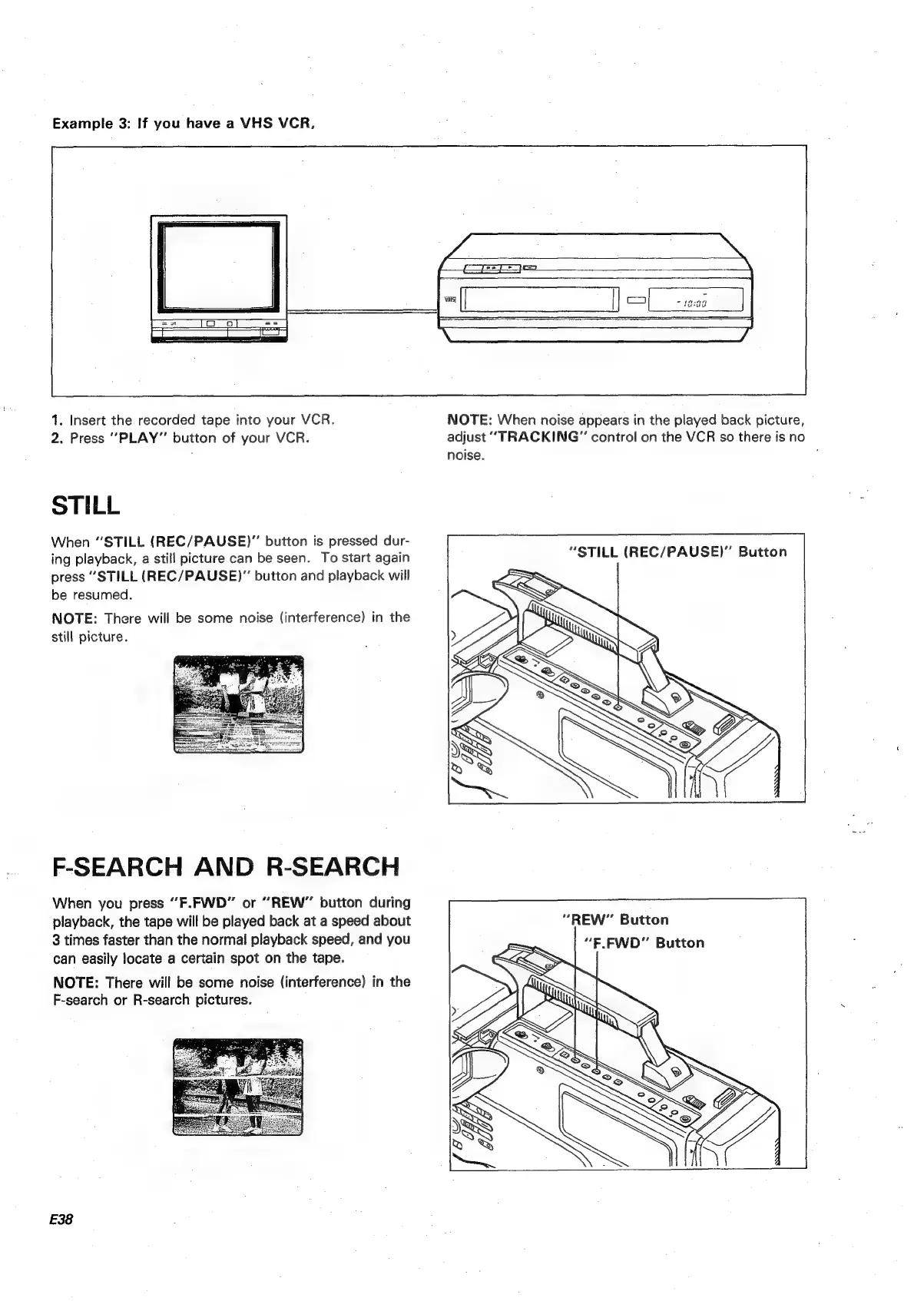
Example
3:
If
you
have
a
VHS
VCR,
1.
Insert
the
recorded
tape
into
your
VCR.
2.
Press
“PLAY”
button
of
your
VCR.
STILL
When
“STILL
(REC/PAUSE)”
button
is
pressed
dur-
ing
playback,
a
still
picture
can
be
seen.
To
start
again
press
“STILL
(REC/PAUSE)”
button
and
playback
will
be
resumed.
NOTE:
There
will
be
some
noise
(interference)
in
the
still
picture.
F-SEARCH
AND
R-SEARCH
When
you
press
“F.FWD”
or
“REW”
button
during
playback,
the
tape
will
be
played
back
at
a
speed
about
3
times
faster
than
the
normal
playback
speed,
and
you
can
easily
locate
a
certain
spot
on
the
tape.
NOTE:
There
will
be
some
noise
(interference)
in
the
F-search
or
R-search
pictures.
E38
NOTE:
When
noise
appears
in
the
played
back
picture,
adjust
“TRACKING”
control
on
the
VCR
so
there
is
no
noise.
“STILL
(REC/PAUSE)”
Button
“REW”
Button

Table of Contents

Related product manuals