EasyManua.ls Logo

Hitachi VM-2300A - Page 44

Hitachi VM-2300A
47 pages
Print Icon
To Next Page IconTo Next Page
To Previous Page IconTo Previous Page
Loading...
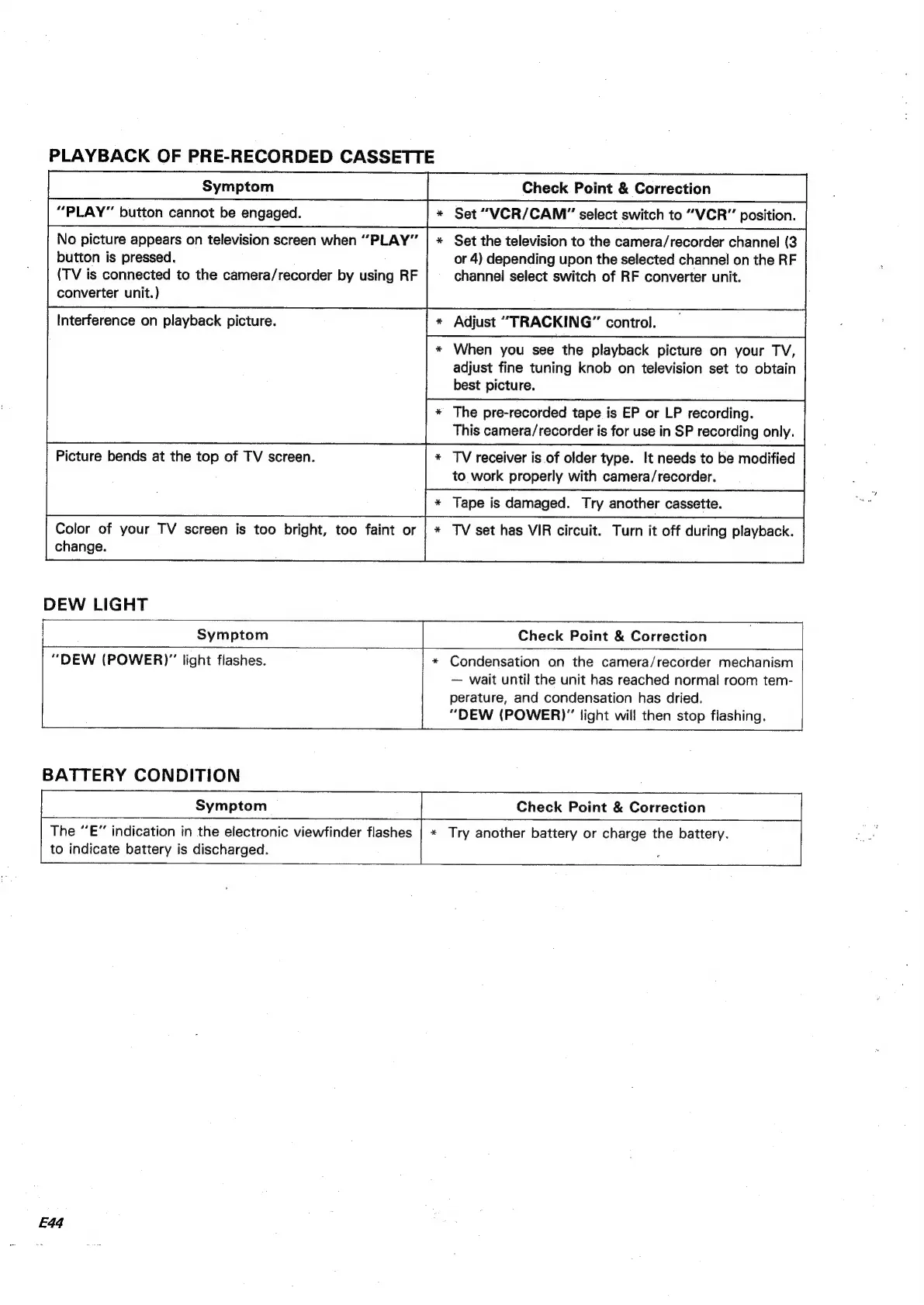
PLAYBACK
OF
PRE-RECORDED
CASSETTE
“PLAY”
button
cannot
be
engaged.
*
Set
“VCR/CAM”
select
switch
to
“VCR”
position.
No
picture
appears
on
television
screen
when
“PLAY”
|
*
Set
the
television
to
the
camera/recorder
channel
(3
button
is
pressed.
or
4)
depending
upon
the
selected
channel
on
the
RF
(TV
is
connected
to
the
camera/recorder
by
using
RF
channel
select
switch
of
RF
converter
unit.
converter
unit.)
*
Adjust
“TRACKING”
control.
*
When
you
see
the
playback
picture
on
your
TV,
adjust
fine
tuning
knob
on
television
set
to
obtain
best
picture.
Interference
on
playback
picture.
*
The
pre-recorded
tape
is
EP
or
LP
recording.
This
camera/recorder
is
for
use
in
SP
recording
only.
*
TV
receiver
is
of
older
type.
It
needs
to
be
modified
to
work
properly
with
camera/recorder.
Picture
bends
at
the
top
of
TV
screen.
*
Tape
is
damaged.
Try
another
cassette.
Color
of
your
TV
screen
is
too
bright,
too
faint
or
|
*
TV
set
has
VIR
circuit.
Turn
it
off
during
playback.
change.
DEW
LIGHT
*
Condensation
on
the
camera/recorder
mechanism
“DEW
(POWER)”
light
flashes.
wait
until
the
unit
has
reached
normal
room
tem-
perature,
and
condensation
has
dried.
“DEW
(POWER)”
light
will
then
stop
flashing.
BATTERY
CONDITION
Check
Point
&
Correction
The
“E”
indication
in
the
electronic
viewfinder
flashes
|
«
Try
another
battery
or
charge
the
battery.
|
to
indicate
battery
is
discharged.
;
|
E44

Table of Contents

Related product manuals