Discovery QDR Series Technical Manual
5-27
5.7.2 Detector Assembly C1 and Wi Systems
Early versions of Discovery Ci and Wi systems used detector assembly 010-1653. This
assembly is no longer available and has been replaced by detector assembly ASY-00271.
The following procedure explains how to remove the old detector assembly and replace it
with the new detector assembly. If your system already has the new ASY-00271 detector
assembly, use the removal/replacement procedure in Section 5.7.1.
Remove the 010-1653 Detector Assembly
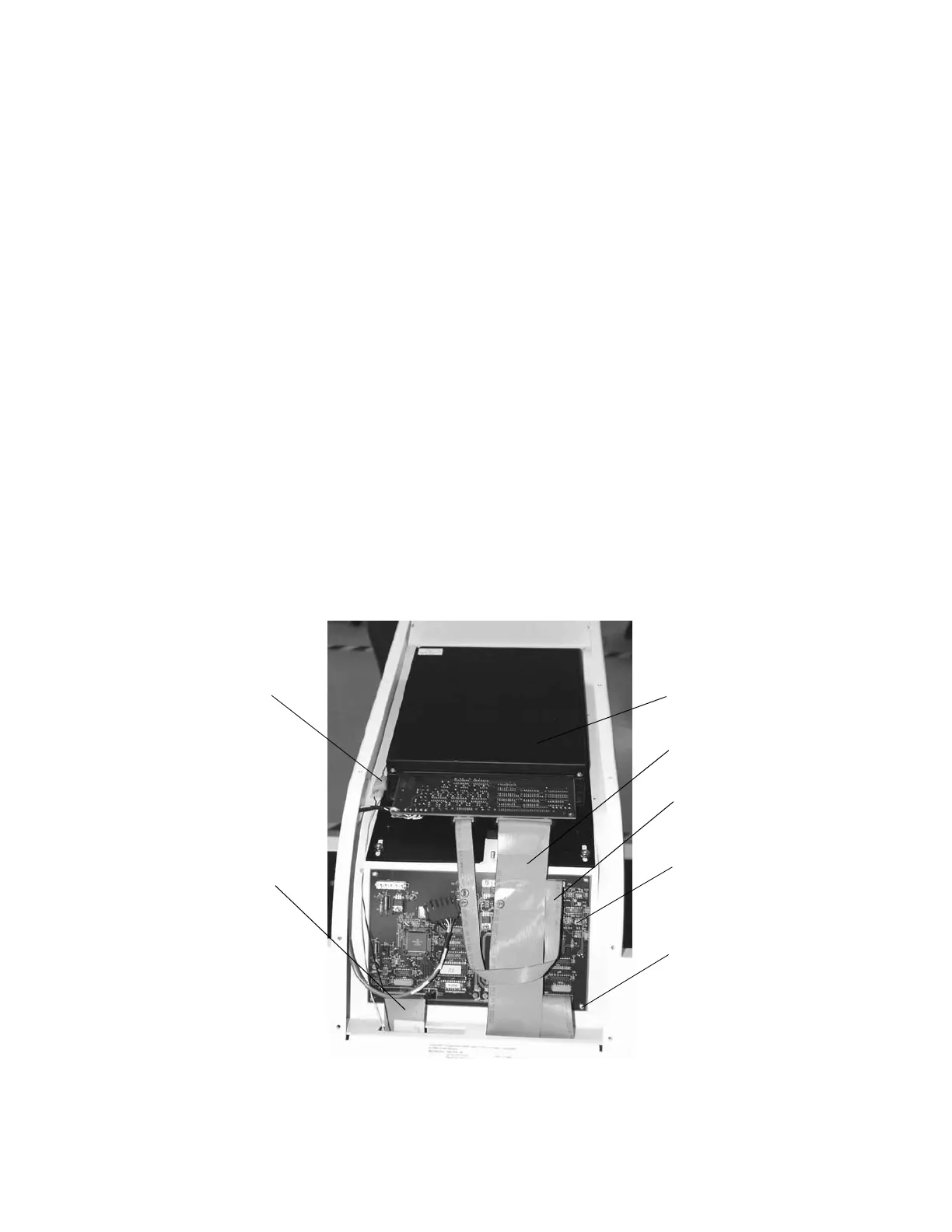
To remove the 010-1653 Detector Assembly, refer to Figure 5-12 and follow the
procedure below:
1. Shut down the computer and then turn off the main circuit breaker on the foot end
pedestal.
2. Unplug the 180-0292 laser cable connector.
3. Remove the cables and the screws on the existing Detector Assembly (010-1653)
and remove the assembly.
4. Remove the cables and the screws on the existing ADC Board (140-0087) and
remove the board.
Note: The 180-0185 and 180-0189 ribbon cables on the ADC Board will not be
reused. Also, the four 6-32x.25 screws (200-0356) securing the ADC
board will not be reused.
Figure 5-12. Detector Assembly 010-1653
200-0356 (4x)
010-1653
180-0189
180-0185
140-0087
180-0292
laser cable
180-0419










 To Next Page