Rev. 1.30 22 of 34 November 13, 2020
e-Link32/e-Link32 Pro User’s Guide
2 MDK_ARM (KEIL) Setup and Use
▀
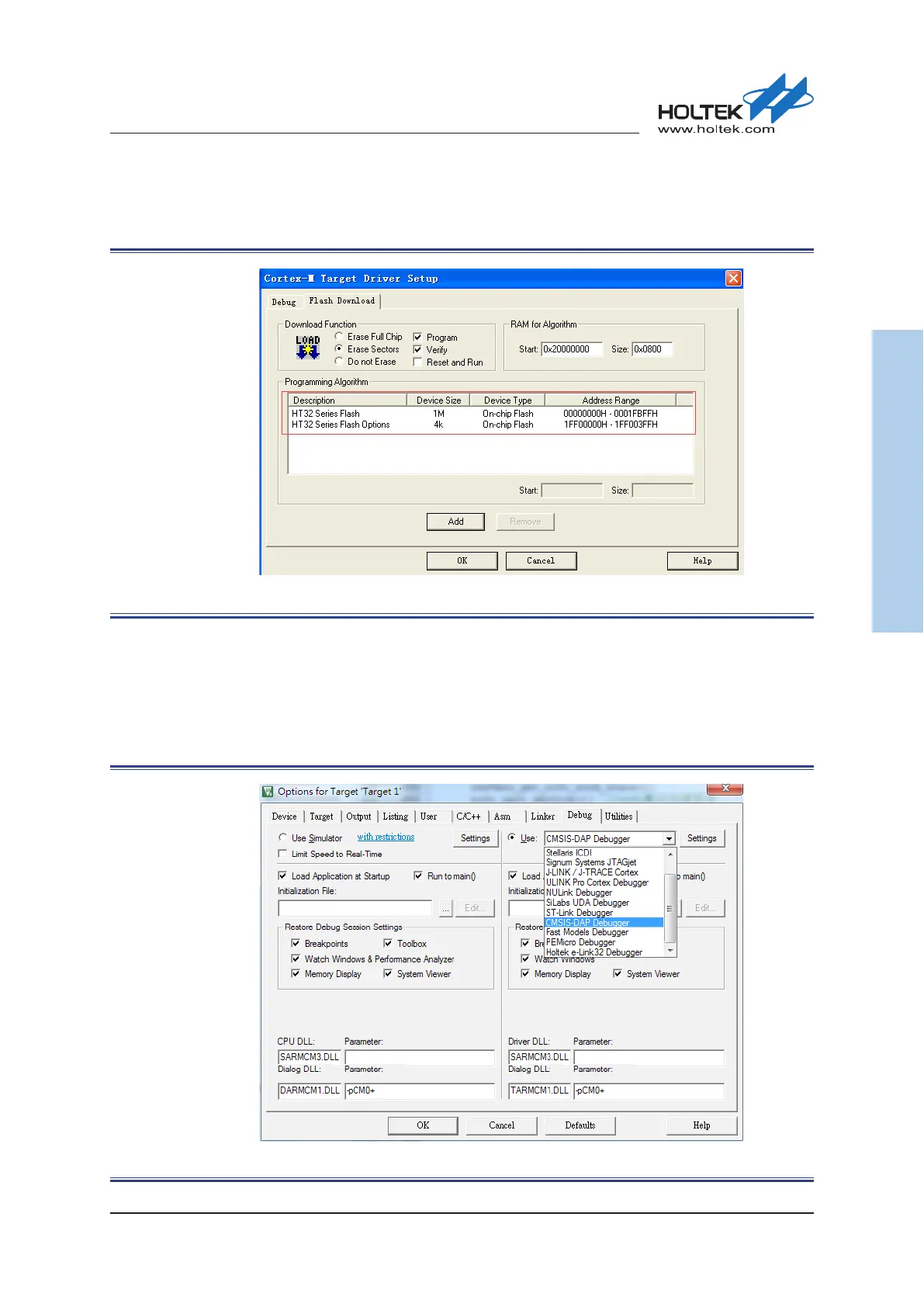
Click “Flash Download” to check the “Programming Algorithm”, if there is no content or the
content is not correct, then press the “Add” button.
Figure 23. Keil4 - Flash Download Setup
e-Link32 Pro with Keil5 Setup and Use (No Support e-Link32)
▀
Open the Keil uVision5 project, click “Options for Target”, and select “CMSIS-DAP Debugger”
in the “Debug” option.
Figure 24. Keil5 Debugger Selection



 To Next Page