Rev. 1.30 30 of 34 November 13, 2020
e-Link32/e-Link32 Pro User’s Guide
3 IAR Setup and Use
▀
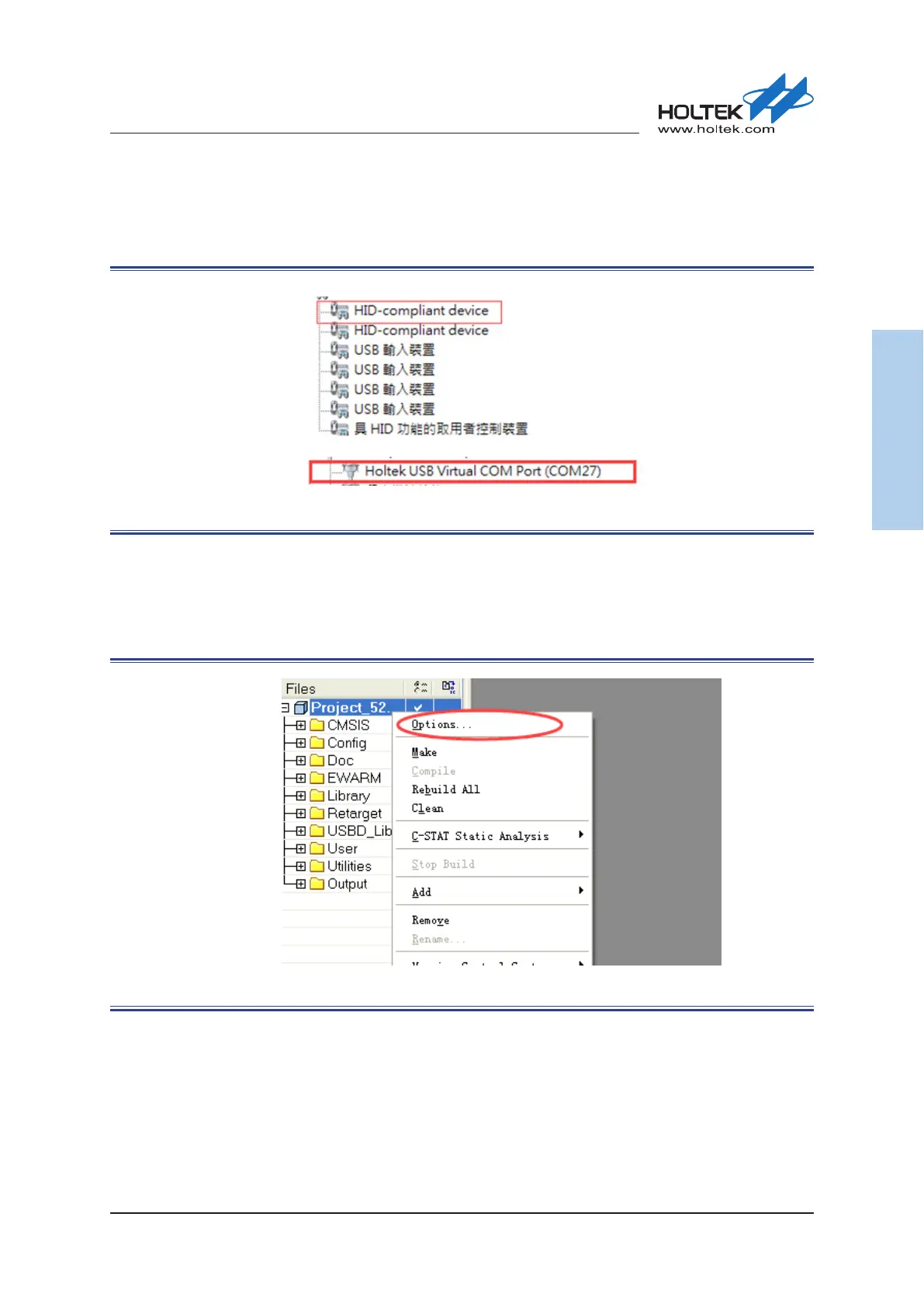
If the e-Link32 Pro is connected, a connection device named “HID-compliant device” will ap-
pear on the “Device Manager” window, and the corresponding Virtual COM Port will also be
found, conrming that the installation has been successful.
Figure 38. e-Link32 Pro Device Name
e-Link32/e-Link32 Pro with IAR EWARM Setup and Use
▀
Open the IAR EWARM project, and then open “Options”.
Figure 39. IAR Options



 To Next Page