Rev. 1.30 23 of 34 November 13, 2020
e-Link32/e-Link32 Pro User’s Guide
2 MDK_ARM (KEIL) Setup and Use
2 MDK_ARM (KEIL) Setup and Use
▀
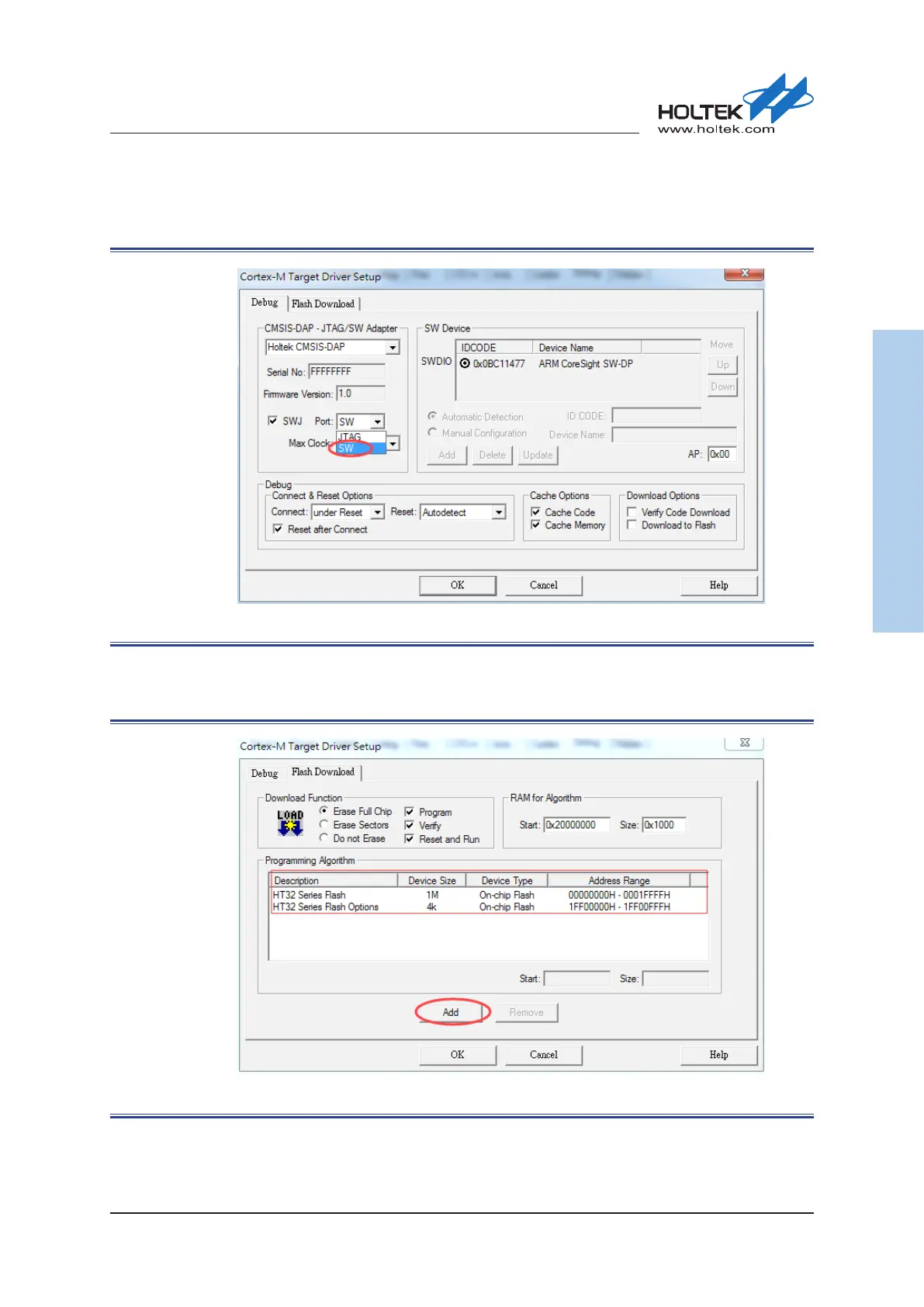
After the bebugger is selected, click the “Settings” button on the right side to select the SW
options. Conrm that the setting is successful when the device ID is read.
Figure 25. Keil5 Debugger Setup
▀
Click “Flash Download” to check “Programming Algorithm”, if there is no content or the content
is not correct, then press the “Add” button.
Figure 26. Keil5 – Flash Download Setup



 To Next Page