134
uuIndicatorsuDriver Information Interface Warning and Information Messages
Message Condition Explanation
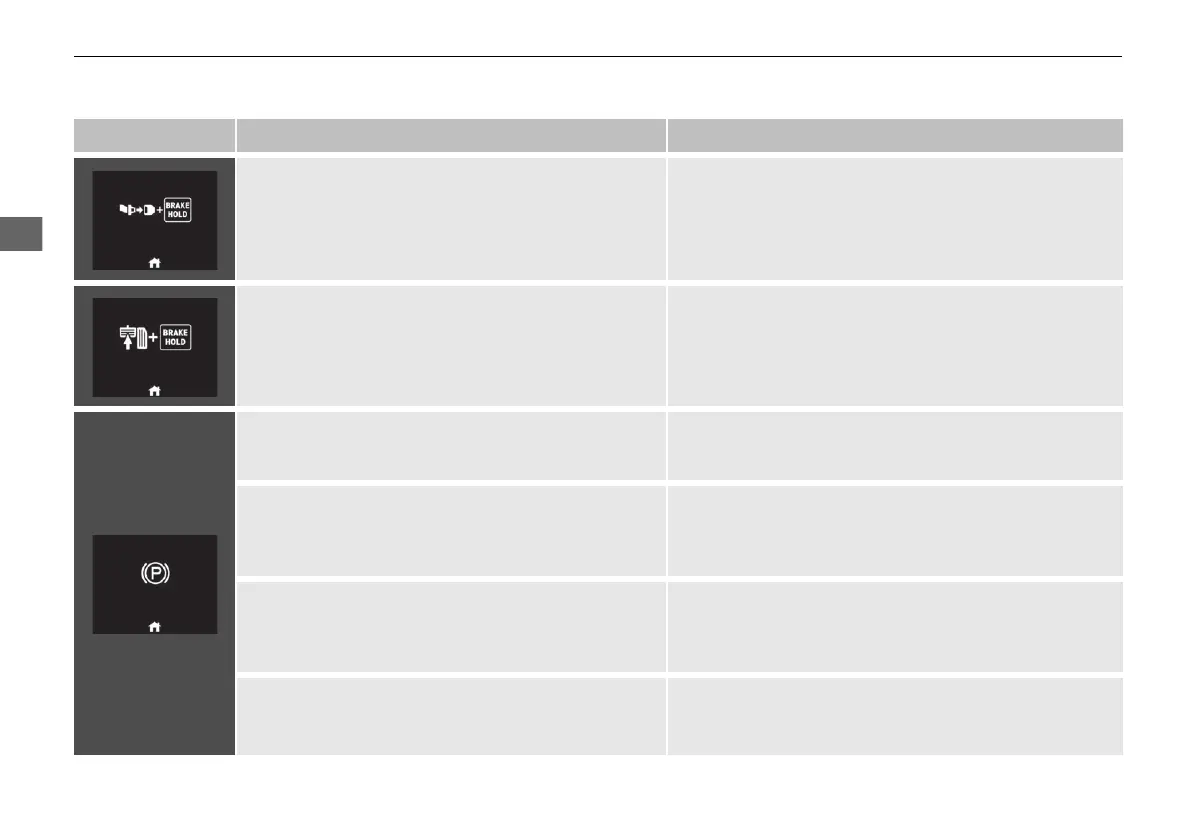
• Appears when the automatic brake hold button is
pressed without wearing the driver’s seat belt.
• Fasten the driver’s seat belt.
2 Automatic Brake Hold P. 504
• Appears when the automatic brake hold button is
pressed without depressing the brake pedal while
the automatic brake hold is in operation.
• Press the automatic brake hold button with the brake
pedal depressed.
2 Automatic Brake Hold P. 504
• Appears when the parking brake is applied
automatically while it is in operation.
2 Automatic Brake Hold P. 504
2 Parking Brake P. 500
2 Single Pedal Control P. 398
• Appears when the parking brake is applied
automatically while ACC is in operation.
• ACC has been automatically cancelled.
2 Adaptive Cruise Control (ACC) with Low Speed
Follow P. 447
2 Parking Brake P. 500
• Appears when pressing the RES/+ or SET/− button
while the parking brake is applied.
• ACC cannot be set.
2 Adaptive Cruise Control (ACC) with Low Speed
Follow P. 447
2 Parking Brake P. 500
• Appears when the single pedal control system is
automatically turned off while the parking brake is
engaged.
—
20 2EX JSS (KE KG)-32TYF6000.book 134 ページ 2020年3月6日 金曜日 午後6時58分













 To Next Page