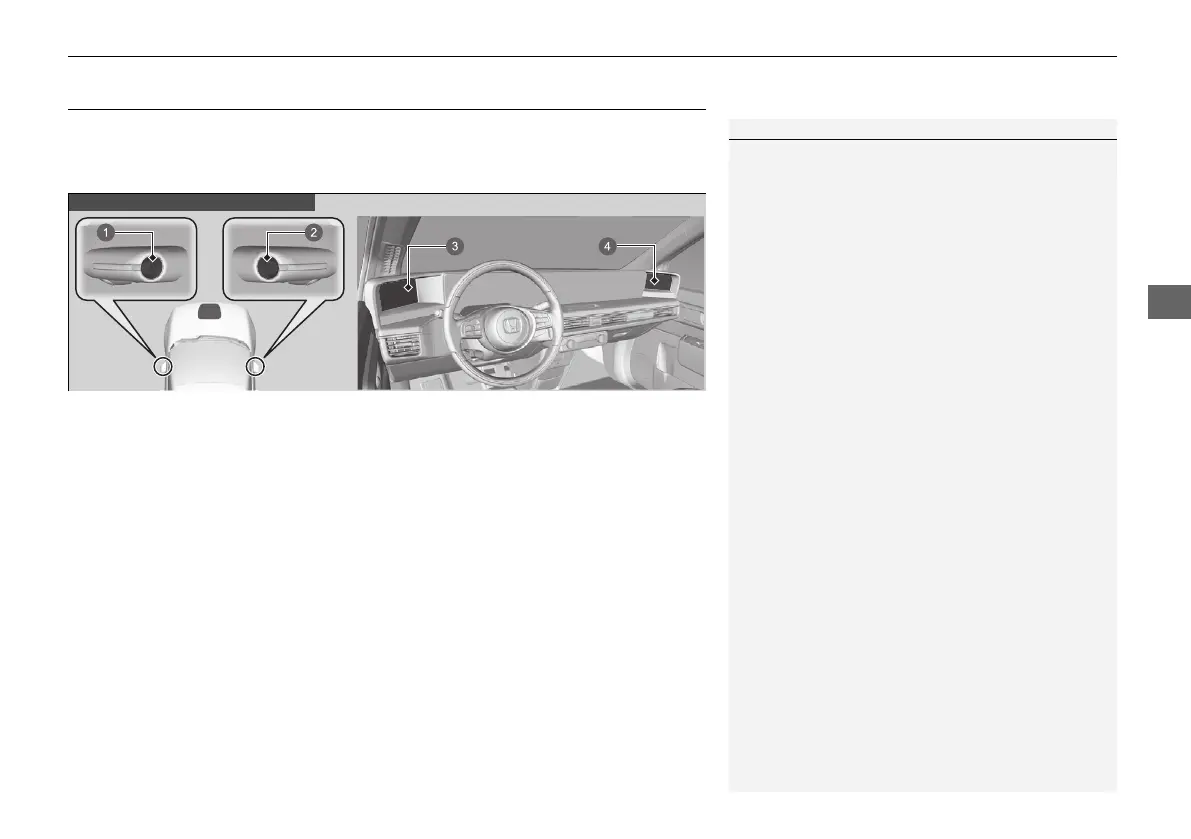
when one of the front doors is opened or the power mode is set to ON.
1Side Camera Mirror System
When driving, visually check for other vehicles and
confirm the safety of your surroundings.
Depending on ambient conditions, the following may
appear on the image.
• The area around bright objects like the sun or the
headlights of following vehicle blurs white.
• The image flickers due to ambient light conditions.
• The left and right side of the image differ in
brightness or colour due to ambient light
conditions or reflected objects.
Depending on conditions, it may take some time for
your eyes focus on the display. Make sure you can see
it clearly before use.
The screens will turn off in the following situations:
• The security system alarm is set via locking
mechanism.
• Nothing had been operated for two minutes while
the power mode is not in ON.
The screens' brightness will gradually be adjusted
darker automatically as ambient light decreases. You
can adjust the brightness of the screens when the
ambient light is low. The screens can also be adjusted
in high ambient light, but the screens' brightness will
not change.
2 Changing the Screen Brightness P. 278













 To Next Page