280
uuDisplay AudiouSystem Updates
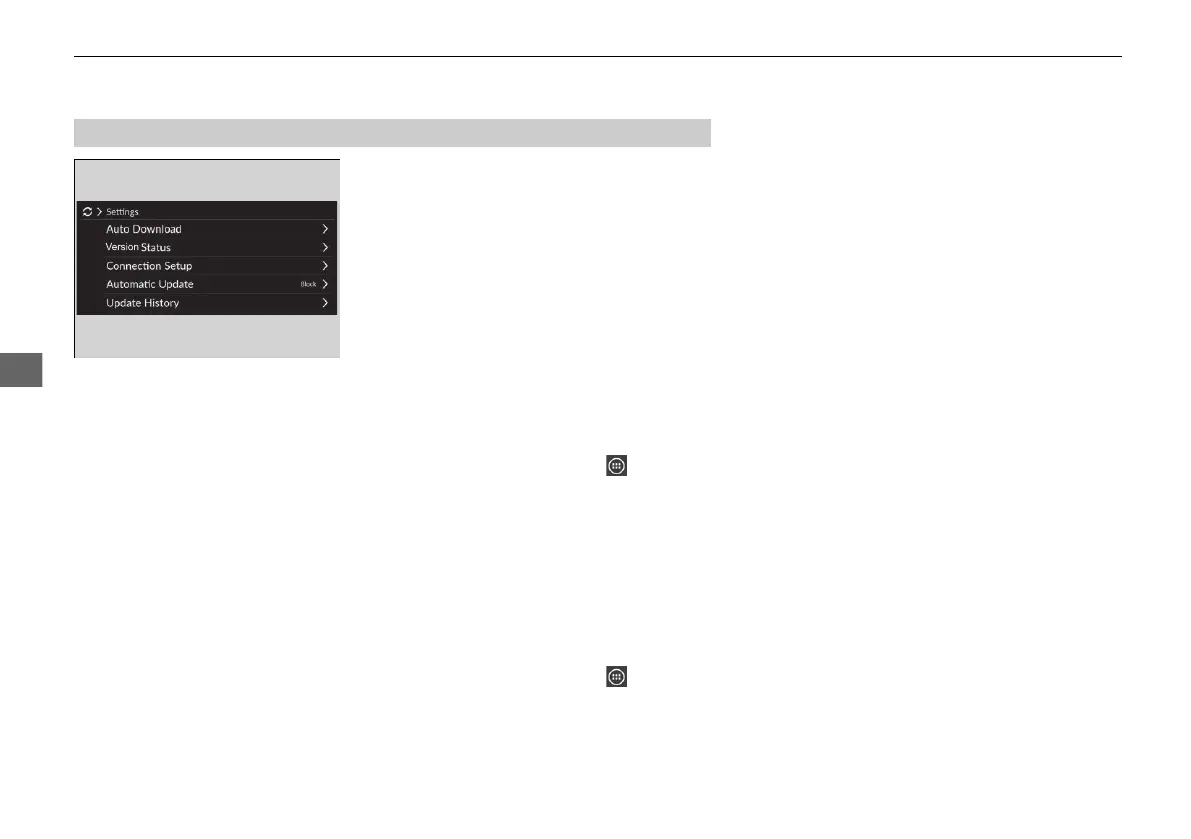
The following settings can be set.
• Auto Download
• Version Status
• Connection Setup
• Automatic Update
• Update History
■
Automatic download settings
Use the following procedure to change to the automatic download setting.
1. Select System Updates.
u If System Updates is not displayed on the shortcut area, select All Apps.
2. Select Settings.
3. Select Auto Download.
4. Select the access point, then select Allow.
u If you do not want to system update automatically, select Block.
■
View a version and update status
Use the following procedure to confirm the version and update status.
1. Select System Updates.
u If System Updates is not displayed on the shortcut area, select All Apps.
2. Select Settings.
3. Select Version Status.
■
System Updates Settings
20 2EX JSS (KE KG)-32TYF6000.book 280 ページ 2020年3月6日 金曜日 午後6時58分













 To Next Page