uuDisplay AudiouApple CarPlay
310
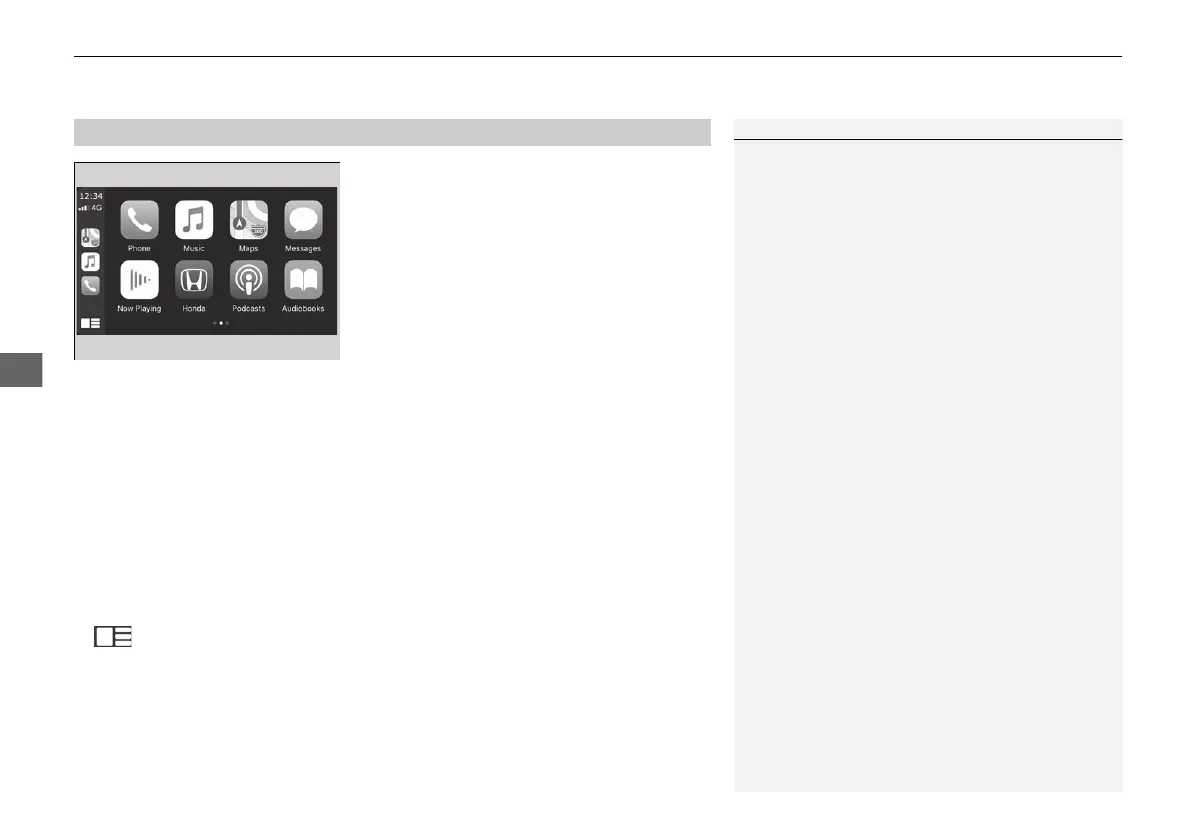
• Phone
Access the contact list, make phone calls, or listen to voice mail.
• Music
Play music stored on your iPhone.
• Maps
Display Apple Maps and use the navigation function just as you would on your
iPhone.
• Messages
Check and reply to text messages, or have messages read to you.
• Honda
Select the Honda icon to go back to the home screen.
•
Go back to the Apple CarPlay menu screen.
■
Apple CarPlay Menu
1Apple CarPlay
Apple CarPlay Operating Requirements &
Limitations
Apple CarPlay requires a compatible iPhone with an
active mobile connection and data plan. Your
carrier’s rate plans will apply.
Changes in operating systems, hardware, software,
and other technology integral to providing Apple
CarPlay functionality, as well as new or revised
governmental regulations, may result in a decrease or
cessation of Apple CarPlay functionality and services.
Honda cannot and does not provide any warranty or
guarantee of future Apple CarPlay performance or
functionality.
It is possible to use 3rd party apps if they are
compatible with Apple CarPlay. Refer to the Apple
homepage for information on compatible apps.
20 2EX JSS (KE KG)-32TYF6000.book 310 ページ 2020年3月6日 金曜日 午後6時58分


 To Next Page
 Loading...









