Continued
513
uuParking Your VehicleuParking Sensor System
■
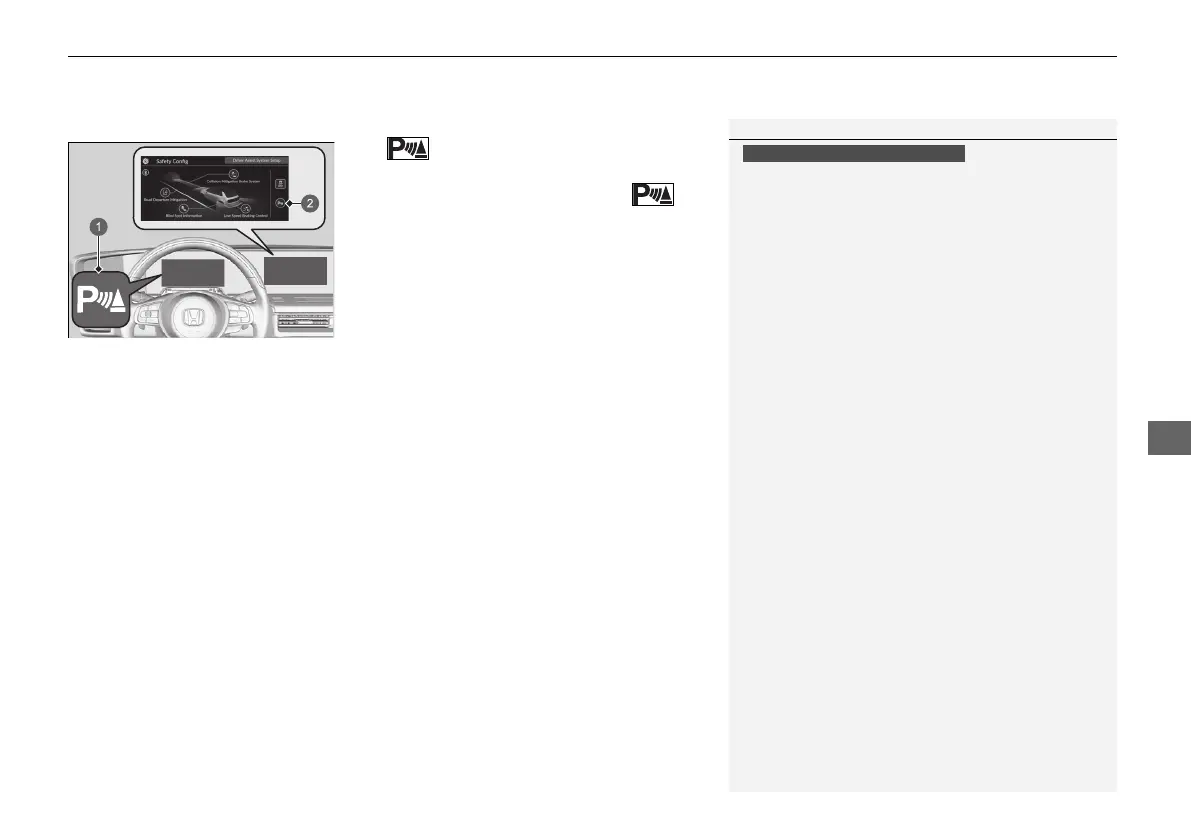
Parking sensor system on and off
The icon is in the safety config of the
audio/information screen.
To disable parking sensor, press the
icon.
2 Driver Assist System On and Off P. 326
The front corner, rear centre and rear corner
sensors start to detect an obstacle when the
transmission is in
(R, and the vehicle speed is
less than 8 km/h (5 mph).
The front corner and front centre sensors start
to detect an obstacle when the transmission is
in any position other than
(P or (R, and the
vehicle speed is less than 8 km/h (5 mph).
When Honda Parking Pilot is in operation, the Parking Sensor System will turn on,
and all parking sensors will start to monitor obstacles while the vehicle speed is less
than 8 km/h (5 mph).
1Parking Sensor System
When the vehicle is moving forward at 8 km/h
(5 mph) or less, the system detects any obstacles in
front of the vehicle and the forward camera image
will display as the distance between them decreases.
2 Multi-View Camera
*
P. 523
When the obstacle is no longer detected or it is
located between a detection range and a non-
detection range, the display will return to the
previous screen.
You can customize whether or not to display the
forward camera image when an obstacle is detected.
2 Customized Features P. 327
Models with Multi-View Camera
a Parking Sensor Indicator
(green)
b Parking Sensor Icon
* Not available on all models
20 2EX JSS (KE KG)-32TYF6000.book 513 ページ 2020年3月6日 金曜日 午後6時58分













 To Next Page