uuMulti-View Camera
*
u
524
■
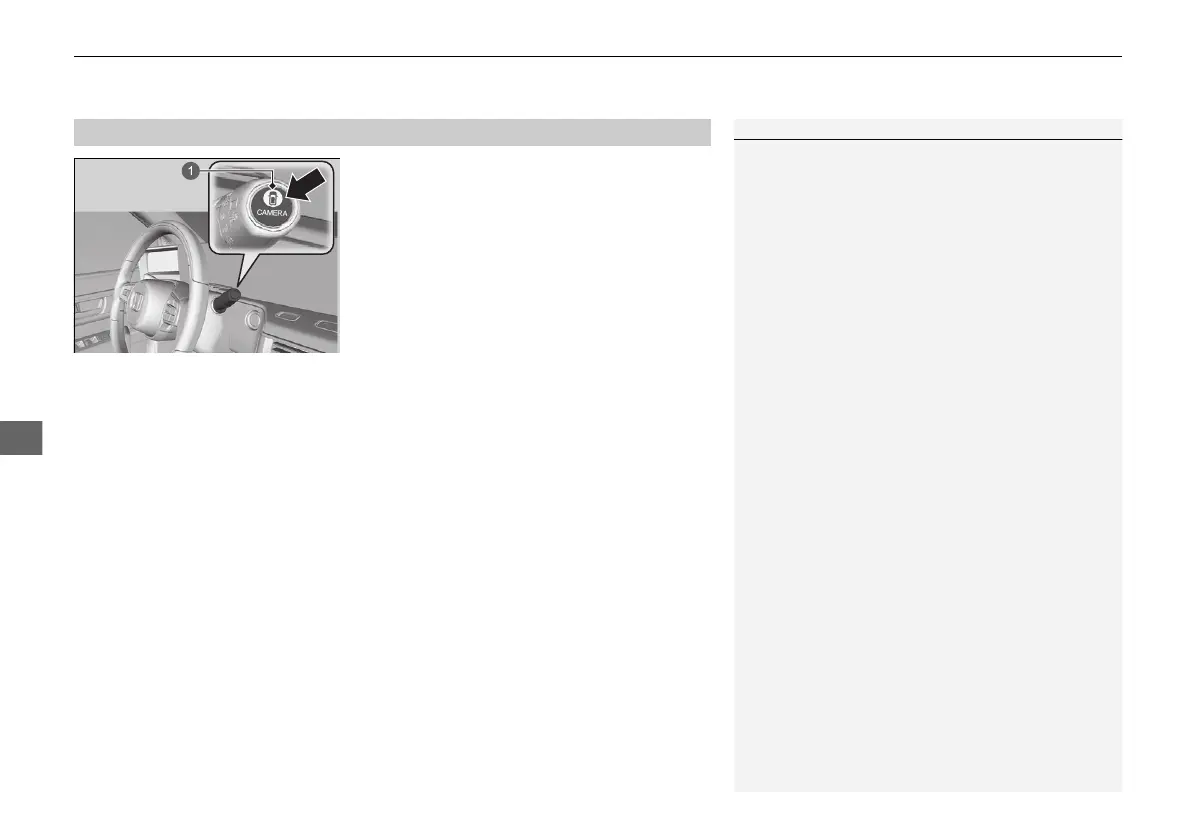
For frontal views:
Press the CAMERA button when the vehicle is
stationary or moving at 20 km/h (12 mph) or
slower. Press the button again to switch
camera views.
■
For rear reviews:
Change the shift position to (R when the
vehicle is stationary. Press the CAMERA
button again to switch rear view mode.
You can customize the display setting.
2 Customized Features P. 327
■
Displaying an Image From the Multi-View Cameras
1Multi-View Camera
*
Always keep the camera lenses clean and free from
debris.
When the parking sensor system detects any
obstacles, the indicator will display.
2 Parking Sensor System P. 512
When a vehicle is detected approaching from a rear
corner, Cross Traffic Monitor alerts you.
2 Cross Traffic Monitor
*
P. 517
* Not available on all models
20 2EX JSS (KE KG)-32TYF6000.book 524 ページ 2020年3月6日 金曜日 午後6時58分







 To Next Page