4 MENU SETTINGS
27
Setting the work timer
Setting the work timer
You can set the work day and work time for the lawn mower to operate. You can also specify a specifi c area for
each work time.
Work timer
You can select the day and time on which you want the lawn mower to operate.
Home screen J [1.Work timer] J [1.Work timer]
Confi gure this setting to have the lawn mower
operate on specifi c days and times.
You can set up to two times for operation for one day.
NOTE:
- The [Timer 1] cannot be overlapped with the [Timer
2].
- The period of time cannot include “00:00”.
1
Select the day on which you want the lawn
mower to operate.
2
Press the H button to proceed to the timer
setting screen.
3
Enter a start time and an end time in
24-hour format for [Timer 1] using the number
buttons.
4
If necessary, also enter a start time and an
end time in 24-hour format for [Timer 2].
NOTE:
- If you want to copy the work timer settings
to the other days of week, select [Copy to
week] and the
H button.
5
Press the G button to return to the previous
screen.
Work timer 6/7
Select days to copy
All MON TUE
WED THU FRI
SAT SUN
Yes No
Work timer
From To
0 0 : 0 0 - 0 0 : 0 0
From To
0 0 : 0 0 - 0 0 : 0 0
Copy to week
Monday
1
2
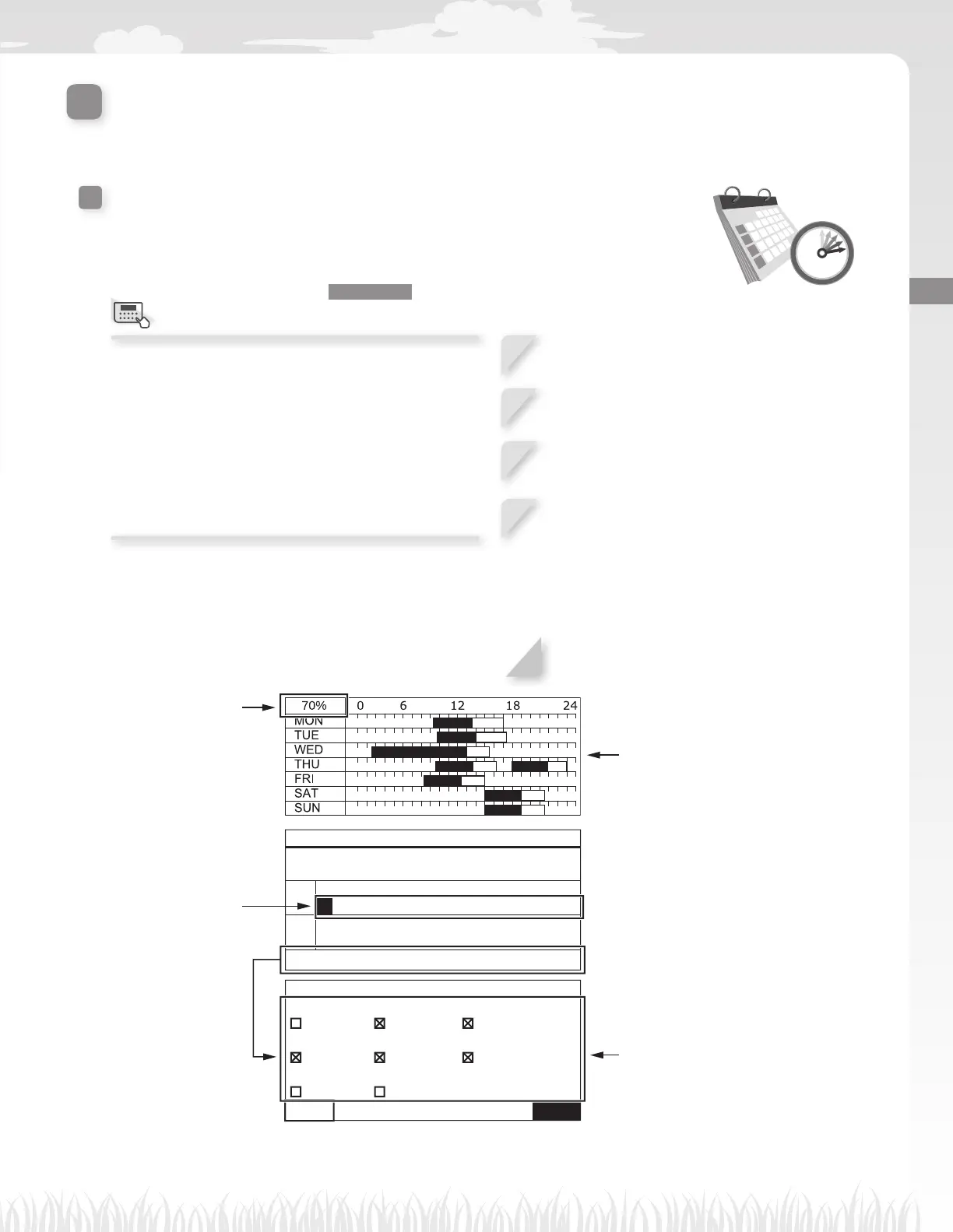
The percentage which is
confi gured in the seasonal
timer is the ratio in which
the lawn mower works in
a month. For details on
the seasonal timer, see
“Seasonal timer” (M page 29).
If you want to copy the work
timer settings to the other
days of week, select [Copy
to week] and the H button.
Set the time.
Confi rm the period of work time for
each day of week.
NOTE:
- Black part in the bar is the time
in which the lawn mower will
work. White part in the bar is
the time in which lawn mower
will not work. The ratio of black
and white parts depends on the
settings of seasonal timer. For
details on the seasonal timer,
see “Seasonal timer” (M page 29).
Select each box of the day to which
you want to copy and press the H
button.
After adding checks to the boxes,
select [Yes] and press the H
button to copy the settings to the
selected days of week.
Menu screen



 To Next Page