3 PREPARATION
15
Setting up the lawn mower
Setting up the lawn mower
When fi rst turning on the lawn mower, the initial settings and setup wizard will appear.
Through the initial settings, you can confi gure the display language, internal date and time, and create your
PIN (Personal Identifi cation Number).
Through the setup wizard, you can confi gure the settings for the mowing operation of your lawn mower.
NOTE:
- If your dealer already confi gured the setup wizard, the setup wizard screen is not displayed.
Turning on the power
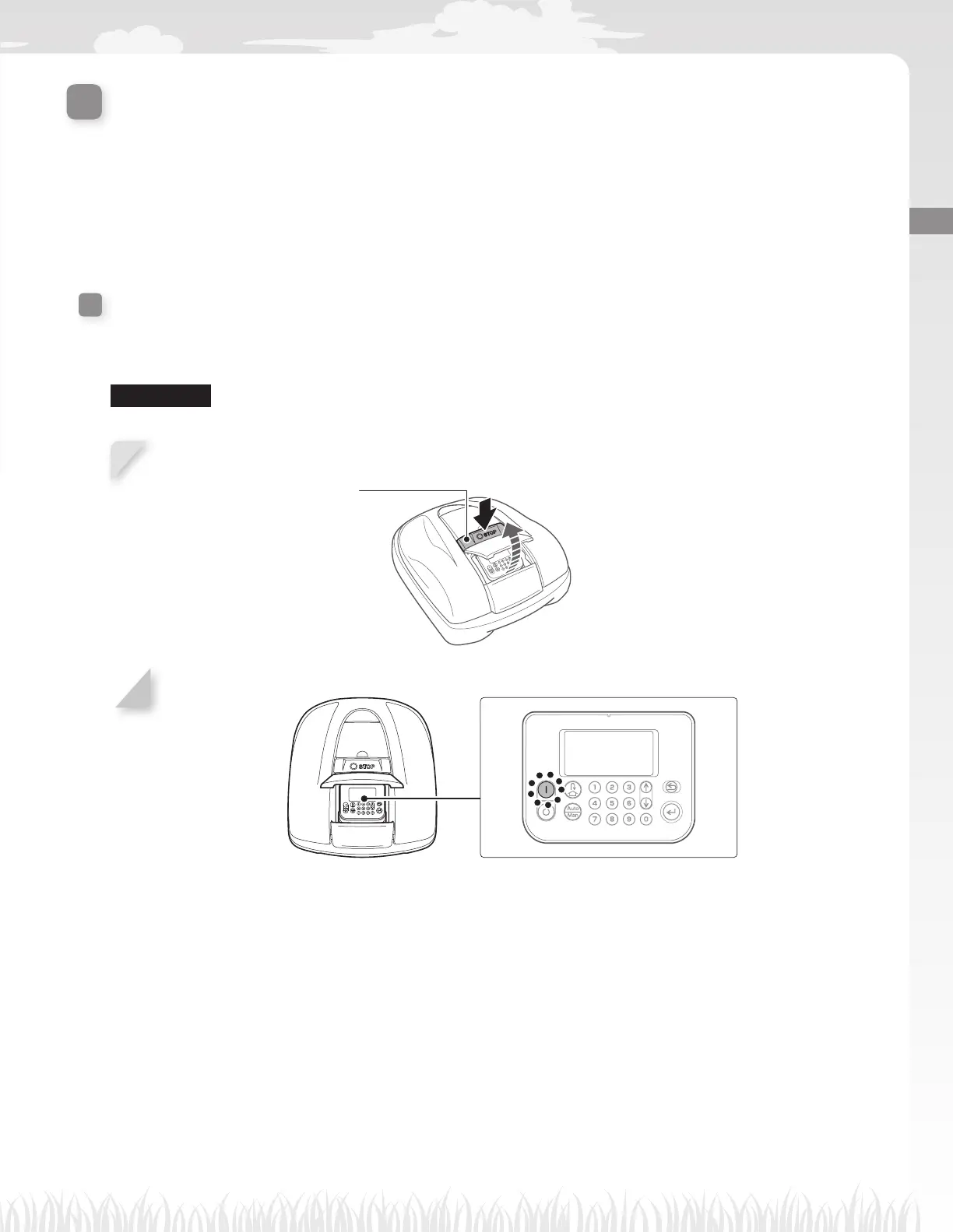
After the battery is charged, press the A (On) button to turn on the lawn mower.
The A (On) button is located on the control panel towards the rear side of the lawn mower.
N WARNING
- Do not insert your fi
nger beneath the closed operation panel cover or height adjustment dial cover.
1
Press the manual STOP button.
The control panel cover pops up.
Manual STOP button
2
Press the A (On) button on the control panel.
The power turns on, and the initial setup screen on the control panel is displayed.



 To Next Page