40
Setting the lawn mower operation
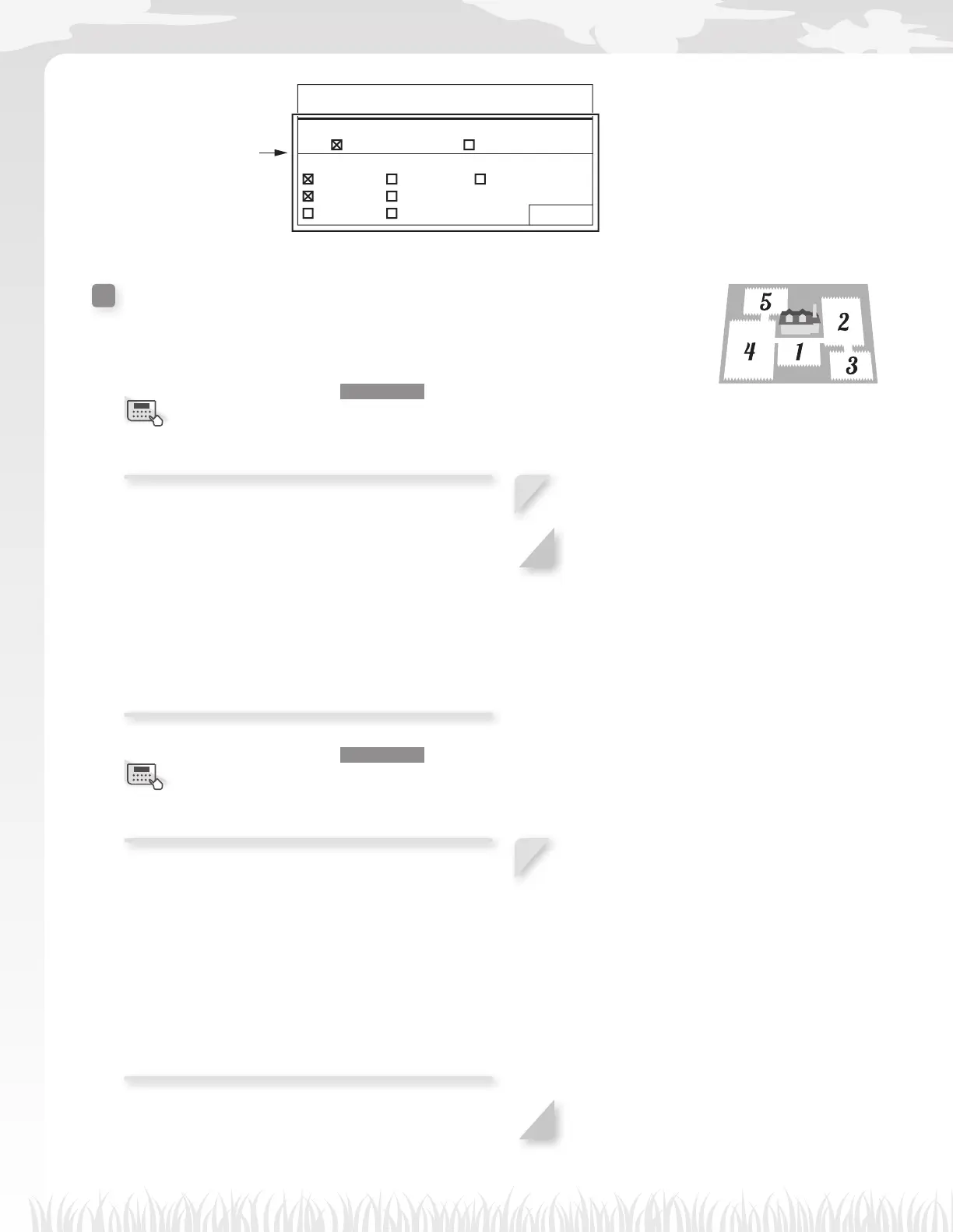
17:01 Fri
Manual mode setup
Edge cutting
ON OFF
Select days
MON TUE WED
THU FRI
SAT SUN Finish
Set the edge cutting and
select the days on which
you want the lawn mower to
operate with this function.
Lawn layout
Home screen J [2.Lawn setup] J [3.Lawn layout] J
[1.Docking direction]
You can set the direction for the lawn mower to move
in relation to the docking station.
NOTE:
- Before confi guring the settings, confi rm the
completion of installing the docking station and
laying boundary wire with your dealer.
- For details on the boundary wire connection of
the docking station terminals, see “Conditions for
installing the docking station” (M page 12).
1
Select [Clockwise(CW)] or
[Counter-clockwise(CCW)].
2
Press the H button.
Home screen J [2.Lawn setup] J [3.Lawn layout] J
[2.Wire length...]
You can confi gure the information of your lawn layout
to operate the lawn mower.
NOTE:
- Before confi guring the settings, confi rm the
completion of installing the docking station and
laying boundary wire with your dealer.
- If the DEALER CHECKSHEET at the end of
Owner’s Manual was already fi lled out by your
dealer, refer to it when confi guring the settings.
1
Enter the values of the boundary wire
length and lawn size, and select [Yes] or
[No] to the question about the short cut
wire. See “Other setting item information”
(M page 78).
NOTE:
- Select [No] to the question about the
short cut wire if you will install the
docking station near a corner.
- Have your dealer install the short cut
wire.
2
Press the H button.
Menu screen
Menu screen



 To Next Page