48
Viewing history
Fault history
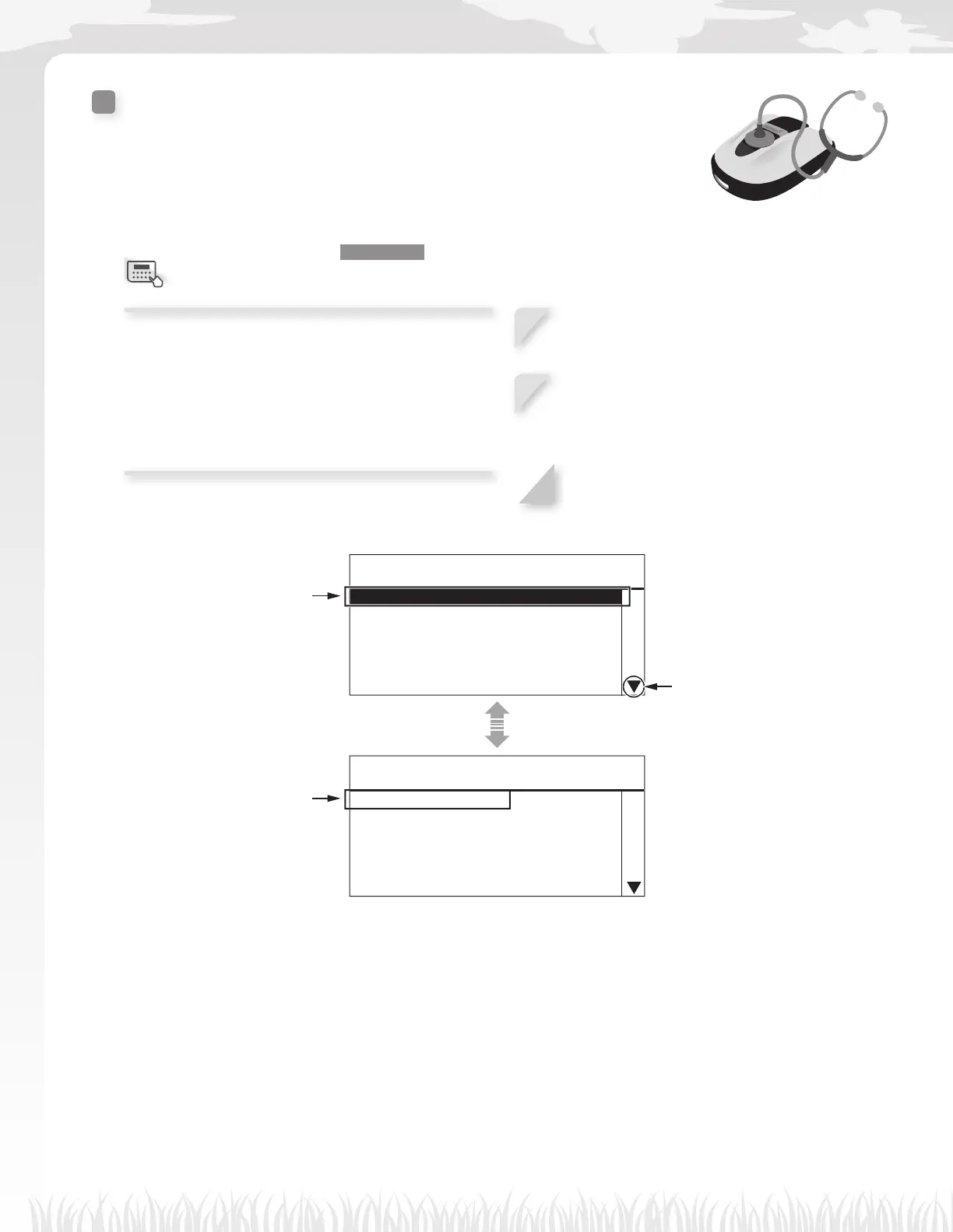
You can view the lawn mower’s fault history (when a fault occurred).
Home screen J [4.History] J [2.Fault history]
The history of errors that have occurred are logged.
NOTE:
- If the same error occurs repeatedly many times
on the same day, only the time when the fi rst error
occurred is saved.
1
Select fault history entry by using the up/
down arrow buttons.
2
Press the H button.
Fault information is displayed.
For details on faults, see “6
TROUBLESHOOTING” (M page 60).
3
Press the G button to return to the previous
screen.
17:01 Fri
Fault history
1.3A036 28.08.12 11:23
2.3A024 28.08.12 10:58
3.3A022 28.08.12 10:42
4.3A013 28.08.12 10:38
5.-
6.-
17:01 Fri
Fault history
03:Lift sensor
Fault
28.08.2014 10:42
This mark indicates that there
is another page. Use the E / F
buttons to change pages.
The most recent fault error entry is
displayed fi rst.
Press the H button for more
information.
Fault information and the time of
the fault are displayed.
Menu screen



 To Next Page