56
Operating the lawn mower in Auto mode
Auto mode operation
These instructions can be used to operate the lawn mower at the time scheduled for the Auto mode settings.
NOTE:
- For details on settings, see “4 MENU SETTINGS” (M page 25).
- Make sure to press the manual STOP button before performing the following procedure.
1
Press the H button.
2
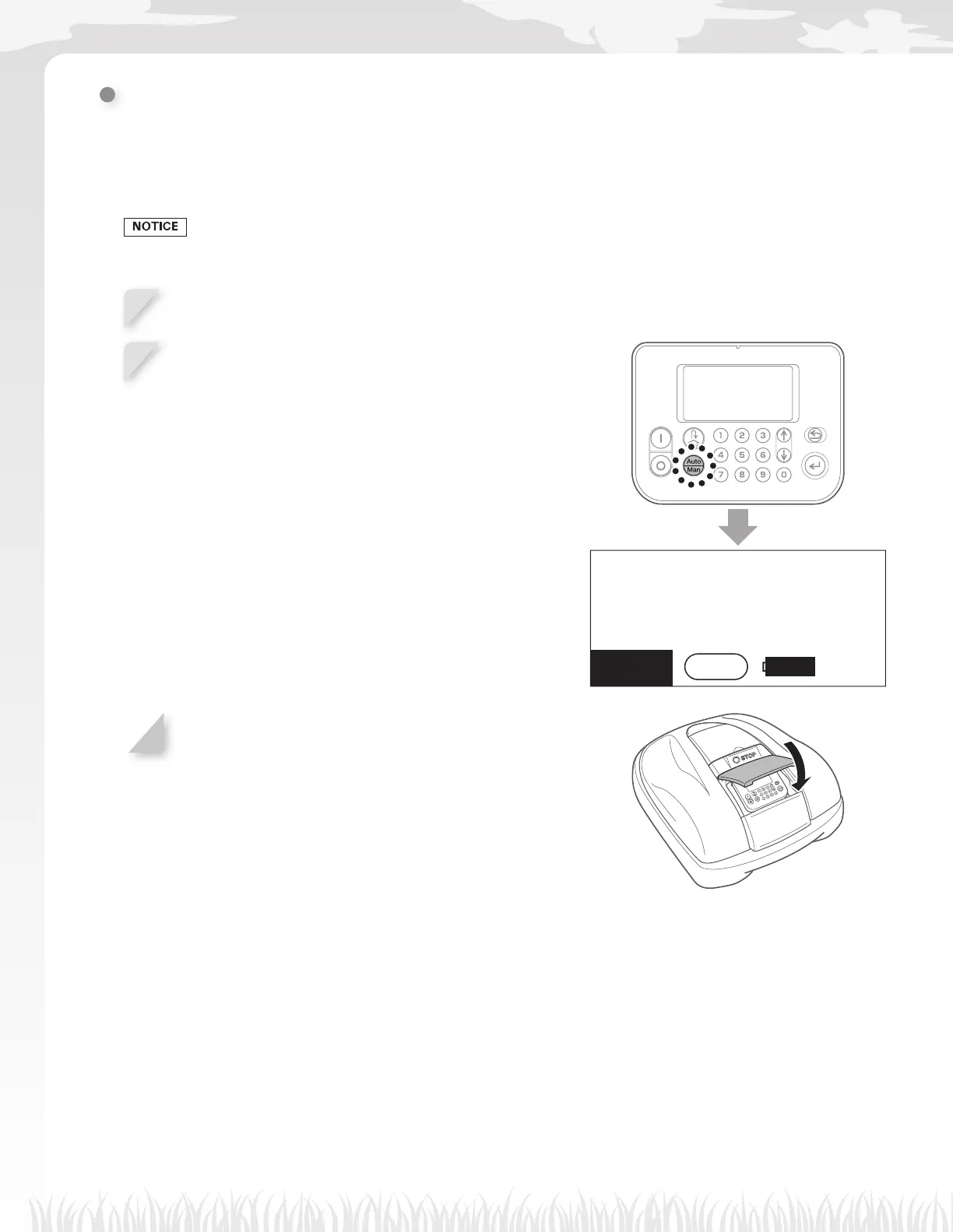
If the [Auto] is displayed on the Home screen, go to
step 2.
If the [Man] is displayed on the Home screen, press the
D button until the [Auto] is displayed.
For details on the icons in the screen, see “Home screen”
(M page 11).
17:01 Fri
Auto
100
%
Menu
3
Close the control panel cover.
Setting is now complete. The lawn mower starts mowing at the time scheduled for the Auto mode.
For details on settings, see “4 MENU SETTINGS” (M page 25).
NOTE:
- If you press the B (Off) button after confi guring these settings, the lawn mower will not activate.



 To Next Page