4 MENU SETTINGS
39
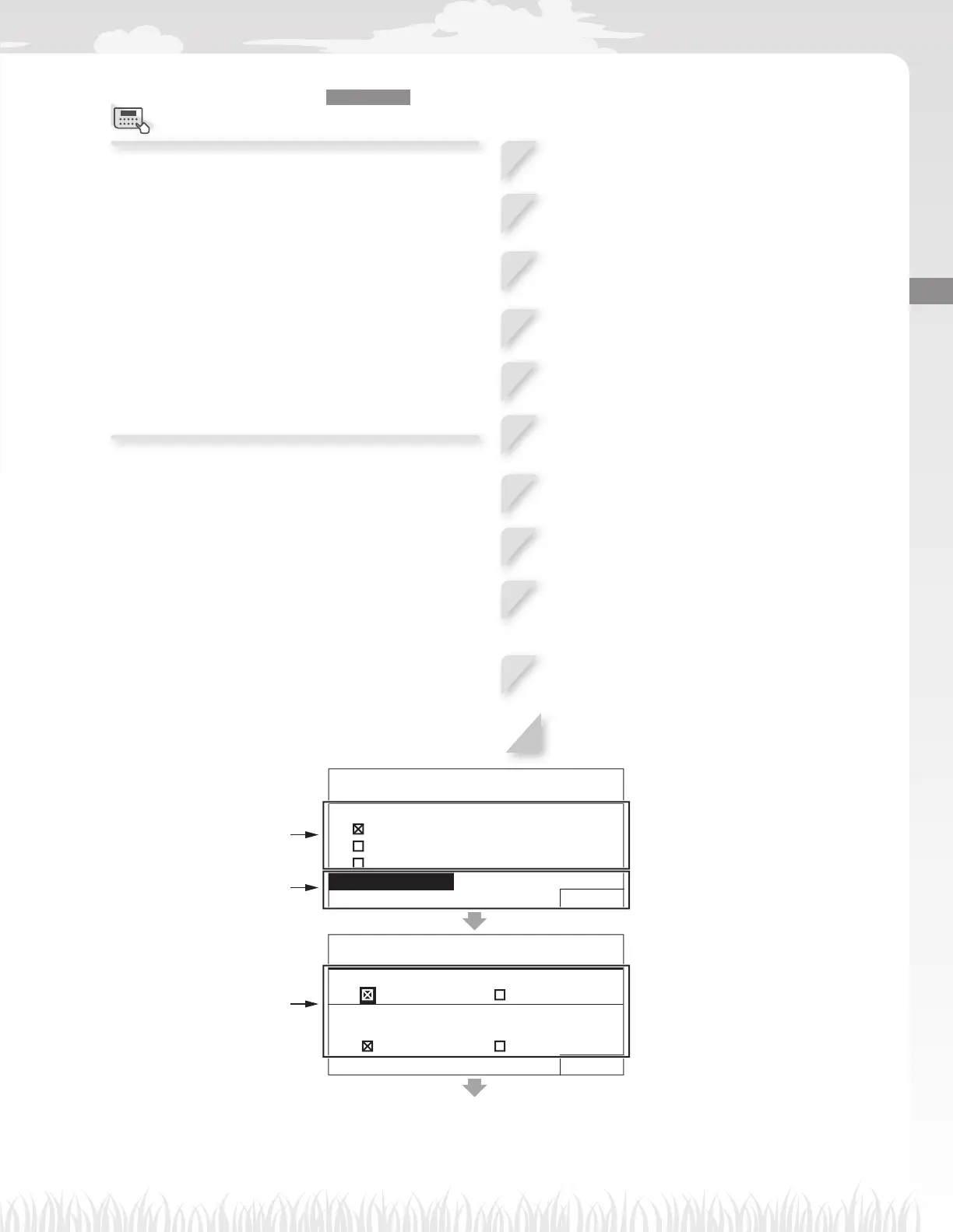
Setting the lawn mower operation
Home screen J [2.Lawn setup] J [2.Manual mode]
You can adjust how the lawn mower moves while
mowing.
NOTE:
- If you want the lawn mower to operate with the
manual mode, change the operating mode by
pressing the D button. For details, see “5 USAGE”
(M page 53).
- Among the mowing pattern settings, the [Mixed]
setting is also available. With this setting, the lawn
mower alternates between the Random mowing
pattern and the Directional mowing pattern at
regular intervals.
1
Select [Mowing pattern] and press the H
button.
2
Select [Random], [Directional] or [Mixed] for
confi guring the mowing pattern, and press
the H button.
3
Select [Wire overlap] and enter the values of
the wire overlap from 8 to 18, and press the
H button.
4
Select [NEXT] and press the H button.
5
Select [ON] or [OFF] for confi guring the spiral
cutting, and press the H button.
6
Select [NEXT] and press the H button.
If you select [ON], go to step 7.
If you select [OFF], go to step 9.
7
Select [Normal] or [High] for confi guring the
sensitivity, and press the H button.
8
Select [NEXT] and press the H button.
9
Select [ON] or [OFF] for confi guring the edge
cutting, and press the H button.
If you select [ON], go to step 10.
If you select [OFF], go to step 11.
10
Select the day of the week on which you want
the lawn mower to run with the edge cutting
function, and press the H button.
11
Select [Finish] and press the H button.
17:01 Fri
Manual mode setup
Mowing pattern
Random
Directional
Mixed
Wire overlap
8 in. NEXT
17:01 Fri
Manual mode setup
Spiral cutting
ON OFF
Sensitivity
Normal High
NEXT
Select the mowing pattern.
Confi gure the values of wire
overlap.
Set the spiral cutting and
sensitivity.
Menu screen



 To Next Page